How else will you be affected by Windows 7 End of Life?
Darren Waggott
November 27th, 2019
Critical Impact: Are You Affected by Windows 7 End of Life?
As of January 14, 2020, Windows 7 reached its End of Life (EOL), leaving millions of users vulnerable to security risks, compatibility issues, and potential system failures. If you’re still using Windows 7, you may be wondering how you’re affected by Windows 7 End of Life and what steps you should take to safeguard your data and system performance.
In this guide, we’ll explain exactly what being Affected by Windows 7 End of Life means for you, why upgrading is crucial, and how to navigate the transition to a newer operating system like Windows 10. By the end of this article, you’ll have the knowledge you need to avoid being affected by Windows 7 End of Life and to make an informed decision about upgrading.
Table of Contents
What Does Windows 7 End of Life Mean?
When an operating system like Windows 7 reaches its End of Life, Microsoft stops providing security updates, patches, and technical support for it. This doesn’t mean your system will suddenly stop working, but it does mean your computer becomes increasingly vulnerable to security threats and performance issues.
Here are a few key ways you’re likely to be affected by Windows 7 End of Life:
No more security updates: Your system will no longer receive critical updates, leaving it exposed to malware, ransomware, and other cyberattacks.
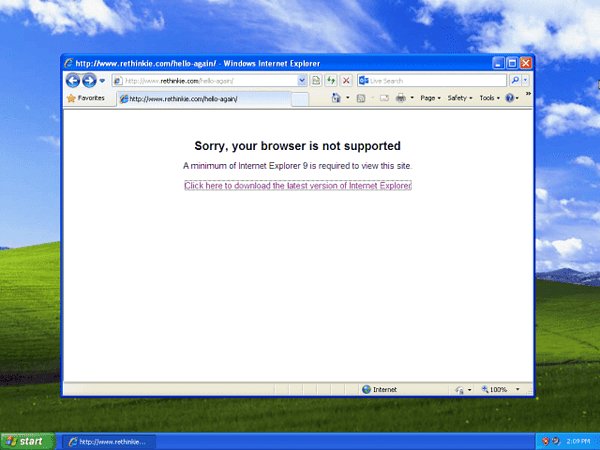
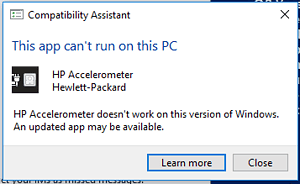
Software compatibility issues: New software and apps may no longer support Windows 7, limiting your ability to run essential programs.
Lack of technical support: Microsoft will no longer offer customer service or technical assistance for Windows 7-related problems.
If you are still running Windows 7, these risks are too significant to ignore.
Who is Most Affected by Windows 7 End of Life?
Certain users and organizations are more affected by Windows 7 End of Life than others. Here are some key groups that should prioritize upgrading:
1. Small Businesses
Small businesses that still rely on Windows 7 for day-to-day operations are especially vulnerable. Without security updates, your business data, client information, and financial records are at risk of being compromised. Additionally, many business-critical software programs have moved on from supporting Windows 7, which could lead to compatibility issues.
2. Home Users
If you use Windows 7 at home, you are equally vulnerable. Though you might not feel the effects immediately, continuing to use an unsupported operating system means you’re exposed to malware, viruses, and hackers. Everyday tasks like browsing the web, downloading files, and checking emails can become dangerous.
3. Enterprises with Legacy Systems
Large enterprises that have legacy systems built around Windows 7 will be hit hardest. These systems may be critical for operations, making it difficult to transition smoothly. However, staying on Windows 7 leaves enterprise systems exposed to significant security breaches and operational inefficiencies.
Consequences of Staying on Windows 7 Post-End of Life
If you’re still wondering how you’ll be affected by Windows 7 End of Life, it’s important to consider the consequences of continuing to use the unsupported system:
1. Increased Vulnerability to Cyberattacks
Without security patches and updates from Microsoft, Windows 7 devices are prime targets for hackers. New malware and ransomware exploit vulnerabilities in outdated operating systems, and with no future patches, there’s no way to defend against these threats. Even basic antivirus software may struggle to protect your system.
2. Decreased Software Compatibility
Many developers no longer support Windows 7, meaning new software, drivers, and updates might not function properly—or at all—on your system. This limits your ability to install new programs or even update existing ones.
3. Higher Maintenance Costs
The cost of maintaining outdated hardware and software tends to increase over time. You may need to pay for third-party services to help keep your system running, but even these won’t be able to solve every problem. You may also face hardware incompatibility issues as you try to keep older machines operational.
How to Transition and Avoid Being Affected by Windows 7 End of Life
The best way to avoid being affected by Windows 7 End of Life is to transition to a newer operating system, such as Windows 10. Here’s how to make the switch seamlessly:
1. Upgrade Your Current System to Windows 10
For many users, upgrading their existing computer to Windows 10 is the simplest solution. Windows 10 offers enhanced security, regular updates, and modern features that can help protect your data. If your computer meets the system requirements for Windows 10, you can easily purchase and install the upgrade.
Steps to Upgrade:
Back up your data to ensure that none of your files are lost during the transition.
Purchase a Windows 10 license and download the installation tool from Microsoft’s website.
Follow the on-screen instructions to upgrade your system.
2. Purchase a New Windows 10 Device
If your current hardware is outdated and doesn’t meet the requirements for Windows 10, consider purchasing a new device with Windows 10 pre-installed. New devices come with the latest security features and performance enhancements, ensuring a smooth, hassle-free experience.
The Benefits of Upgrading to Windows 10
By upgrading to Windows 10, you’ll avoid being affected by Windows 7 End of Life and benefit from a wide range of features that enhance both security and usability:
Ongoing Updates: Microsoft continues to provide regular updates to ensure that your system stays secure and efficient.
Improved Security: Windows 10 comes with Windows Defender, an antivirus program that offers real-time protection against malware, ransomware, and other threats.
Enhanced User Experience: With features like Cortana for voice commands and virtual desktops for multitasking, Windows 10 improves productivity and ease of use.
Better Compatibility: New hardware and software are designed with Windows 10 in mind, ensuring that your system remains compatible with the latest innovations.
Common Questions About Being Affected by Windows 7 End of Life
Still have questions about how you’re affected by Windows 7 End of Life? Here are a few frequently asked questions:
1. Can I Still Use Windows 7?
Yes, but it’s not recommended. While your system will still function, you’ll no longer receive updates, leaving your device vulnerable to attacks.
2. What Are the Costs of Upgrading to Windows 10?
The cost of upgrading depends on the license you choose. You can purchase a Windows 10 Home or Pro license from the Microsoft Store, or consider purchasing a new device with Windows 10 already installed.
3. What Happens if I Don’t Upgrade?
If you choose not to upgrade, you will be exposed to security risks, and over time, more and more software will stop supporting Windows 7. You may find that essential programs no longer run on your system.
Conclusion: Don’t Be Affected by Windows 7 End of Life – Upgrade Today
The risks of being affected by Windows 7 End of Life are too significant to ignore. Whether you’re a business owner, home user, or IT professional, upgrading to Windows 10 is the best way to protect your data and keep your system running smoothly. Don’t wait until it’s too late—make the switch now and enjoy the benefits of a more secure and efficient operating system.
If you need help upgrading or choosing the right hardware, contact the team at Kingfisher Computers for expert advice and assistance. We’ll help you navigate the transition with ease.
The Illusion of Stability in Modern Updates For most users, operating system updates are something that simply happen. They arrive quietly, often installing in the background, requiring little more than…
Macbook Neo, How Does It Compare To Air & Pro? Over the last few years the laptop market has experienced one of the most significant architectural changes in its history.…
Apple’s latest product announcements mark one of the most significant shifts in the Mac lineup in more than a decade. While Apple routinely updates its hardware with faster chips, incremental…
There is a particular kind of frustration that only a slow computer can produce. It is not dramatic. It is not urgent. It does not scream for attention. Instead, it…
In an era where nearly every aspect of personal computer maintenance and professional life is mediated through digital systems, your computer is no longer a luxury device — it is…
Phone says charging but battery not increasing is one of the most frustrating problems smartphone users face. You plug it in.The lightning bolt appears.It says “Charging.” But the battery percentage…
Apple’s rumour cycle always looks like a thousand disconnected leaks — until you line them up and notice the same themes repeating: AI-first silicon, camera and display differentiation, form-factor experiments (foldables / spatial…
Wi-Fi connected but no internet is one of the most frustrating messages you can see on a computer or laptop. The Wi-Fi icon shows full bars.It says “Connected.”But websites won’t…
Unfortunately, there was an error submitting your request.
Please try again later, or reach out to us directly. You can call us at +44 1429 280955 or email us at sales@kingfishercomputers.co.uk for assistance. We’re here to help you get your computer back up and running!
We’ve received your booking, Our team will get in touch with you shortly to confirm the details. You’re one step closer to having your computer fixed! If you have any urgent questions, feel free to contact us. Otherwise, sit back, and we’ll handle the rest.