Best Practices for Securing Your Passwords in the Digital Age
Adam Fornal
April 7th, 2025
Table of Contents
Best Practices for Securing Your Passwords in the Digital Age
In today’s digital world, passwords are the keys to almost everything we do online—from social media to online banking and work-related accounts. Yet, despite their importance, many people still struggle with securing their passwords effectively. As cyber threats become increasingly sophisticated, understanding how to protect your passwords is more important than ever. In this blog, we will cover the best practices for securing your passwords in the digital age and provide you with actionable steps to protect your online accounts from unauthorized access.
Why Securing Your Passwords is Crucial
Before diving into the best practices, it’s essential to understand why securing your passwords is so critical. Passwords act as the first line of defense against cybercriminals. If your password is weak or easily guessable, hackers can quickly gain access to your accounts and misuse them for various malicious purposes—stealing your data, committing fraud, or even causing significant financial harm.
Moreover, with the rise of identity theft, phishing attacks, and ransomware, protecting your passwords has become a fundamental aspect of cybersecurity. Cybercriminals often exploit weak passwords to gain unauthorized access to systems, making it imperative for individuals and businesses to take password security seriously.
So, how can you ensure that your passwords are as secure as possible? Let’s dive into the best practices for securing your passwords in the digital age.
1. Use Strong and Unique Passwords
The first step to securing your passwords is ensuring that they are strong. A strong password is one that is difficult for others to guess, even with the use of sophisticated tools. The best passwords contain a combination of letters (both uppercase and lowercase), numbers, and special characters.
Here are some guidelines for creating strong passwords:
Length: Aim for passwords that are at least 12 characters long. The longer the password, the more secure it is.
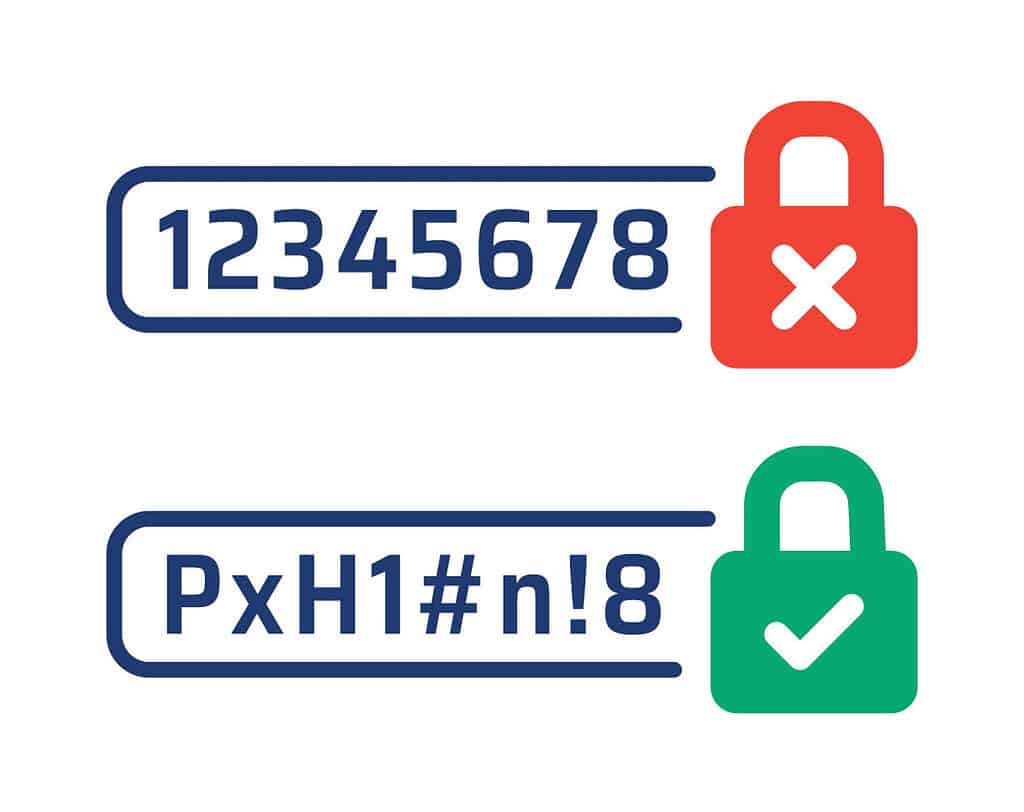
Variety: Avoid using common words or easily guessable sequences like “123456” or “password.” Instead, use a mix of letters, numbers, and symbols.
Randomness: Incorporate random characters into your password to make it harder to guess. For example, instead of using “Summer2025,” you might create something like “S!9mUer2#5L.”
Best Practices For Securing Your Passwords In The Digital Age 5
Also, never use the same password for multiple accounts. If one account is compromised, it could put all of your other accounts at risk. Using unique passwords for each account is one of the most effective ways of securing your passwords in the digital age.
2. Regularly Update Your Passwords
One of the simplest yet most effective ways to ensure the security of your online accounts is by updating your passwords regularly. While you may have strong passwords initially, over time they can become more vulnerable to cyberattacks as hackers improve their methods and tools.
Make it a habit to change your passwords every few months. And, as mentioned earlier, avoid reusing old passwords for new accounts. When you update your passwords, ensure that you’re following best practices—using a mix of characters and creating unique passwords for each account.
3. Monitor Account Activity Regularly
An effective way to stay on top of securing your passwords is by regularly monitoring the activity of your accounts. Many online services offer activity logs or notifications that can alert you to suspicious behavior—such as logging in from an unfamiliar location or device.
By keeping an eye on these activities, you can quickly detect if someone has gained unauthorized access to your accounts. If you notice any suspicious activity, change your password immediately and enable 2FA if you haven’t already.
4. Avoid Using Public Wi-Fi for Sensitive Transactions
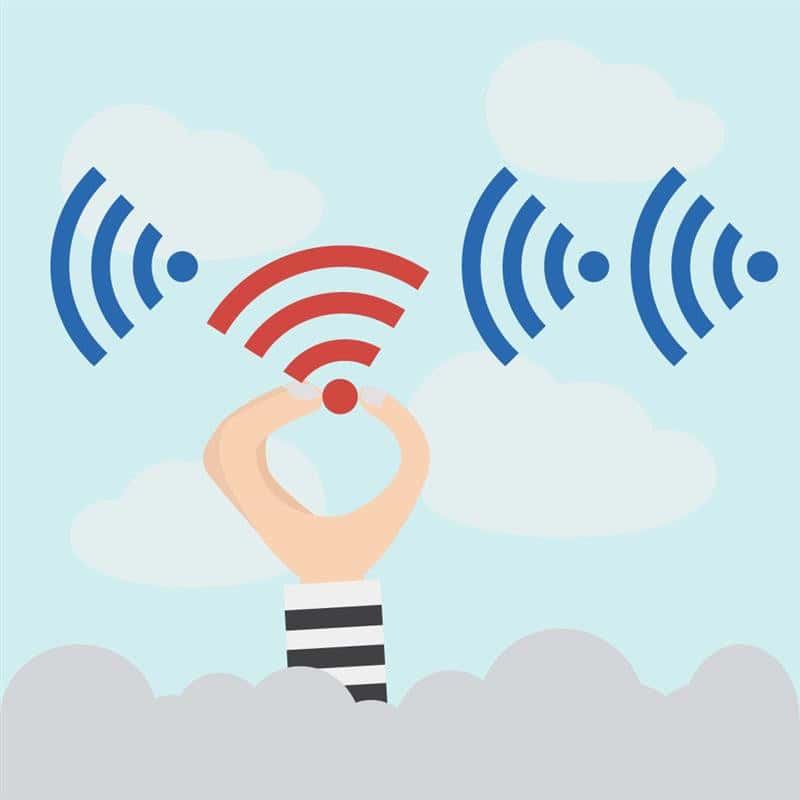
Public Wi-Fi networks, such as those found in cafes, airports, and hotels, are convenient but pose a serious security risk. Hackers can easily intercept data on public Wi-Fi networks and use it to access your accounts, including login credentials.
To ensure you’re securing your passwords, avoid logging into sensitive accounts (like banking or email) when connected to public Wi-Fi. If you absolutely must use public Wi-Fi for such activities, consider using a Virtual Private Network (VPN) to encrypt your connection and protect your data from potential hackers.
Best Practices For Securing Your Passwords In The Digital Age 6
How to Protect Yourself
To protect yourself and improve your passwords, there are several key steps you can take. First, use strong, unique passwords for each of your accounts, ensuring they are at least 12 characters long and contain a mix of uppercase and lowercase letters, numbers, and special characters. Avoid using easily guessable information such as names or birthdates.
Next, enable two-factor authentication (2FA) wherever possible, adding an extra layer of security by requiring a second form of verification in addition to your password. Use a password manager to store and generate complex passwords, ensuring you don’t have to rely on memory or reuse passwords across different accounts. Regularly update your passwords to reduce the risk of them being compromised over time, and always monitor account activity for any suspicious logins.
Lastly, educate yourself about phishing attacks and avoid clicking on links or downloading attachments from unknown sources, which can help you steer clear of potential threats that aim to steal your login credentials.
1. Enable Two-Factor Authentication (2FA)
Another crucial step in securing your passwords is enabling two-factor authentication (2FA). 2FA adds an additional layer of protection by requiring not just your password, but also a second piece of information—such as a one-time code sent to your mobile device or generated by an authentication app.
With 2FA, even if someone manages to steal your password, they still cannot access your account without the second factor. This makes it significantly harder for attackers to compromise your account, even if your password is weak or reused across multiple sites.
Many services, including email providers, social media platforms, and banking apps, offer 2FA. Always enable it where available to enhance the security of your online accounts.
2. Use a Password Manager
It’s easy to see why many people resort to using the same password across different accounts: it’s convenient. However, this practice greatly compromises the security of your online accounts. If one password is exposed, all of your accounts become vulnerable.
The solution? A password manager. Password managers securely store and encrypt your passwords, allowing you to generate strong, unique passwords for every account without the need to remember them. Most password managers also come with features such as automatic password filling, password generation, and alerts for weak or reused passwords.
Popular password managers like LastPass, Dashlane, and 1Password can help you stay on top of password security. By using a password manager, you take the burden off your memory and make it much easier to practice good password hygiene.
3. Be Wary of Phishing Attacks
Phishing attacks are one of the most common methods cybercriminals use to steal login credentials. Phishing attacks usually take the form of fraudulent emails, text messages, or websites that impersonate legitimate organizations. These messages often ask you to provide your login details or click on malicious links.
To avoid falling victim to phishing attacks, always be cautious when receiving unsolicited emails or messages. Verify the sender’s email address, and double-check the URL of any websites you’re directed to. If an email claims to be from a company, but it seems suspicious or contains grammatical errors, do not engage with it.
Best Practices For Securing Your Passwords In The Digital Age 7
Never click on links or open attachments in messages from unknown sources. If you suspect that an email is phishing, report it to the company it claims to represent, and delete the message immediately.
4. Monitor Account Activity Regularly
An effective way to stay on top of securing your passwords is by regularly monitoring the activity of your accounts. Many online services offer activity logs or notifications that can alert you to suspicious behavior—such as logging in from an unfamiliar location or device.
By keeping an eye on these activities, you can quickly detect if someone has gained unauthorized access to your accounts. If you notice any suspicious activity, change your password immediately and enable 2FA if you haven’t already.
5. Use Biometric Authentication When Possible
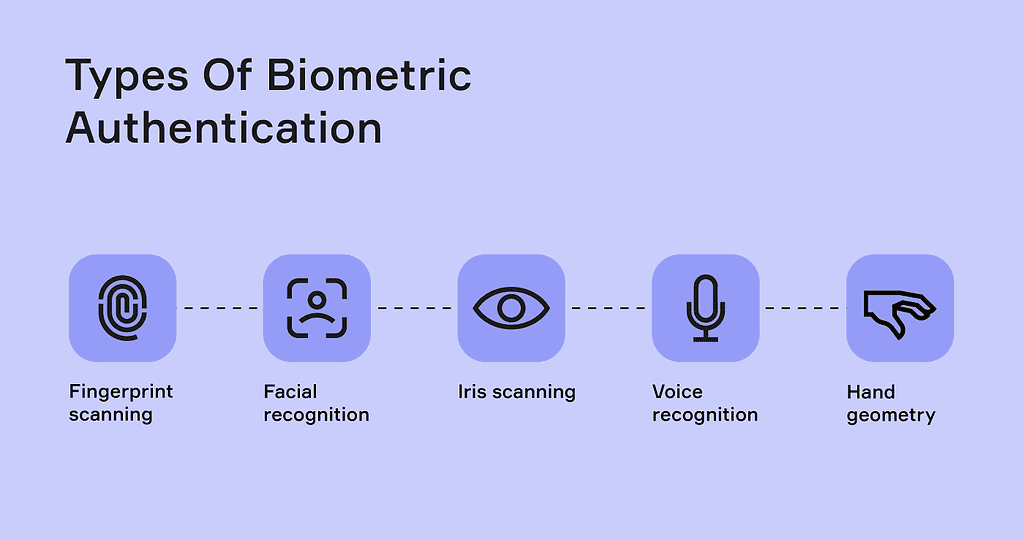
Biometric authentication, such as fingerprint recognition or facial recognition, provides an additional layer of security beyond passwords. Many modern smartphones and laptops come equipped with biometric features that allow you to log into accounts or unlock your device with just a touch or glance.
While biometric authentication is not foolproof, it adds an extra barrier that makes it more difficult for attackers to access your accounts, especially when combined with strong, unique passwords.
Best Practices For Securing Your Passwords In The Digital Age 8
7. Educate Yourself on Security Best Practices
Securing your passwords is an ongoing process, and staying informed is key. The digital landscape is constantly evolving, and new threats emerge regularly. To stay ahead of cybercriminals, make an effort to educate yourself about the latest trends in cybersecurity and password management.
Follow cybersecurity blogs, attend webinars, and regularly review your password security practices. By staying proactive, you can better protect your personal and professional accounts from potential attacks.
8. Don’t Share Your Passwords
Finally, never share your passwords with others unless absolutely necessary. Even if you trust someone, sharing your password increases the risk of it being compromised. If you need to grant someone access to your accounts, consider using a password manager that allows for secure sharing, or set up account-specific permissions where possible.
Conclusion: Securing Your Passwords in the Digital Age
Securing your passwords is one of the most important steps you can take to protect your online identity and personal data. By following the best practices outlined above—using strong and unique passwords, enabling two-factor authentication, and being cautious of phishing attacks—you can significantly reduce the risk of falling victim to cybercriminals.
Remember, securing your passwords isn’t a one-time task; it’s an ongoing commitment. Make it a habit to regularly update your passwords, monitor your accounts, and stay informed about the latest cybersecurity threats. By doing so, you’ll be better equipped to protect yourself in the ever-changing digital landscape.
Stay safe, and remember: securing your passwords is securing your future.
For more in-depth tips on securing your passwords, check out our previous blog post, Alternatively, visit our blog landing page.
The Illusion of Stability in Modern Updates For most users, operating system updates are something that simply happen. They arrive quietly, often installing in the background, requiring little more than…
Macbook Neo, How Does It Compare To Air & Pro? Over the last few years the laptop market has experienced one of the most significant architectural changes in its history.…
Apple’s latest product announcements mark one of the most significant shifts in the Mac lineup in more than a decade. While Apple routinely updates its hardware with faster chips, incremental…
There is a particular kind of frustration that only a slow computer can produce. It is not dramatic. It is not urgent. It does not scream for attention. Instead, it…
In an era where nearly every aspect of personal computer maintenance and professional life is mediated through digital systems, your computer is no longer a luxury device — it is…
Phone says charging but battery not increasing is one of the most frustrating problems smartphone users face. You plug it in.The lightning bolt appears.It says “Charging.” But the battery percentage…
Apple’s rumour cycle always looks like a thousand disconnected leaks — until you line them up and notice the same themes repeating: AI-first silicon, camera and display differentiation, form-factor experiments (foldables / spatial…
Wi-Fi connected but no internet is one of the most frustrating messages you can see on a computer or laptop. The Wi-Fi icon shows full bars.It says “Connected.”But websites won’t…
Unfortunately, there was an error submitting your request.
Please try again later, or reach out to us directly. You can call us at +44 1429 280955 or email us at sales@kingfishercomputers.co.uk for assistance. We’re here to help you get your computer back up and running!
We’ve received your booking, Our team will get in touch with you shortly to confirm the details. You’re one step closer to having your computer fixed! If you have any urgent questions, feel free to contact us. Otherwise, sit back, and we’ll handle the rest.