NVMe vs SATA: Why Your SSD Might Be Holding You Back
Adam Fornal
April 16th, 2025
Table of Contents
If you’ve been shopping for a computer or looking to upgrade your existing system, you’ve likely encountered two main types of SSD storage: NVMe and SATA. Understanding the differences between NVMe vs SATA is crucial because your choice can significantly impact your system’s performance. Whether you’re a gamer, a content creator, or simply someone who appreciates fast, responsive computing, choosing the right storage type matters.
NVMe (Non-Volatile Memory Express) and SATA (Serial ATA) are both SSD interfaces, but they differ drastically in speed, functionality, and cost. While SATA has been the reliable standard for many years, NVMe is quickly becoming the new benchmark for high-speed storage solutions. So why exactly could choosing the wrong SSD be holding you back? Let’s dive deep into the NVMe vs SATA debate.
NVMe vs SATA: Understanding the Basics
Before we compare NVMe vs SATA, it’s crucial to understand precisely what each of these interfaces is and how they work. Knowing the technical basics will make it much easier for you to decide which type of SSD best suits your needs.
What is SATA?
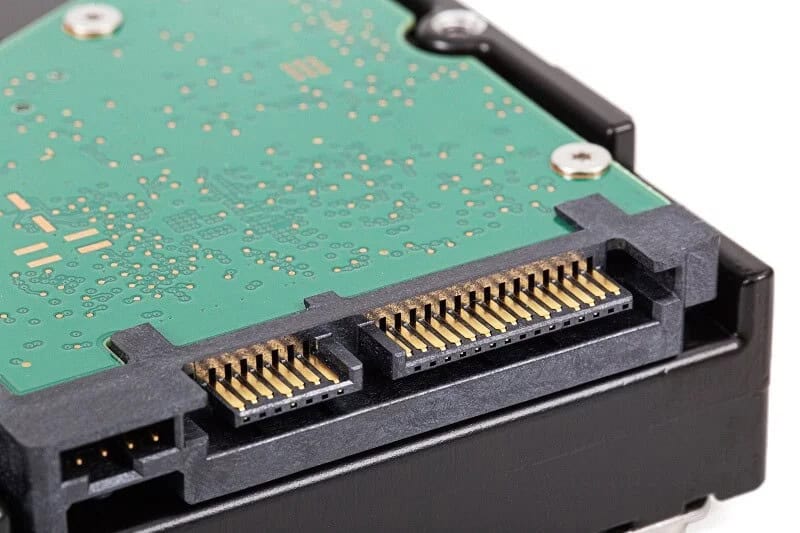
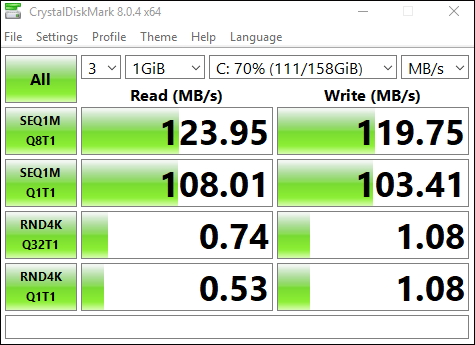
SATA has been around for nearly two decades and has been the primary interface for hard drives and SSDs for a long time. SATA SSDs offer a significant speed advantage over traditional spinning hard drives (HDDs), making them a reliable choice for many users. SATA III, the current standard, offers speeds up to 600 MB/s, enough for everyday tasks such as web browsing, office applications, and basic gaming.
However, in an NVMe vs SATA comparison, the limitations of SATA become obvious when handling more demanding tasks like high-resolution video editing, professional gaming, and intensive multitasking.
Nvme Vs Sata: Why Your Ssd Might Be Holding You Back 6
What is NVMe?
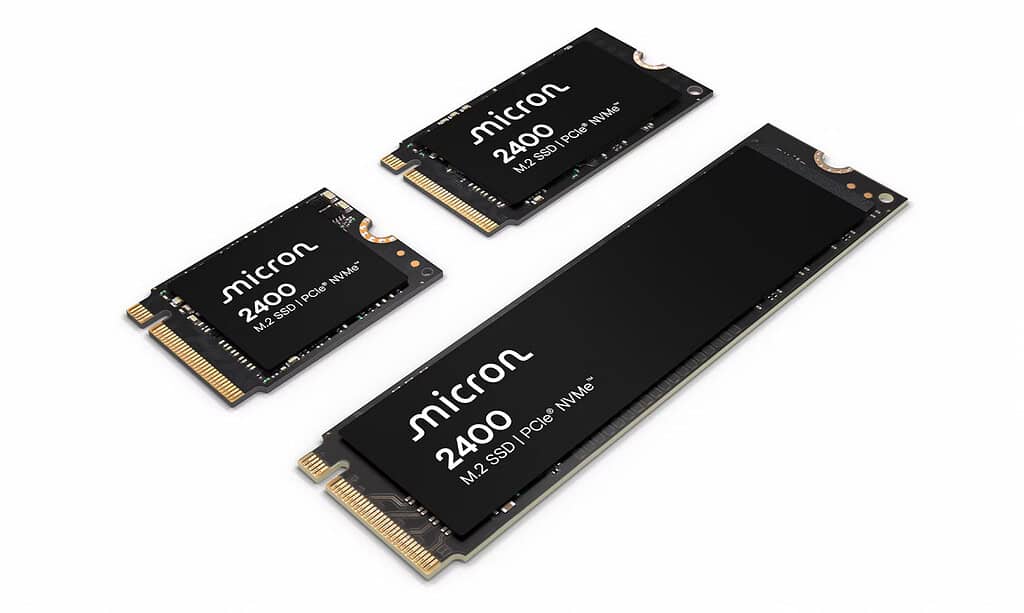
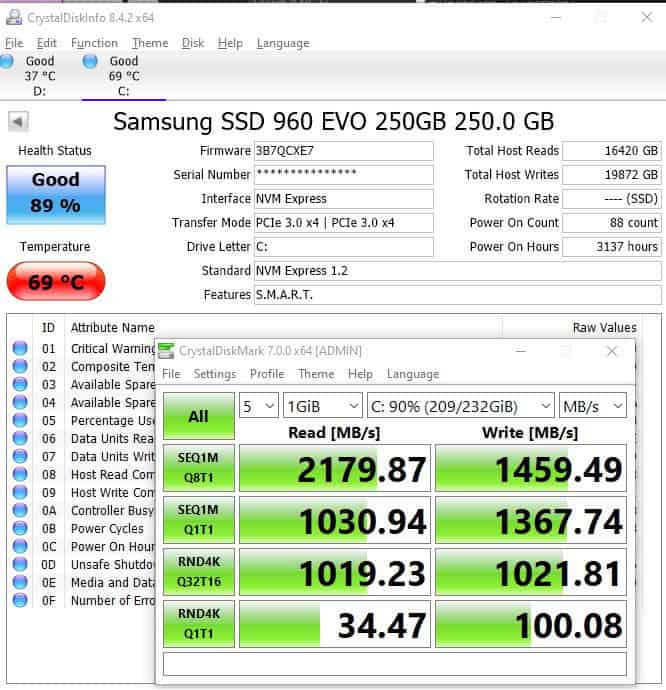
NVMe was designed specifically for SSDs, utilizing the PCI Express (PCIe) interface to deliver much faster speeds. Unlike SATA, NVMe provides significantly reduced latency and vastly improved data transfer rates. Modern NVMe drives can reach speeds of 3500 MB/s or more—over five times faster than SATA III drives.
When comparing NVMe vs SATA, the clear advantage of NVMe lies in its ability to handle demanding tasks with ease. If you’re a professional or enthusiast, this extra speed can drastically reduce waiting times, increase productivity, and provide a smoother user experience.
Nvme Vs Sata: Why Your Ssd Might Be Holding You Back 7
NVMe vs SATA: Detailed Performance Comparison
Performance is the critical factor when comparing NVMe vs SATA. Let’s explore exactly how NVMe outshines SATA in terms of speed, responsiveness, and efficiency.
Speed and Data Transfer Rates
One of the most significant differences when looking at NVMe vs SATA is speed. SATA III drives max out at around 600 MB/s. While this might sound sufficient, NVMe drives can easily achieve speeds ranging from 2,000 MB/s to 7,000 MB/s, depending on the specific drive and PCIe generation used.
For example, copying large files, loading extensive game maps, or rendering high-definition videos takes significantly less time with NVMe compared to SATA. NVMe reduces the time you spend waiting, directly impacting your productivity and enjoyment.
NVME Transfer Speeds:
Nvme Vs Sata: Why Your Ssd Might Be Holding You Back 8
SATA Transfer Speed (SSD):
Nvme Vs Sata: Why Your Ssd Might Be Holding You Back 9
Latency and Responsiveness
Latency refers to the time it takes for your storage drive to respond to a request. NVMe SSDs have considerably lower latency compared to SATA SSDs. This translates into quicker boot times, faster application launches, and more responsive computing overall.
In practical terms, the NVMe vs SATA latency difference is noticeable during intensive tasks like editing 4K video or running multiple applications simultaneously. NVMe drives will handle these tasks effortlessly, while SATA drives might show noticeable delays.
Power Efficiency and Heat Management
Another critical area of comparison in NVMe vs SATA is power efficiency and heat management. NVMe drives, despite their high speed, are designed to be more power-efficient due to their faster completion of tasks, thus requiring less power over time.
However, NVMe drives do produce more heat under sustained heavy workloads, which is why adequate cooling solutions or heatsinks are often recommended. SATA drives typically run cooler, making them suitable for systems with limited cooling options.
Choosing Between NVMe vs SATA: Which One is Right for You?
Determining whether NVMe or SATA is the best choice comes down to your specific needs, budget, and usage patterns. Let’s look at how these scenarios might influence your choice.
NVMe for Gamers and Professionals
If you’re a gamer, content creator, or professional requiring high-performance computing, NVMe is the clear winner. Games and software launch faster, files copy quickly, and performance under heavy workloads remains consistently high. Investing in an NVMe SSD can dramatically enhance your overall computing experience.
SATA for General Users
For most everyday users performing tasks like web browsing, casual gaming, or streaming videos, a SATA SSD will be sufficient. SATA drives offer a great balance of cost-effectiveness, compatibility, and performance for general-purpose computing.
Budget Considerations
While NVMe drives offer clear performance advantages, they are typically more expensive per gigabyte compared to SATA drives. If budget is a significant factor in your decision, SATA might be the more practical choice, allowing you to afford larger storage capacities without breaking the bank.
Compatibility
Another consideration when evaluating NVMe vs SATA is compatibility. Most modern motherboards support NVMe, but older systems may require additional adapters or may not support NVMe at all. SATA has broader compatibility across both older and newer hardware, making it an easy upgrade for nearly all existing systems.
NVMe vs SATA: Future-proofing Your System
Investing in an NVMe drive is a way to future-proof your computer setup. Technology continues to evolve, and NVMe represents the latest standard in storage performance. While SATA remains practical and cost-effective today, NVMe ensures your system remains capable and relevant in the coming years as software and games increasingly require faster storage.
Nvme Vs Sata: Why Your Ssd Might Be Holding You Back 10
Conclusion: NVMe vs SATA – Make an Informed Decision
In the NVMe vs SATA debate, your final choice should reflect your specific needs, budget, and goals. NVMe provides exceptional speed, responsiveness, and efficiency, making it ideal for power users, gamers, and professionals. SATA remains suitable for casual users, offering reliability and affordability.
Before deciding, assess your current and future needs carefully. Whichever option you choose, upgrading to an SSD from a traditional HDD will significantly improve your computing experience.
The Illusion of Stability in Modern Updates For most users, operating system updates are something that simply happen. They arrive quietly, often installing in the background, requiring little more than…
Macbook Neo, How Does It Compare To Air & Pro? Over the last few years the laptop market has experienced one of the most significant architectural changes in its history.…
Apple’s latest product announcements mark one of the most significant shifts in the Mac lineup in more than a decade. While Apple routinely updates its hardware with faster chips, incremental…
There is a particular kind of frustration that only a slow computer can produce. It is not dramatic. It is not urgent. It does not scream for attention. Instead, it…
In an era where nearly every aspect of personal computer maintenance and professional life is mediated through digital systems, your computer is no longer a luxury device — it is…
Phone says charging but battery not increasing is one of the most frustrating problems smartphone users face. You plug it in.The lightning bolt appears.It says “Charging.” But the battery percentage…
Apple’s rumour cycle always looks like a thousand disconnected leaks — until you line them up and notice the same themes repeating: AI-first silicon, camera and display differentiation, form-factor experiments (foldables / spatial…
Wi-Fi connected but no internet is one of the most frustrating messages you can see on a computer or laptop. The Wi-Fi icon shows full bars.It says “Connected.”But websites won’t…
Unfortunately, there was an error submitting your request.
Please try again later, or reach out to us directly. You can call us at +44 1429 280955 or email us at sales@kingfishercomputers.co.uk for assistance. We’re here to help you get your computer back up and running!
We’ve received your booking, Our team will get in touch with you shortly to confirm the details. You’re one step closer to having your computer fixed! If you have any urgent questions, feel free to contact us. Otherwise, sit back, and we’ll handle the rest.