Critical Update: What Windows 10 End of Life Means for You and Your Business
As we approach the inevitable Windows 10 End of Life, it’s essential to prepare your business and personal devices for what lies ahead. Microsoft has announced that official support for Windows 10 will cease on October 14, 2025, marking the end of security updates, patches, and technical support for one of the most widely used operating systems in history.
But what exactly does this mean for you? Should you start planning your move to Windows 11 or another alternative? In this guide, we’ll break down everything you need to know about Windows 10 End of Life and how to make a smooth transition.
Table of Contents
1. What Is Windows 10 End of Life?
The term “End of Life” (EOL) is used when a product reaches the point where its developer—Microsoft in this case—stops providing support, updates, and maintenance. For Windows 10, this date is set for October 14, 2025.
Windows 10 End of Life means that:
No more security updates will be issued to protect against new threats.
No more bug fixes or performance enhancements will be provided.
No technical support will be available for any issues that arise.
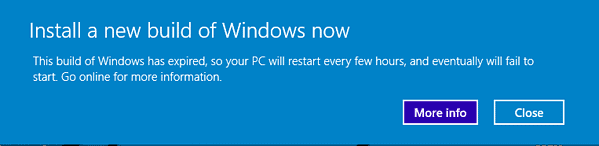
Once the operating system reaches its EOL, devices running Windows 10 will become more vulnerable to cyberattacks, malware, and system crashes.
2. Why Is Windows 10 End of Life Important?
Microsoft releases security patches and bug fixes regularly to keep its operating systems secure and running smoothly. With Windows 10 End of Life, these critical updates will stop. This is significant because, as hackers and malicious actors develop new ways to attack outdated systems, unsupported devices become prime targets.
Additionally, for businesses handling sensitive data, staying compliant with GDPR and other data protection regulations becomes challenging without ongoing security updates. Running outdated software could expose your systems to data breaches, making this a key concern for both business owners and individuals alike.
3. How to Prepare for Windows 10 End of Life
With the Windows 10 End of Life date approaching, now is the time to prepare. Follow these steps to ensure a smooth transition and avoid being caught off-guard:
1. Evaluate Your Current System
The first step in preparing for the end of Windows 10 is to assess your current devices. Are they powerful enough to handle Windows 11, or will you need to upgrade your hardware? Windows 11 has more demanding hardware requirements, including a 64-bit processor, 4GB of RAM, and 64GB of storage. Check your system’s specifications to ensure compatibility.
2. Plan for a Smooth Transition to Windows 11
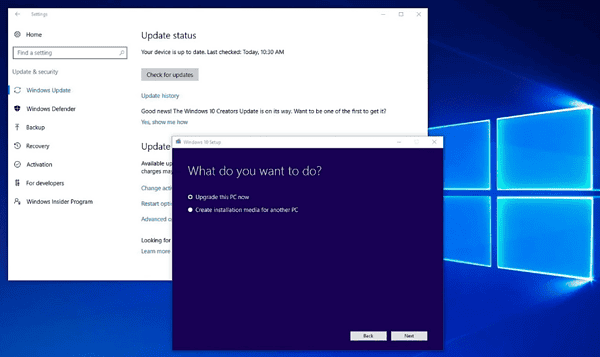
If your system is compatible with Windows 11, start planning the upgrade process. You don’t have to wait until 2025—upgrading sooner ensures you benefit from the enhanced security, performance, and features of Windows 11. Consider:
Backing up your data before upgrading.
Consulting with an IT professional to ensure compatibility.
Scheduling the upgrade during off-peak hours to minimize disruptions.
3. Consider Alternative Operating Systems
For some users, upgrading to Windows 11 might not be ideal, especially if your hardware is outdated. In that case, you might want to explore other options like Linux or macOS. These operating systems offer alternatives that may better suit your needs without the high cost of upgrading hardware.
4. What Happens If You Don’t Upgrade After Windows 10 End of Life?
If you choose not to upgrade or migrate to a different operating system after Windows 10 End of Life, there are several risks involved:
Security vulnerabilities: Without regular updates, your system becomes more susceptible to new malware, ransomware, and cyberattacks.
Software compatibility issues: Over time, more software applications will stop supporting Windows 10, meaning you could lose access to essential tools.
Decreased performance: As new software demands more from your system, running an outdated operating system like Windows 10 may lead to sluggish performance and crashes.
While it’s tempting to stick with the familiar, not upgrading after Windows 10 End of Life could leave you exposed to numerous risks that outweigh the convenience of staying on the old platform.
5. How Windows 10 End of Life Affects Businesses
For businesses, the stakes are even higher. Running outdated software in a business environment can lead to:
Regulatory compliance risks: As mentioned earlier, without security updates, it’s challenging to maintain compliance with data protection regulations like GDPR or HIPAA.
Operational disruptions: If your system crashes or gets compromised due to security vulnerabilities, it could lead to significant downtime, affecting productivity and profitability.
Increased IT costs: Older systems require more maintenance, and finding support for legacy systems can become costly.
Businesses should start planning their migration strategies now to ensure a smooth transition before Windows 10 End of Life.
6. Should You Upgrade Now or Wait?
If you’re wondering whether you should upgrade now or wait until closer to the Windows 10 End of Life date, consider the following factors:
System Compatibility: If your current hardware meets the requirements for Windows 11, upgrading sooner rather than later can ensure you’re benefiting from the latest security features.
Time and Resources: For businesses, upgrading multiple systems can take time. If you’re working with limited resources, planning the upgrade process in phases might be the best option.
Immediate Benefits: Upgrading to Windows 11 doesn’t just secure your system; it also brings new features and performance improvements that can enhance your overall computing experience.
Ultimately, it’s about balancing security, costs, and convenience. Upgrading early ensures you avoid last-minute disruptions.
7. Common Questions About Windows 10 End of Life
1. Will My Windows 10 PC Stop Working After End of Life?
No, your Windows 10 PC will continue to work after October 14, 2025, but it will be more vulnerable to security threats, and you’ll no longer receive updates or technical support.
2. Can I Continue to Use Windows 10 After End of Life?
Yes, but it’s not recommended. Continuing to use Windows 10 after End of Life increases the risk of malware infections, data breaches, and performance issues.
3. Will Microsoft Charge for Windows 11?
If you’re upgrading from Windows 10 to Windows 11 on a compatible device, the upgrade is free.
Conclusion: Don’t Wait for Windows 10 End of Life—Act Now!
The clock is ticking on Windows 10 End of Life, and while October 14, 2025, may seem far away, now is the perfect time to start planning your transition. Whether you choose to upgrade to Windows 11 or explore alternative options, acting early will ensure your system stays secure, compliant, and efficient.
For help with upgrading, transitioning, or even exploring alternative operating systems, reach out to the professionals at Kingfisher Computers. They can guide you through every step of the process, ensuring a seamless upgrade and peace of mind.
The Illusion of Stability in Modern Updates For most users, operating system updates are something that simply happen. They arrive quietly, often installing in the background, requiring little more than…
Macbook Neo, How Does It Compare To Air & Pro? Over the last few years the laptop market has experienced one of the most significant architectural changes in its history.…
Apple’s latest product announcements mark one of the most significant shifts in the Mac lineup in more than a decade. While Apple routinely updates its hardware with faster chips, incremental…
There is a particular kind of frustration that only a slow computer can produce. It is not dramatic. It is not urgent. It does not scream for attention. Instead, it…
In an era where nearly every aspect of personal computer maintenance and professional life is mediated through digital systems, your computer is no longer a luxury device — it is…
Phone says charging but battery not increasing is one of the most frustrating problems smartphone users face. You plug it in.The lightning bolt appears.It says “Charging.” But the battery percentage…
Apple’s rumour cycle always looks like a thousand disconnected leaks — until you line them up and notice the same themes repeating: AI-first silicon, camera and display differentiation, form-factor experiments (foldables / spatial…
Wi-Fi connected but no internet is one of the most frustrating messages you can see on a computer or laptop. The Wi-Fi icon shows full bars.It says “Connected.”But websites won’t…
Unfortunately, there was an error submitting your request.
Please try again later, or reach out to us directly. You can call us at +44 1429 280955 or email us at sales@kingfishercomputers.co.uk for assistance. We’re here to help you get your computer back up and running!
We’ve received your booking, Our team will get in touch with you shortly to confirm the details. You’re one step closer to having your computer fixed! If you have any urgent questions, feel free to contact us. Otherwise, sit back, and we’ll handle the rest.