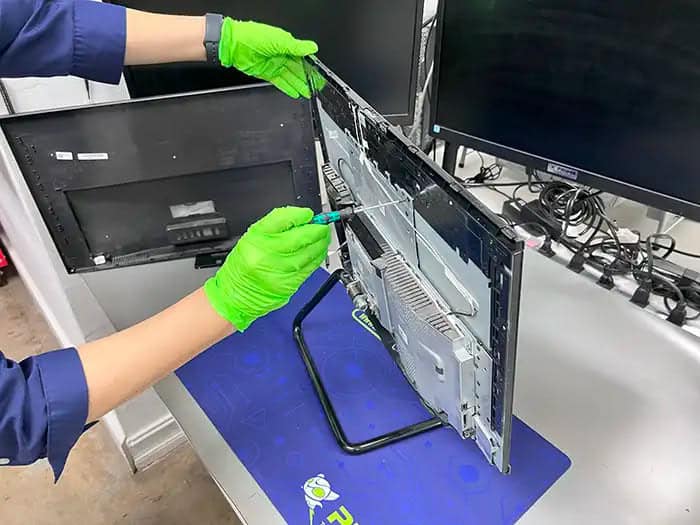
PC stuck on restarting: 7 critical reasons behind endless reboot loops
Connor Boyle
February 5th, 2026
PC stuck on restarting is one of the most frustrating faults we see in our repair shop.
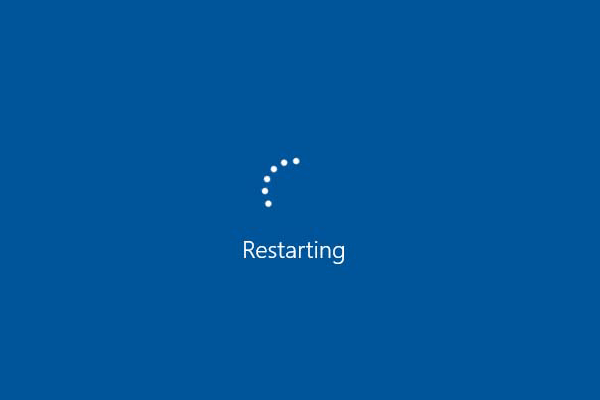
The computer turns on. The Windows logo appears. Then it restarts… again. And again. And again.
No error message. No desktop. No chance to log in.
To most users, this endless reboot loop feels like the PC has completely failed. In reality, a PC stuck on restarting is often caused by a very specific issue — and many of them are fixable without data loss.
This guide explains why a PC gets stuck on restarting, what’s happening behind the scenes, and which fixes actually work in the real world.
What “PC stuck on restarting” actually means
When a PC is stuck on restarting, Windows is failing before it can fully load and stabilise.
This usually happens:
After the Windows logo appears
During or just after installing updates
Right after logging in
Immediately after powering on
The system gets far enough to begin loading core components, but something critical fails during that process. To protect itself from further damage, Windows forces a restart.
That restart then hits the same fault again, triggering the exact same failure. This cycle repeats over and over, creating the endless reboot loop that users see.
Why a PC stuck on restarting feels so worrying
This problem feels especially stressful because it offers no clear feedback.
You never reach the desktop
You can’t save or back up files
You can’t see an error message
You can’t tell what’s actually wrong
The PC looks “alive” — fans spin, lights come on, the screen changes — yet it never becomes usable. That in-between state is what makes the situation feel so uncomfortable.
From a user’s point of view, everything feels out of control and unpredictable.
From a repair perspective, however, a PC stuck on restarting is a very common fault — and one we diagnose and resolve daily. With proper testing, the cause is usually identifiable, and in many cases, fixable.
The most common reasons a PC gets stuck on restarting
There isn’t one single cause behind this problem.
A PC stuck on restarting can be triggered by software faults, hardware instability, or a combination of both. In some cases, Windows itself is damaged. In others, Windows is reacting to something else going wrong during startup.
This is why guessing rarely works. Restarting the PC over and over, changing random settings, or reinstalling Windows without understanding the cause often makes the situation worse. Proper diagnosis is what separates a quick fix from unnecessary data loss or hardware replacement.
PC stuck on restarting due to failed Windows updates
This is one of the most common causes we see.
Windows updates make deep changes to the system, including core files and drivers that must load correctly during startup. If something goes wrong during this process, Windows can’t always recover cleanly.
What happens
Windows installs updates in the background
The system restarts to complete the installation
A critical file or driver fails to load correctly
Windows detects a problem and reboots to protect itself
Instead of rolling back properly, the system restarts again and hits the same failure — trapping the PC in an endless reboot loop.
Signs this is the cause
The restart loop began immediately after an update
“Working on updates” or “Configuring Windows” appeared earlier
The PC was left updating overnight
The system had no issues before the update
Is this worth fixing?
✅ Very often yes
In most cases, update rollbacks, startup repairs, or system file recovery tools can break the loop and restore normal operation without losing data.
PC stuck on restarting because of driver conflicts
Drivers tell Windows how to talk to the hardware inside your PC. Without the correct drivers in place, Windows doesn’t know how to properly use the graphics card, storage controller, or even the motherboard itself.
When this communication breaks down, it can easily lead to a PC stuck on restarting, even though nothing appears physically wrong with the system.
If a driver:
Is incompatible with the current version of Windows
Becomes corrupted over time
Is automatically replaced during an update
Windows may crash during the startup process and immediately restart to protect the system. Because this failure happens so early, it often looks like the PC is stuck on restarting with no clear error message or explanation.
Common drivers involved
The drivers most often responsible for a PC stuck on restarting include:
Graphics drivers, which load very early and can crash the system instantly
Storage drivers, which Windows relies on to access the system drive
Chipset drivers, which control communication between key components
When this problem usually appears
This type of driver-related reboot loop is especially common when a PC becomes stuck on restarting after:
Major Windows updates that overwrite previously stable drivers
Hardware changes, such as GPU or storage upgrades
System restores that roll drivers back to incompatible versions
Is this worth fixing?
✅ Yes
Removing, repairing, or reinstalling the faulty driver often stops the PC stuck on restarting issue immediately and restores normal startup without affecting your data.
PC stuck on restarting due to corrupted system files
Windows relies on thousands of system files loading in the correct order every time it starts. Each file plays a small but important role, and Windows expects them to be present, readable, and unchanged for the system to run properly.
If even one critical file is damaged or missing:
Windows can’t stabilise during startup
The boot process fails partway through
The system restarts automatically to protect itself from further damage
When this happens, the result is often a PC stuck on restarting, where the computer repeatedly tries to load Windows but never reaches the desktop.
From the outside, this looks like a PC stuck in an endless reboot loop. Internally, however, Windows is repeatedly failing the same safety checks, which is why the PC stuck on restarting behaviour continues no matter how many times the system reboots.
Common causes of system file corruption
System files rarely break on their own. Corruption is usually triggered by:
Power cuts while Windows is updating or shutting down
Forced shutdowns, such as holding the power button repeatedly
Failing storage, where files can’t be read reliably
Malware, which can alter or delete system components
These issues often build up slowly, which is why a PC stuck on restarting can appear suddenly even if the computer seemed to be working normally the day before.
Is this worth fixing?
✅ Yes
In many cases, system file repair tools or an in-place Windows reinstall can restore missing or damaged files while keeping personal data intact. When handled correctly, this can stop a PC stuck on restarting, break the reboot loop, and return the system to normal without the need for a full reset or data loss.
PC stuck on restarting due to failing hardware
Sometimes the restart loop is Windows reacting to unstable hardware.
Common hardware causes
Faulty RAM
Overheating CPU
Failing SSD or HDD
Power supply issues
If hardware becomes unstable during startup, Windows restarts to prevent damage.
Warning signs
PC was slow before the issue
Random crashes occurred earlier
Fans ramp up suddenly
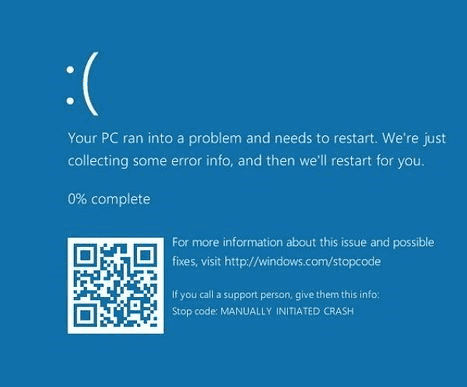
Blue screens appeared previously
Is this worth fixing?
⚠️ Depends
Some hardware faults are inexpensive to fix. Others indicate the system is reaching the end of its life.
PC stuck on restarting because of BIOS or firmware settings
Firmware controls how hardware behaves before Windows loads.
Incorrect BIOS settings can:
Destabilise memory
Break boot processes
Cause restart loops
Common triggers
BIOS updates
XMP or memory changes
CPU tuning
CMOS resets
Is this worth fixing?
✅ Yes
Correcting BIOS settings often restores stability immediately.
PC stuck on restarting after malware or security software issues
Security software loads early in Windows.
If it fails:
Windows may crash instantly
The system restarts before login
Malware removal attempts can also break startup if interrupted.
Is this worth fixing?
✅ Often yes
Safe-mode repairs and malware cleanup can resolve the loop.
Why restarting repeatedly rarely fixes a reboot loop
When a PC is stuck on restarting, rebooting it again and again:
Rarely fixes the issue
Can worsen file corruption
Can stress failing hardware
A restart loop is Windows asking for intervention, not more restarts.
How we diagnose a PC stuck on restarting
At Kingfisher Computers, we don’t guess.
We check:
Crash behaviour
Startup logs
Update history
Hardware stability
Storage health
This tells us why the PC is stuck on restarting and which fix makes sense.
What you can safely try at home when a PC is stuck on restarting
Before assuming the worst, there are a few safe steps you can try yourself. These won’t make the situation worse if done carefully.
Power the PC off completely
hen a PC is stuck on restarting, don’t just let it loop endlessly and hope it fixes itself.
An endless reboot cycle means the same failing process is being loaded over and over again. When a PC is stuck on restarting, this repetition rarely solves the underlying problem and can sometimes make the situation worse, especially if files or hardware are already unstable.
Instead:
Hold the power button until the system shuts down completely
Unplug the power cable from the back of the PC
If it’s a laptop, disconnect the charger as well
Once powered off, leave the device shut down for at least 30 seconds. This allows residual power to drain from the system and clears temporary power states that can contribute to a PC stuck on restarting, particularly after failed updates, crashes, or firmware glitches.
In many cases, this simple reset is enough to break a restart loop caused by a momentary fault and allow the PC to boot normally again.
Disconnect non-essential devices
EExternal devices can also interfere with startup and trigger a reboot loop, which is a very common cause of a PC stuck on restarting.
Before turning the PC back on, unplug:
USB flash drives
External hard drives or SSDs
Printers and scanners
Docking stations and USB hubs
These devices can introduce driver conflicts or cause the system to attempt booting from the wrong source, both of which can leave a PC stuck on restarting before Windows has a chance to load properly.
Once everything non-essential is disconnected, power the PC back on and let it attempt to start normally.
If the reboot loop stops, it’s a strong sign that one of those external devices or its driver was the reason the PC was stuck on restarting in the first place. PC to be stuck on restarting, making it much easier to identify and fix the underlying issue.
Try entering Windows recovery options
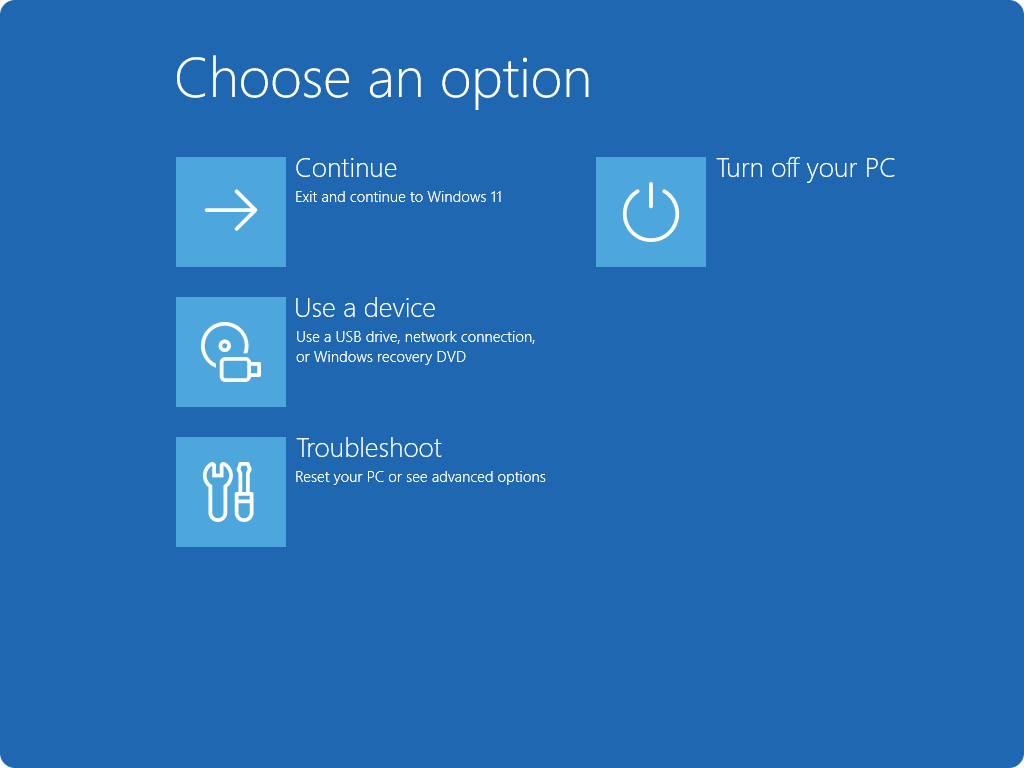
Most PCs will eventually show Automatic Repair after several failed startups.
From here, you may be able to:
Roll back recent updates
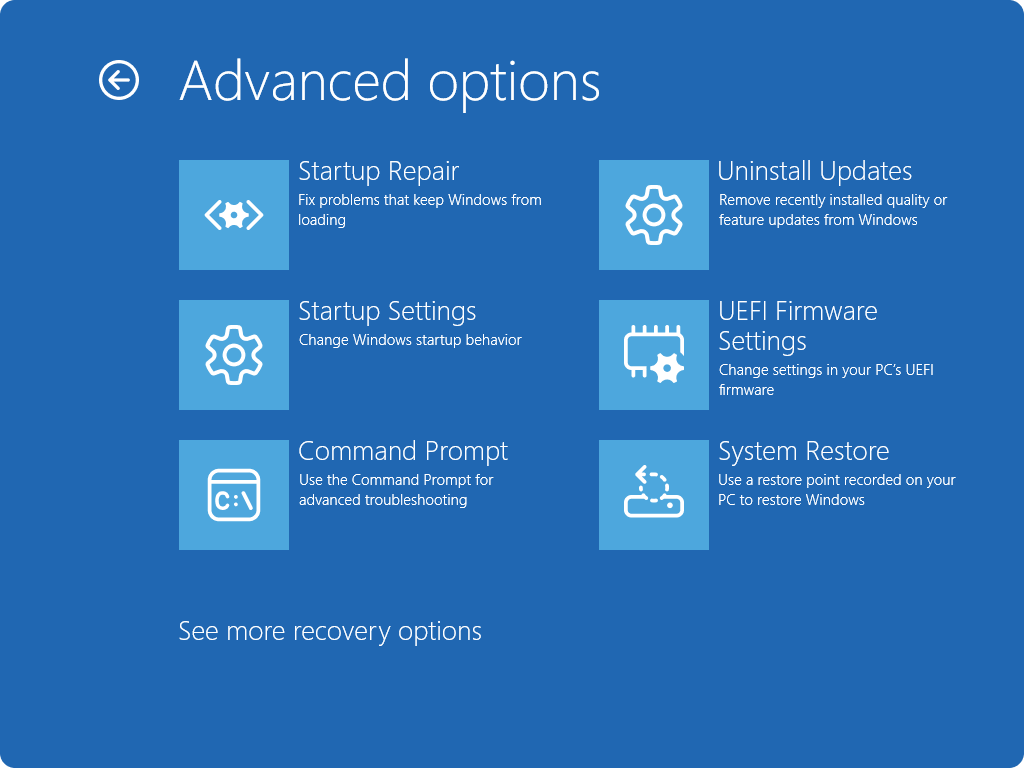
Use Startup Repair
Access Safe Mode
If the PC boots in Safe Mode, that’s a strong sign the issue is software-related, not hardware failure.
What you should NOT do when a PC is stuck on restarting
Some common actions can make things worse.
Don’t keep forcing restarts repeatedly
Constant rebooting:
Can corrupt system files further
Can stress a failing drive
Can reduce data recovery chances
If the PC is stuck on restarting, stop and assess.
Don’t reset Windows without understanding the cause
Resetting Windows is often suggested as a quick fix, but it isn’t always the right first step.
A reset can:
Delete installed apps and programs
Remove custom settings
In some cases, erase personal data
More importantly, resetting Windows doesn’t fix hardware instability. If the reboot loop is being caused by failing RAM, overheating, storage errors, or power issues, the reset may fail partway through or complete successfully only for the problem to return shortly after.
If the underlying issue remains, the PC is often still stuck on restarting, leaving you back where you started — but with fewer recovery options.
Don’t change BIOS settings randomly
The BIOS controls how the PC’s hardware behaves before Windows even loads. Changing settings without understanding their purpose can easily make a bad situation worse.
Switching memory, CPU, or storage settings at random can:
Create new instability that wasn’t there before
Mask the original fault, making diagnosis harder
Prevent the system from booting or recovering properly
If BIOS settings were changed recently — for example, after an update, reset, or hardware upgrade — reverting everything back to default or optimised settings is usually far safer than experimenting with different options.
When a PC stuck on restarting becomes a data recovery situation
Sometimes the focus shifts from repair to protecting your data.
This happens when:
The PC never reaches recovery options
The drive makes unusual noises
The system freezes during startup diagnostics
Storage errors appear repeatedly
At this point, continued power cycling can reduce recovery success.
How we fix a PC stuck on restarting at Kingfisher Computers
When a system arrives with this issue, we follow a structured and methodical process rather than jumping straight to conclusions. Endless reboot loops can be caused by several different faults, so working step by step is the only way to get a reliable answer.
Step-by-step diagnostics
We start by observing exactly how the system behaves during startup. That initial behaviour often tells us more than any error message.
We then test:
Startup behaviour, including where in the boot process the restart occurs
Crash logs, to see what Windows was doing just before the system reset
Windows integrity, checking for corrupted or missing system files
Memory stability, as unstable RAM can force instant restarts
Storage health, looking for errors that prevent Windows from loading properly
Temperature and power delivery, to rule out overheating or power faults
By testing each of these areas in order, we can determine whether the PC is stuck on restarting due to a software issue, a hardware fault, or a combination of both.
Clear advice, not guesswork
Once we know the cause, we don’t hide behind technical jargon or vague explanations.
We clearly explain:
Why the PC is stuck on restarting
What the fix involves, step by step
What it will cost, before any work begins
Whether it’s actually worth doing, based on the age and condition of the system
If a repair doesn’t make sense financially or won’t be reliable long-term, we’ll say so honestly and help you decide the best next step.
When repairing a PC stuck on restarting makes sense
When repairing a PC stuck on restarting is worthwhile
Repair is usually worthwhile when:
The system is under 6–7 years old and still capable of running modern software reliably
The issue is software-based, such as corrupted Windows files, failed updates, or driver conflicts
Hardware faults are isolated, meaning a single component can be repaired or replaced without affecting the rest of the system
Your data is important, and keeping your existing files, programs, and setup matters
In these situations, fixing the underlying problem often restores the PC to full working order and extends its usable life without the cost of replacement.
When replacement is the better option
Replacement may be the smarter choice when:
Multiple hardware components are failing, making repairs complex and costly
The drive has significant errors or shows signs of imminent failure
Repair costs approach the value of a replacement system, offering poor long-term value
Performance was already poor, even before the reboot loop started
In these cases, investing more money into an ageing or unreliable system rarely makes sense.
We’ll always explain the options clearly, outline the pros and cons of each path, and help you decide whether repair or replacement is the best move — without pressure or upselling.
Final thoughts: a PC stuck on restarting isn’t always dead
AAn endless reboot loop looks serious — and in many cases, it genuinely is — but it’s often recoverable with the right approach.
In many situations:
Windows itself is damaged, usually by a failed update or corrupted system files
The hardware is still usable, even though the PC can’t stay powered on long enough to reach the desktop
The fix is straightforward, once the real cause is identified
What matters most is proper diagnosis before taking action. Guessing, repeating restarts, or attempting random fixes can make the problem worse, especially if storage or system files are already unstable.
Need help with a PC stuck on restarting?
If your computer is trapped in an endless restart loop and you’re not sure what to try next, bring it in and let us take a proper look.
We’ll diagnose the issue carefully, explain what’s actually happening in plain English, and help you choose the best and most cost-effective next step — whether that’s a repair, data recovery, or an honest recommendation not to proceed.
The Illusion of Stability in Modern Updates For most users, operating system updates are something that simply happen. They arrive quietly, often installing in the background, requiring little more than…
Macbook Neo, How Does It Compare To Air & Pro? Over the last few years the laptop market has experienced one of the most significant architectural changes in its history.…
Apple’s latest product announcements mark one of the most significant shifts in the Mac lineup in more than a decade. While Apple routinely updates its hardware with faster chips, incremental…
There is a particular kind of frustration that only a slow computer can produce. It is not dramatic. It is not urgent. It does not scream for attention. Instead, it…
In an era where nearly every aspect of personal computer maintenance and professional life is mediated through digital systems, your computer is no longer a luxury device — it is…
Phone says charging but battery not increasing is one of the most frustrating problems smartphone users face. You plug it in.The lightning bolt appears.It says “Charging.” But the battery percentage…
Apple’s rumour cycle always looks like a thousand disconnected leaks — until you line them up and notice the same themes repeating: AI-first silicon, camera and display differentiation, form-factor experiments (foldables / spatial…
Wi-Fi connected but no internet is one of the most frustrating messages you can see on a computer or laptop. The Wi-Fi icon shows full bars.It says “Connected.”But websites won’t…
Unfortunately, there was an error submitting your request.
Please try again later, or reach out to us directly. You can call us at +44 1429 280955 or email us at [email protected] for assistance. We’re here to help you get your computer back up and running!
We’ve received your booking, Our team will get in touch with you shortly to confirm the details. You’re one step closer to having your computer fixed! If you have any urgent questions, feel free to contact us. Otherwise, sit back, and we’ll handle the rest.