Linux vs Windows, 5 shocking facts you need to know!
Connor Boyle
May 23rd, 2025
Table of Contents
Linux vs Windows: A 2025 Perspective
Linux vs Windows In the ever-evolving world of operating systems, the debate between Linux and Windows remains as relevant as ever. Over the decades, these two giants have carved distinct paths, each cultivating loyal user bases and evolving to meet shifting technological landscapes. Today, with rapid advancements in hardware, the growing importance of digital privacy, and increased demand for flexible, secure, and reliable computing environments, the choice between Linux and Windows has become more than just a preference—it’s a strategic decision. Linux vs Windows what should you chose?
This debate has been reignited with the rise of Windows 11, which introduces a host of modern features and an updated user interface, while Linux vs Windows also raising concerns due to its steep hardware requirements. Simultaneously, Microsoft’s decision to set the end-of-life (EOL) date for Windows 10 on October 14, 2025 has added a sense of urgency. Millions of individuals and organizations around the globe must now evaluate whether to invest in new hardware to remain within the Windows ecosystem, or explore alternatives that might better align with their current capabilities and future goals. Linux vs Windows becomes ever more obvious what you should chose?
This period of transition Linux vs Windows is prompting a broader reconsideration of what users expect from an operating system. Questions about cost, control, sustainability, and software freedom are taking center stage. Linux, with its open-source foundation and growing mainstream appeal, is increasingly positioned as a viable contender—particularly for those disillusioned by Microsoft’s recent decisions make Linux vs Windows an easy choice.
In this post, we’ll explore the unique strengths and weaknesses of Linux vs Windows, assess the real-world impact of Windows 10’s sunset, and examine why this might be a pivotal moment for users to rethink their relationship with their operating system. Let’s delve into the differences, developments, and the brewing controversy surrounding Microsoft’s latest decisions. Linux vs Windows.
Linux: Freedom and Flexibility
Linux, the open-source darling, has steadily grown from a niche enthusiast’s choice into a powerful and versatile platform. With countless distributions like Ubuntu, Fedora, and Arch Linux, users can tailor their OS to suit personal or enterprise needs. Linux vs Windows comes down to needs and operating system philosophy.
Pros of Linux:
Open-source and free: Users have access to the source code and can modify it.
Security: Known for robust security features and minimal exposure to malware.
Customization: Highly configurable, especially for advanced users.
Performance: Lightweight distributions can run efficiently on older hardware.
However, Linux can pose a steep learning curve for newcomers and may struggle with compatibility for certain proprietary software and games, although tools like Proton and Wine have improved that landscape. Linux vs Windows.
Windows: Familiarity and Compatibility
Linux Vs Windows, 5 Shocking Facts You Need To Know! 3
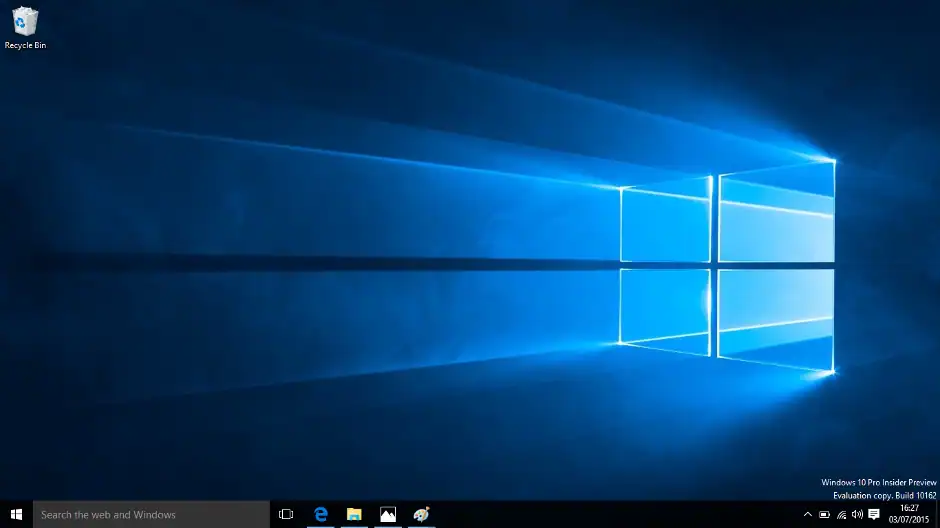
Windows remains the dominant OS in the consumer and enterprise markets, largely due to its user-friendly interface and widespread compatibility. Its deep integration with popular productivity tools like Microsoft Office, vast driver support, and seamless gaming capabilities make it a go-to choice for many. Windows 10, released in 2015, has been praised for its stability, performance, and long-term support lifecycle, becoming a reliable foundation for millions of devices worldwide. Linux vs Windows.
However, the introduction of Windows 11 in 2021 marked a significant shift. Microsoft positioned Windows 11 not just as an upgrade, but as a new chapter, emphasizing modern design, security, and future-forward features. This shift signaled a push toward redefining the Windows experience, but also came with new challenges and criticisms.
Windows 11 vs Windows 10:
Linux Vs Windows, 5 Shocking Facts You Need To Know! 4
UI and UX: Windows 11 brings a sleeker, more modern interface inspired by macOS, with a centered taskbar and improved multitasking features.
Hardware Requirements: Windows 11 requires TPM 2.0 and newer CPUs, leaving many older PCs unsupported.
Performance: Improved resource management, especially for newer processors.
Gaming: Enhanced gaming features like Auto HDR and DirectStorage.
Despite these improvements, Windows 11 has faced criticism for its strict hardware requirements, which many view as artificially limiting in order to drive hardware sales.
Windows 11 vs Windows 10:
UI and UX: Windows 11 brings a sleeker, more modern interface inspired by macOS, with a centered taskbar and improved multitasking features.
Hardware Requirements: Windows 11 requires TPM 2.0 and newer CPUs, leaving many older PCs unsupported.
Performance: Improved resource management, especially for newer processors.
Gaming: Enhanced gaming features like Auto HDR and DirectStorage.
Despite these improvements, Windows 11 has faced criticism for its strict hardware requirements, which many view as artificially limiting in order to drive hardware sales.
End-of-Life and the Controversy
Microsoft has announced that Windows 10 will reach its end of life on October 14, 2025. After this date, the OS will no longer receive security updates or support, effectively pushing users to upgrade to Windows 11 or switch to another OS.
This move has sparked controversy:
Forced Obsolescence: Users with perfectly functional PCs that don’t meet Windows 11 requirements feel abandoned.
Environmental Concerns: Critics argue that forcing hardware upgrades contributes to e-waste.
Cost and Accessibility: Transitioning to new hardware or OS can be financially burdensome, especially for schools, non-profits, and low-income users.
As a result, many users are exploring alternatives like Linux, which offers a way to extend the usability of older machines without compromising on performance or security.
Conclusion: What Should You Choose?
Your choice between Linux and Windows depends on your needs. If you prioritize customization, privacy, performance, and open-source values, Linux may be your best bet. It’s particularly compelling for developers, system administrators, and tech-savvy users who want complete control over their computing environment. Additionally, Linux offers excellent stability for server environments, frequent updates driven by a global community, and is free from licensing costs.
On the other hand, if you rely heavily on industry-standard software such as Adobe Creative Suite, Microsoft Office, or proprietary enterprise tools, Windows remains a practical choice. Its broader compatibility with hardware and peripherals, along with native gaming support via platforms like Xbox Game Pass and DirectX, make it ideal for gamers and general consumers alike. Windows is also often the default in educational and corporate environments, which means there’s a broader user base and more structured support options.
It’s worth noting that Linux has made significant strides in user-friendliness with distributions like Ubuntu and Linux Mint. These distros offer graphical interfaces and software centers that rival Windows in ease of use, making Linux more accessible than ever before. Meanwhile, Windows has become more integrated with cloud-based services, pushing users toward Microsoft accounts and subscription models such as Microsoft 365.
With Windows 10 nearing its sunset and Windows 11 drawing mixed reactions due to its hardware requirements and interface changes, this may be the ideal time to reassess your OS priorities. For users with older but still capable hardware, switching to a Linux distribution could breathe new life into their systems. Conversely, those looking for the latest software compatibility and polished user experience might prefer sticking with or upgrading to Windows 11.
Ultimately, being informed is the most important factor. Assess what features matter most to you—security, performance, ease of use, application support—and make a decision that aligns with your current and future computing needs. The operating system you choose should empower your workflow, not restrict it.
The Illusion of Stability in Modern Updates For most users, operating system updates are something that simply happen. They arrive quietly, often installing in the background, requiring little more than…
Macbook Neo, How Does It Compare To Air & Pro? Over the last few years the laptop market has experienced one of the most significant architectural changes in its history.…
Apple’s latest product announcements mark one of the most significant shifts in the Mac lineup in more than a decade. While Apple routinely updates its hardware with faster chips, incremental…
There is a particular kind of frustration that only a slow computer can produce. It is not dramatic. It is not urgent. It does not scream for attention. Instead, it…
In an era where nearly every aspect of personal computer maintenance and professional life is mediated through digital systems, your computer is no longer a luxury device — it is…
Phone says charging but battery not increasing is one of the most frustrating problems smartphone users face. You plug it in.The lightning bolt appears.It says “Charging.” But the battery percentage…
Apple’s rumour cycle always looks like a thousand disconnected leaks — until you line them up and notice the same themes repeating: AI-first silicon, camera and display differentiation, form-factor experiments (foldables / spatial…
Wi-Fi connected but no internet is one of the most frustrating messages you can see on a computer or laptop. The Wi-Fi icon shows full bars.It says “Connected.”But websites won’t…
Unfortunately, there was an error submitting your request.
Please try again later, or reach out to us directly. You can call us at +44 1429 280955 or email us at sales@kingfishercomputers.co.uk for assistance. We’re here to help you get your computer back up and running!
We’ve received your booking, Our team will get in touch with you shortly to confirm the details. You’re one step closer to having your computer fixed! If you have any urgent questions, feel free to contact us. Otherwise, sit back, and we’ll handle the rest.