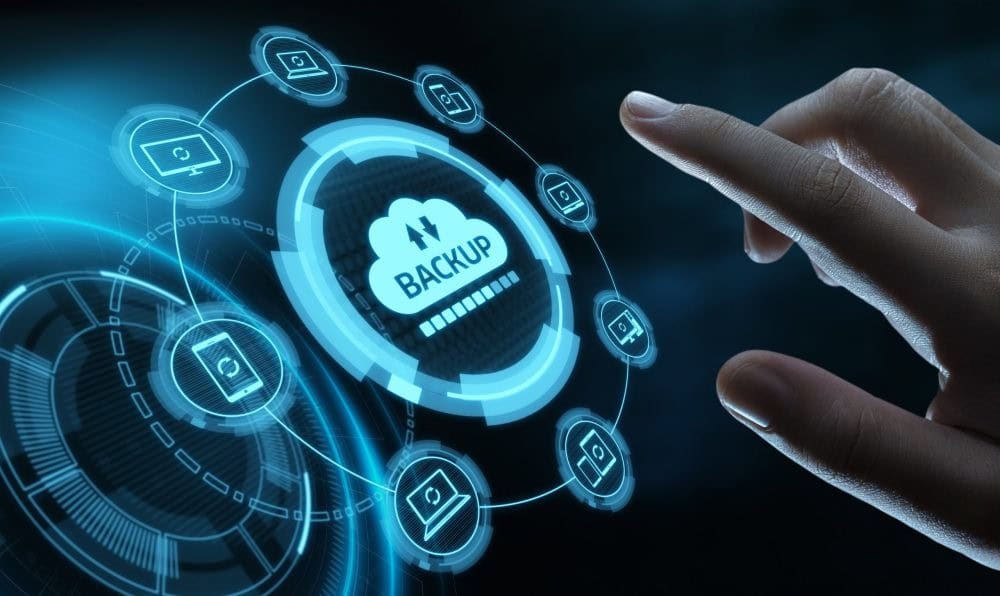
Imagine this: one day you turn on your computer and all your files are gone. Photos, documents, work projects, everything. It sounds like a nightmare, but for many people, it’s a harsh reality. That’s why it’s essential to back up your data before it’s too late. In today’s digital age, data loss is more common than ever—and more preventable. Whether you’re a business owner, a student, or just someone with a lot of important files, knowing how to protect your digital life is crucial.
Why Backing Up Your Data Matters
Data loss can happen in a flash. A power surge, a dropped laptop, a spilled coffee, or even a sneaky virus can wipe out your valuable information. Backing up your data is not just a precaution—it’s a necessity.
When you back up your data, you’re creating a copy of your files and storing it somewhere safe. If anything happens to your original files, you still have access to your backups. It’s peace of mind that your memories, documents, and essential files are protected.
Regularly taking the time to back up your data can save you from irreversible damage. Hard drives fail, software bugs corrupt files, and cyberattacks are on the rise. Whether it’s a single photo or an entire business database, your data is worth protecting.
Understanding the Different Types of Backups
There are a few different ways to back up your data, and each comes with its pros and cons. The key is choosing the method—or combination of methods—that works best for you.
1. Local Backups
Local backups involve saving your data to a physical device, like an external hard drive or USB stick. These are easy to use and keep your backups within reach.
Pros: Fast access, no internet required, inexpensive.
Cons: Can be lost, stolen, or damaged.
2. Cloud Backups
Cloud backups store your files on remote servers via the internet. Services like Google Drive, Dropbox, or iCloud are common examples.
Pros: Accessible from anywhere, automated syncing, safe from physical damage.
Cons: Requires internet access, may have subscription fees, potential privacy concerns.
3. Hybrid Backups
Hybrid backups use both local and cloud storage. This offers the best of both worlds and ensures maximum data protection.
Pros: Redundancy, flexibility, enhanced security.
Cons: Slightly more complex to manage.
Choosing the right backup method depends on your needs and lifestyle. But whichever you choose, just be sure to back up your data consistently.
How To Back Up Your Data Before It’s Too Late 3
How to Back Up Your Data Step by Step
So how do you actually back up your data? It’s easier than you might think.
Step 1: Identify What Needs Backing Up
Start by figuring out which files are most important. This usually includes:
Personal photos and videos
Work documents
Financial records
Email archives
App data and settings
You don’t need to back up your entire system unless you’re doing a full system image. Focus on what matters most.
Step 2: Choose Your Backup Method
Pick the method that suits you best: local, cloud, or hybrid. If you want a simple start, an external hard drive plus a free cloud account can go a long way.
Step 3: Use Backup Software
There are free and paid options available that make it easy to back up your data. Some popular ones include:
Windows Backup & Restore
Time Machine for Mac
Acronis True Image
EaseUS Todo Backup
These tools help automate the process, reducing human error.
Step 4: Set a Schedule
Backing up once and forgetting about it isn’t enough. Set a regular schedule—daily, weekly, or monthly—based on how often your data changes.
Step 5: Test Your Backups
Just backing up isn’t enough. Test your backups by restoring a few files to ensure everything works properly. That way, you won’t face surprises when you really need them.
How To Back Up Your Data Before It’s Too Late 4
Best Practices to Ensure Data Safety
Keep Multiple Copies
Follow the 3-2-1 rule:
3 total copies of your data
2 different types of storage
1 copy stored offsite (like cloud)
This minimizes your risk of losing everything at once.
Encrypt Sensitive Files
If you’re backing up sensitive data, use encryption to protect it. Many backup tools offer built-in encryption. This ensures that even if your backup is stolen, your data stays safe.
Label and Organize Your Backups
Don’t just drag and drop files randomly. Use folders and dates to organize your backups, so finding a specific file later is simple.
Update Backup Hardware
External drives wear out. Replace them every few years to avoid unexpected failures.
Common Mistakes to Avoid
Relying on One Method Only
Putting all your eggs in one basket is risky. If your external drive dies and you have no cloud copy, you’re out of luck.
Forgetting to Back Up Regularly
A backup from 6 months ago won’t help much if you’ve created dozens of files since then. Automate where possible.
Skipping System and App Settings
Some backup tools allow you to include your settings and configurations. This can save hours of reinstalling and tweaking later.
Not Testing Your Backups
A corrupted or incomplete backup is as bad as no backup. Always test before you trust.
Final Thoughts on Protecting Your Digital Life
Data is valuable. Whether it’s personal memories or mission-critical work files, losing data can be devastating. But the good news is that it’s entirely preventable. By making the effort to back up your data regularly, you’re taking a proactive step in safeguarding what matters most.
Remember, accidents happen—but regret doesn’t have to. Don’t wait until it’s too late. Back up your data today.
Backing up your data isn’t just a smart move—it’s essential. With so many tools available, there’s no excuse not to start. From local drives to cloud services and everything in between, you can easily find a solution that fits your needs.
At Kingfisher Computers, we help individuals and businesses secure their digital lives. If you’re unsure how to start or need help setting up your backup system, get in touch today. We’ll make sure you back up your data the right way—before it’s too late.
The Illusion of Stability in Modern Updates For most users, operating system updates are something that simply happen. They arrive quietly, often installing in the background, requiring little more than…
Macbook Neo, How Does It Compare To Air & Pro? Over the last few years the laptop market has experienced one of the most significant architectural changes in its history.…
Apple’s latest product announcements mark one of the most significant shifts in the Mac lineup in more than a decade. While Apple routinely updates its hardware with faster chips, incremental…
There is a particular kind of frustration that only a slow computer can produce. It is not dramatic. It is not urgent. It does not scream for attention. Instead, it…
In an era where nearly every aspect of personal computer maintenance and professional life is mediated through digital systems, your computer is no longer a luxury device — it is…
Phone says charging but battery not increasing is one of the most frustrating problems smartphone users face. You plug it in.The lightning bolt appears.It says “Charging.” But the battery percentage…
Apple’s rumour cycle always looks like a thousand disconnected leaks — until you line them up and notice the same themes repeating: AI-first silicon, camera and display differentiation, form-factor experiments (foldables / spatial…
Wi-Fi connected but no internet is one of the most frustrating messages you can see on a computer or laptop. The Wi-Fi icon shows full bars.It says “Connected.”But websites won’t…
Unfortunately, there was an error submitting your request.
Please try again later, or reach out to us directly. You can call us at +44 1429 280955 or email us at sales@kingfishercomputers.co.uk for assistance. We’re here to help you get your computer back up and running!
We’ve received your booking, Our team will get in touch with you shortly to confirm the details. You’re one step closer to having your computer fixed! If you have any urgent questions, feel free to contact us. Otherwise, sit back, and we’ll handle the rest.