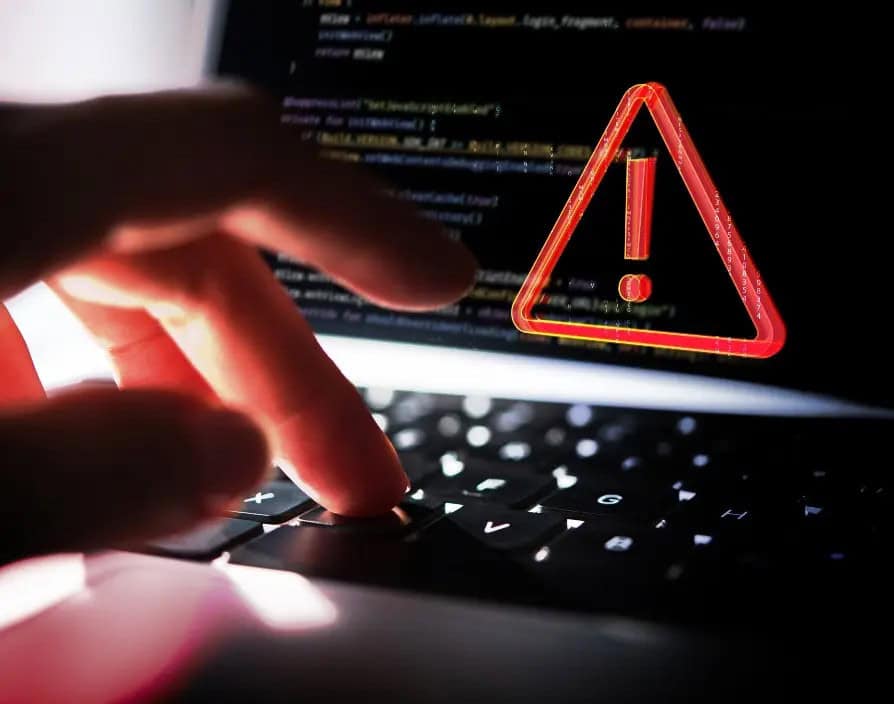
How Hackers Actually Break Into Your PC (And How to Stop Them)
Adam Fornal
April 22nd, 2025
Table of Contents
Introduction: Stopping Hackers Begins with Awareness
Stopping hackers from accessing your PC has become an essential part of modern digital life. Hackers are continuously developing new strategies to breach your systems, aiming to steal your sensitive information, financial data, or cause disruption. Understanding the methods hackers use and implementing effective defenses is critical in stopping hackers before they cause harm.
In this comprehensive guide, we’ll uncover the various tactics hackers use to infiltrate your computer, as well as practical strategies for stopping hackers in their tracks. Whether you’re tech-savvy or just getting started with cybersecurity, this article will provide actionable advice to protect your personal information and maintain your digital security.
Why Hackers Target Your PC
Hackers often target personal computers because they contain valuable information, such as banking details, passwords, and private documents. PCs serve as gateways to a user’s broader digital life, including social media accounts, email, and even professional networks. Stopping hackers requires understanding their motivations, including financial gain, identity theft, espionage, or simple disruption.
Understanding these motivations can significantly improve your ability in stopping hackers because awareness often leads to proactive security habits.
How Hackers Actually Break Into Your Pc (And How To Stop Them) 5
Common Methods Hackers Use to Infiltrate PCs
Let’s explore the primary methods hackers commonly use, and more importantly, how you can focus on stopping them from exploiting these vulnerabilities:
Phishing Attacks: Recognizing Deceptive Tactics
Phishing is a prevalent strategy hackers use, sending deceptive emails or messages pretending to be trustworthy sources. These messages often trick users into revealing personal data or downloading malware. Stopping intruders from succeeding with phishing attacks involves staying vigilant—never trust unsolicited communications asking for sensitive information, and carefully check email addresses and links before interacting with them.
Malware Attacks: Preventing Hidden Threats
Malware, including viruses, ransomware, and spyware, remains a primary method hackers use to infiltrate systems. Malware typically enters your PC through malicious downloads, compromised websites, or email attachments. Stopping hackers from using malware involves employing robust antivirus software, regularly updating your operating system and applications, and avoiding unknown or suspicious downloads.
Weak Passwords: Eliminating Easy Entry Points
One of the easiest entry points for hackers is weak or predictable passwords. Common passwords like “password123” are simple for hackers to guess. Stopping cyber criminals from exploiting this vulnerability requires using strong, unique passwords across all your accounts, employing a reliable password manager, and enabling two-factor authentication (2FA).
Unsecured Wi-Fi Networks: Protecting Your Connection
Hackers frequently target unsecured public Wi-Fi networks because they can easily intercept user data transmitted over these connections. Stopping hackers from accessing your data involves avoiding public Wi-Fi or, if necessary, always using a trusted VPN (Virtual Private Network) to encrypt your internet traffic.
How Hackers Actually Break Into Your Pc (And How To Stop Them) 6
Essential Steps in Stopping Hackers Effectively
To enhance your PC’s security, here are actionable steps you can take immediately in stopping hackers from breaching your defenses:
Install and Maintain Antivirus and Firewall Software
Antivirus software detects and eliminates malware, while firewalls block unauthorized access to your network. Keeping these tools active and updated is vital for stopping cybercriminals effectively.
Regularly Update Your Software
Software updates include security patches that close vulnerabilities hackers exploit. Regular updates of your operating system, applications, and security software are essential in stopping hackers. Enable automatic updates whenever possible to maintain protection against emerging threats.
Educate Yourself on Cybersecurity Practices
Human error is often exploited by hackers. Regularly educating yourself and your family about cybersecurity best practices significantly reduces vulnerabilities. Awareness and education are fundamental in stopping hackers from succeeding.
Encrypt Your Data
Encryption protects your data by making it unreadable without proper authorization. Even if hackers gain access to encrypted files, the information remains inaccessible, providing a powerful tool in stopping intruders from stealing sensitive data.
How Hackers Actually Break Into Your Pc (And How To Stop Them) 7
Advanced Techniques for Stopping Hackers
Utilize Multi-Factor Authentication (MFA)
MFA provides additional security beyond just passwords by requiring secondary verification steps. Enabling MFA across your digital accounts significantly enhances security, making stopping intruders from unauthorized access far more manageable.
Secure Your Home Network
Your home network can be a vulnerability if not properly secured. Stopping hackers involves using strong Wi-Fi passwords, regularly updating router firmware, and disabling unnecessary remote management features.
Regular Backups
Regular backups of your data help minimize damage if hackers successfully breach your system. Stopping hackers also includes ensuring they cannot hold your data hostage, especially with ransomware attacks. Backups should be encrypted and stored securely, preferably both on-site and off-site.
Monitor Digital Activities Regularly
Regularly monitoring your digital footprint, including financial transactions and account activities, helps detect suspicious activities early. Quick detection is essential for stopping malicious users and preventing further damage.
How Hackers Actually Break Into Your Pc (And How To Stop Them) 8
Protecting Your Digital Life: Stopping Hackers Long-Term
Stopping hackers is a continuous, long-term effort. Adopting ongoing cybersecurity practices helps ensure your defenses remain effective:
Regular cybersecurity audits of your digital accounts and security measures.
Ongoing cybersecurity training and education to stay ahead of evolving hacker tactics.
Consistent use of secure browsing habits, such as avoiding questionable websites and downloads.
These proactive measures create robust, long-term strategies for stopping hackers.
Conclusion: Taking Control of Your Cybersecurity
Stopping hackers is achievable when you take deliberate, consistent actions to secure your PC. Understanding common hacker tactics empowers you to establish effective defenses. Adopting robust cybersecurity measures, from strong passwords to regular software updates, provides lasting protection against cyber threats.
The Illusion of Stability in Modern Updates For most users, operating system updates are something that simply happen. They arrive quietly, often installing in the background, requiring little more than…
Macbook Neo, How Does It Compare To Air & Pro? Over the last few years the laptop market has experienced one of the most significant architectural changes in its history.…
Apple’s latest product announcements mark one of the most significant shifts in the Mac lineup in more than a decade. While Apple routinely updates its hardware with faster chips, incremental…
There is a particular kind of frustration that only a slow computer can produce. It is not dramatic. It is not urgent. It does not scream for attention. Instead, it…
In an era where nearly every aspect of personal computer maintenance and professional life is mediated through digital systems, your computer is no longer a luxury device — it is…
Phone says charging but battery not increasing is one of the most frustrating problems smartphone users face. You plug it in.The lightning bolt appears.It says “Charging.” But the battery percentage…
Apple’s rumour cycle always looks like a thousand disconnected leaks — until you line them up and notice the same themes repeating: AI-first silicon, camera and display differentiation, form-factor experiments (foldables / spatial…
Wi-Fi connected but no internet is one of the most frustrating messages you can see on a computer or laptop. The Wi-Fi icon shows full bars.It says “Connected.”But websites won’t…
Unfortunately, there was an error submitting your request.
Please try again later, or reach out to us directly. You can call us at +44 1429 280955 or email us at sales@kingfishercomputers.co.uk for assistance. We’re here to help you get your computer back up and running!
We’ve received your booking, Our team will get in touch with you shortly to confirm the details. You’re one step closer to having your computer fixed! If you have any urgent questions, feel free to contact us. Otherwise, sit back, and we’ll handle the rest.