Most people accept that computers become obsolete after three to five years, but this belief is largely based on outdated assumptions and poor maintenance habits. With the right approach, you can absolutely Make Your PC Last a full decade while maintaining solid performance throughout its extended lifespan. This comprehensive guide reveals the proven strategies and techniques that will transform your computer from a disposable gadget into a long-term investment.
The secret to achieving a ten-year computer lifespan isn’t about buying the most expensive components or using complex technical procedures. Instead, success comes from understanding what actually causes computers to fail and implementing systematic preventive measures. When you Make Your PC Last through proper care and strategic upgrades, you’ll save thousands of dollars while enjoying consistent performance that meets your evolving needs.
The Economics of Long-Term PC Ownership
Before diving into specific techniques, it’s crucial to understand why it makes financial sense to Make Your PC Last as long as possible. The average computer user spends $800-$1,500 on a new system every four years, totaling $2,000-$3,750 over a decade. By contrast, maintaining a single computer for ten years might cost $200-$400 in upgrades and maintenance, representing savings of $1,600-$3,350.
These savings compound when you consider the hidden costs of frequent computer replacement. Each new system requires time for data migration, software reinstallation, and configuration adjustments. You’ll also face compatibility issues with older files and applications. When you Make Your PC Last through proper maintenance, you avoid these recurring disruptions while maintaining a familiar, optimized working environment.
Breaking the Planned Obsolescence Cycle
The computer industry benefits from frequent replacement cycles, but consumer interests align with extended usage periods. Modern hardware is significantly more durable than systems from previous decades, yet many users replace perfectly functional computers due to perceived slowdowns that could be resolved through proper maintenance. Understanding how to Make Your PC Last empowers you to resist artificial upgrade pressure and make replacement decisions based on actual need rather than marketing influence.
Environmental Impact of Extended PC Lifespan
Beyond personal savings, choosing to Make Your PC Last contributes to environmental sustainability. Computer manufacturing requires rare earth minerals and generates significant carbon emissions. Electronic waste represents one of the fastest-growing waste streams globally, with most discarded computers containing recoverable materials. By extending your computer’s useful life, you reduce demand for new manufacturing while preventing premature disposal of functional hardware.
Foundation Strategies to Make Your PC Last
Successfully extending your computer’s lifespan requires a systematic approach that addresses both immediate needs and long-term sustainability. The following strategies form the foundation of any successful effort to Make Your PC Last far beyond typical replacement cycles.
1. Strategic Initial Hardware Selection
The journey to Make Your PC Last ten years begins with smart purchasing decisions. While you don’t need the most expensive components, certain specifications dramatically impact longevity. Focus on systems with expandable RAM, multiple storage bays, and standard form factors that support future upgrades. Avoid ultra-thin laptops or compact desktops that sacrifice upgradeability for aesthetics.
Choosing Future-Proof Components
When selecting components with the goal to Make Your PC Last a decade, prioritize quality over cutting-edge features. Mid-range processors often provide the best longevity value, offering sufficient performance for current needs while avoiding the premium pricing of flagship models. Similarly, motherboards with robust power delivery systems and comprehensive connectivity options support future expansion better than budget alternatives.
RAM capacity deserves special attention in any plan to Make Your PC Last extended periods. While 8GB might suffice today, 16GB or more provides headroom for future software requirements. Storage should emphasize reliability over raw capacity—a quality SSD will outlast multiple traditional hard drives while providing consistent performance throughout its lifespan.
Different computer components age at different rates, and understanding these patterns helps you Make Your PC Last through strategic replacement timing. Mechanical hard drives typically last 3-5 years under normal use, while quality SSDs can function reliably for 7-10 years. RAM and CPUs rarely fail outright but may become insufficient for newer software demands. Graphics cards occupy a middle ground, often remaining functional but potentially inadequate for evolving visual requirements.
2. Environmental Control and Physical Protection
Physical environment plays a crucial role in determining how long you can Make Your PC Last without hardware failures. Computers are sensitive to temperature, humidity, dust, and vibration. Creating optimal operating conditions significantly extends component lifespan while maintaining consistent performance.
Temperature Management Systems
Heat is the primary enemy of electronic components, making thermal management essential to Make Your PC Last extended periods. Ambient temperatures should remain below 80°F (27°C) when possible, with relative humidity between 30-50%. Position computers away from direct sunlight, heating vents, and other heat sources. For desktop systems, ensure adequate clearance around all ventilation openings.
Monitoring internal temperatures helps you Make Your PC Last by identifying cooling problems before they cause damage. Many motherboards include temperature sensors that report CPU, GPU, and system readings through software utilities. Establish baseline temperatures during normal operation and investigate any significant increases that might indicate failing cooling systems or dust accumulation.
Dust Prevention and Management
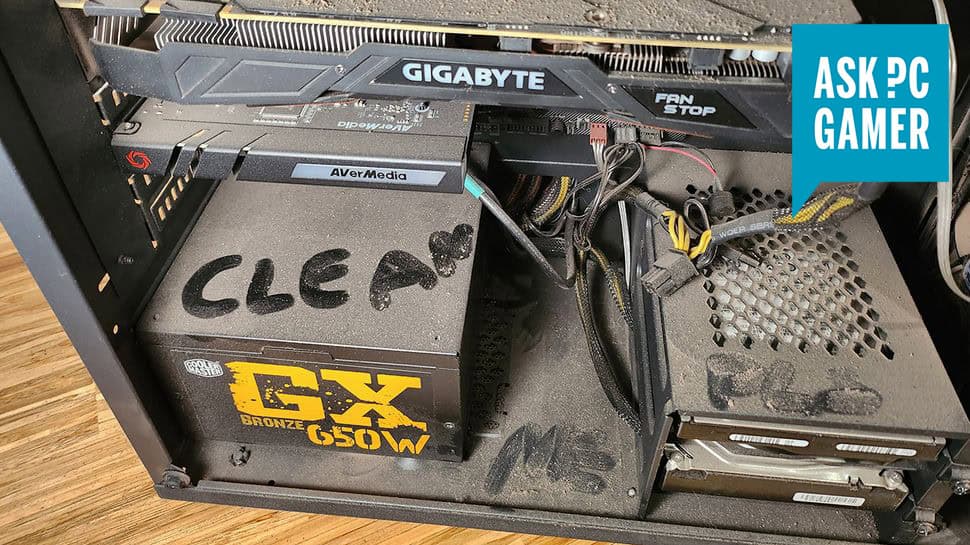
Dust accumulation is a silent killer that prevents you from achieving your goal to Make Your PC Last maximum time. Airborne particles coat components, block ventilation, and create insulating layers that trap heat. Implement both active and passive dust management strategies to maintain optimal conditions.
How To Make Your Pc Last 10 Years (Yes, Really) 7
Active dust management involves regular cleaning schedules and proper cleaning techniques. Use compressed air to blow dust from components monthly, focusing on fan blades, heat sinks, and air filters. For desktop systems, consider installing magnetic dust filters on intake fans. Passive management includes positioning computers away from floor level and high-traffic areas where dust concentration is highest.
3. Power Management and Electrical Protection
Electrical issues cause more sudden computer failures than any other factor. Implementing comprehensive power protection strategies is essential to Make Your PC Last without unexpected hardware damage from power surges, brownouts, or outages.
Surge Protection and Power Conditioning
Basic surge protectors provide minimal protection against power fluctuations that can prevent you from achieving your goal to Make Your PC Last extended periods. Instead, invest in uninterruptible power supplies (UPS) that combine surge protection with battery backup. These devices protect against both power spikes and sudden outages while providing clean, stable power to sensitive components.
Choose UPS capacity based on your system’s power consumption plus 25% headroom. Modern systems typically require 300-600 watts under normal operation, suggesting a 750-1000 watt UPS for adequate protection. Test your UPS monthly by simulating power outages and replace batteries according to manufacturer recommendations, typically every 3-4 years.
Power Settings Optimization
Proper power management helps Make Your PC Last by reducing component stress during periods of inactivity. Configure sleep and hibernation settings to balance convenience with power savings. Modern systems can wake from sleep states nearly instantly, making aggressive power management practical for most users.
Advanced power settings allow fine-tuning of individual component behavior. Configure hard drives to spin down after periods of inactivity, reduce display brightness when running on battery power, and enable CPU power management features. These settings reduce wear on mechanical components while minimizing heat generation during low-demand periods.
Advanced Maintenance Strategies to Make Your PC Last
Beyond basic environmental controls and power management, advanced maintenance techniques provide the detailed care necessary to Make Your PC Last through its second decade of service. These strategies require more technical knowledge but offer proportionally greater benefits for long-term system health.
4. Proactive Software Management
Software bloat and inefficient applications can make even powerful hardware feel sluggish, leading to premature replacement decisions. Effective software management helps Make Your PC Last by maintaining responsive performance throughout its extended lifespan.
Operating System Optimization
Modern operating systems include numerous features designed to maintain performance over time, but many users never configure these properly. Enable automatic defragmentation for traditional hard drives while disabling it for SSDs. Configure system file checking to run automatically and address corruption before it becomes noticeable. Set up automatic disk cleanup to remove temporary files and clear system caches regularly.
How To Make Your Pc Last 10 Years (Yes, Really) 8
Registry maintenance becomes increasingly important as you Make Your PC Last extended periods. While automatic registry cleaners can cause more problems than they solve, manual review of startup programs and system services can identify unnecessary processes that consume resources. Remove unused software completely rather than simply disabling it, as leftover files and registry entries accumulate over time.
Application Lifecycle Management
Strategic application management helps Make Your PC Last by preventing software conflicts and resource competition. Maintain an inventory of installed software and review it quarterly for programs you no longer use. Uninstall rather than disable unused applications, as disabled programs often leave background processes running.
Keep essential applications updated while being cautious about unnecessary feature additions. Software updates frequently include performance improvements and security patches that help Make Your PC Last safely, but they can also introduce new resource requirements. Balance update benefits against potential performance impacts, particularly for older systems approaching their performance limits.
5. Hardware Monitoring and Predictive Maintenance
Modern computers include sophisticated monitoring capabilities that can predict component failures before they occur. Utilizing these systems effectively helps Make Your PC Last by enabling proactive replacement of aging components before they cause system instability.
SMART Drive Monitoring
Storage drives include Self-Monitoring, Analysis, and Reporting Technology (SMART) that tracks various health metrics. Regular SMART monitoring helps Make Your PC Last by identifying failing drives before data loss occurs. Monitor attributes like reallocated sectors, spin-up time, and temperature readings. Most drives provide months of advance warning before complete failure.
Install SMART monitoring software that provides alerts when drive health metrics exceed normal parameters. Schedule monthly drive health checks and maintain current backups of all important data. When SMART indicators suggest impending failure, replace the drive immediately rather than waiting for complete failure that might damage other components.
How To Make Your Pc Last 10 Years (Yes, Really) 9
Component Temperature Tracking
Systematic temperature monitoring helps Make Your PC Last by identifying cooling problems before they cause permanent damage. Modern systems include multiple temperature sensors that report CPU, GPU, motherboard, and drive temperatures. Establish baseline readings during normal operation and investigate any significant increases.
Create temperature logging schedules that capture readings during different usage scenarios. Gaming, video editing, and other intensive tasks should produce predictable temperature patterns. Deviations from established patterns often indicate cooling system problems, dust accumulation, or failing components that require attention.
Rather than replacing entire systems, strategic component upgrades can Make Your PC Last while maintaining competitive performance. Understanding when and how to upgrade specific components maximizes your investment while extending system longevity.
Memory and Storage Upgrades
RAM and storage upgrades provide the most noticeable performance improvements for aging systems. Memory upgrades help Make Your PC Last by reducing virtual memory usage and enabling more efficient multitasking. Modern applications often require 8GB or more RAM for optimal performance, making 16GB increasingly common for systems intended for extended use.
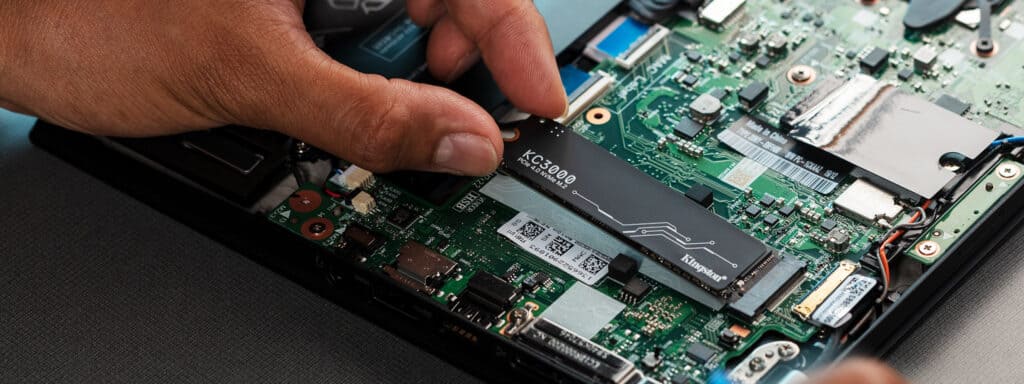
Storage upgrades from traditional hard drives to SSDs can make older systems feel dramatically faster. SSDs eliminate mechanical delays associated with rotating drives while providing more consistent performance over time. The performance improvement from SSD upgrades often eliminates the perceived need for complete system replacement.
How To Make Your Pc Last 10 Years (Yes, Really) 10
Graphics and Processing Power
Graphics card upgrades can Make Your PC Last while maintaining compatibility with modern games and applications. Unlike other components, graphics cards connect through standardized interfaces that rarely change, making upgrades relatively straightforward. Monitor GPU performance over time and upgrade when frame rates or render times no longer meet your requirements.
Processor upgrades are less common but sometimes worthwhile for systems with robust motherboards. Before considering CPU upgrades, verify motherboard compatibility and cooling requirements. Modern processors often require updated chipsets or different socket types, limiting upgrade options for older systems.
Troubleshooting and Problem Resolution to Make Your PC Last
Even with excellent maintenance, computers occasionally develop problems that require systematic troubleshooting. Developing strong problem-solving skills helps Make Your PC Last by resolving issues before they escalate into major failures requiring expensive repairs or complete replacement.
7. Systematic Diagnostic Approaches
Effective troubleshooting follows logical procedures that isolate problems without causing additional damage. This systematic approach helps Make Your PC Last by resolving issues quickly and accurately.
Hardware vs. Software Problem Identification
The first step in any troubleshooting process is determining whether problems stem from hardware or software issues. Hardware problems often appear suddenly and consistently, while software issues may be intermittent or context-dependent. To Make Your PC Last, develop skills in distinguishing between these categories to avoid unnecessary component replacement.
Boot from external media like USB drives or optical discs to test hardware functionality independent of installed software. If problems persist during external boot, hardware issues are likely. If external boot eliminates problems, focus troubleshooting efforts on software configuration, driver conflicts, or operating system corruption.
Isolation Testing Procedures
Systematic component isolation helps Make Your PC Last by identifying specific failing components without damaging surrounding hardware. Start with the most likely culprits based on symptom patterns, then work through components systematically.
How To Make Your Pc Last 10 Years (Yes, Really) 11
For desktop systems, test individual RAM modules by removing all but one and testing system stability. Swap modules between slots to identify whether problems stem from memory modules or motherboard slots. For storage issues, connect drives to different interfaces or test them in external enclosures. Graphics problems can often be isolated by switching to integrated graphics or testing cards in different systems.
8. Data Recovery and System Restoration
Despite preventive efforts, storage failures and software corruption sometimes threaten data integrity. Developing recovery skills helps Make Your PC Last by enabling restoration from various failure scenarios without complete system reconstruction.
Backup Strategy Implementation
Comprehensive backup strategies are essential to Make Your PC Last without losing valuable data during hardware failures or software corruption. Follow the 3-2-1 rule: maintain three copies of important data, store them on two different media types, and keep one copy offsite.
Automated backup solutions reduce the burden of manual procedures while ensuring consistency. Configure system image backups that capture complete system states, enabling rapid restoration after major failures. File-level backups provide more granular recovery options for specific documents or applications.
System Recovery Techniques
Modern operating systems include sophisticated recovery options that can restore functionality after various types of failures. Understanding these tools helps Make Your PC Last by enabling rapid recovery from software problems that might otherwise require complete reinstallation.
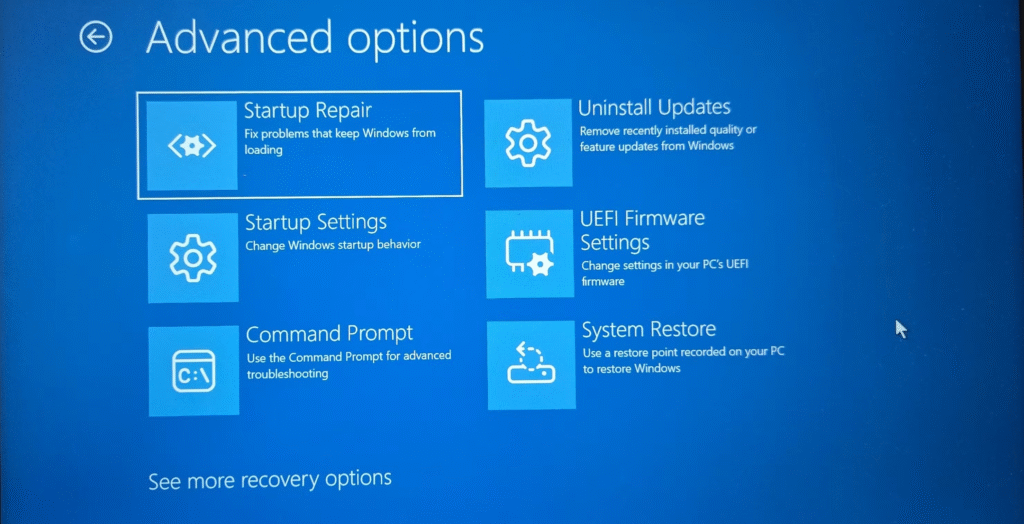
System restore points capture configuration snapshots that can reverse problematic changes. Boot recovery environments provide access to diagnostic tools and repair utilities when normal startup fails. Advanced users should familiarize themselves with command-line recovery tools that can resolve problems beyond the scope of graphical interfaces.
How To Make Your Pc Last 10 Years (Yes, Really) 12
Long-Term Success Strategies to Make Your PC Last
Achieving a ten-year computer lifespan requires more than technical maintenance—it demands strategic thinking about technology evolution and usage patterns. These long-term strategies help Make Your PC Last while adapting to changing requirements and technological advancement.
9. Future-Proofing Through Adaptability
Technology evolves rapidly, but certain principles remain constant across different eras. Building adaptability into your maintenance approach helps Make Your PC Last despite changing software requirements and hardware standards.
Interface and Connectivity Planning
Modern computers include various connection standards that may become obsolete over extended periods. To Make Your PC Last through multiple technology generations, prioritize systems with diverse connectivity options and plan for adapter solutions as standards evolve.
USB standards evolve regularly, but backward compatibility usually ensures continued functionality. Display interfaces change more dramatically—systems purchased today should support HDMI and DisplayPort connections for maximum future compatibility. Network connections are increasingly standardized around Ethernet and Wi-Fi, with newer standards maintaining backward compatibility.
Software Compatibility Management
Operating system support lifecycles significantly impact your ability to Make Your PC Last extended periods. Major operating systems typically receive security updates for 8-10 years, but software compatibility may require earlier upgrades. Plan upgrade paths that balance security requirements with hardware capabilities.
Maintain compatibility with essential file formats and applications throughout your system’s lifespan. Document software versions and settings that work well with your hardware configuration. Consider cloud-based applications that reduce local processing requirements and remain accessible regardless of hardware limitations.
10. Performance Optimization Over Time
Maintaining optimal performance throughout a ten-year lifespan requires ongoing attention to system efficiency and resource utilization. These strategies help Make Your PC Last while providing consistent user experience across different usage scenarios.
Resource Management Techniques
Efficient resource management becomes increasingly important as you Make Your PC Last and software requirements grow. Monitor CPU, memory, and storage utilization patterns to identify bottlenecks before they impact performance. Modern systems provide detailed resource monitoring through built-in utilities and third-party applications.
Implement resource allocation strategies that prioritize essential applications while limiting background processes. Configure startup programs to minimize system resource consumption during boot. Regular resource audits help identify applications that consume disproportionate system resources relative to their utility.
Performance Baseline Management
Establishing and maintaining performance baselines helps Make Your PC Last by providing objective measures of system health over time. Document boot times, application launch speeds, and benchmark results when your system is performing optimally. Regular comparison against these baselines identifies performance degradation before it becomes problematic.
Create standardized test procedures that can be repeated consistently over time. Simple metrics like file transfer speeds, compression times, and web browsing responsiveness provide practical performance indicators. More sophisticated benchmarks offer detailed component-specific measurements for systems used in demanding applications.
Your Path to a Decade-Long PC
Successfully implementing these strategies will Make Your PC Last far beyond typical replacement cycles while maintaining performance that meets your evolving needs. The key to success lies in treating your computer as a long-term investment rather than a disposable commodity.
Building Your Personal Maintenance System
To effectively Make Your PC Last ten years, develop maintenance routines that fit naturally into your usage patterns. Daily habits might include shutting down properly and monitoring system notifications. Weekly tasks could involve disk cleanup and security scans. Monthly sessions might focus on hardware monitoring and performance optimization.
Create documentation that tracks your system’s configuration, maintenance history, and performance metrics. This information becomes invaluable when troubleshooting problems or planning upgrades. Consider your maintenance efforts as insurance against premature replacement costs and data loss risks.
The Rewards of Long-Term PC Ownership
The commitment to Make Your PC Last extended periods provides benefits that extend far beyond financial savings. You’ll develop deeper technical understanding that applies to future systems and technology decisions. Your stable, familiar computing environment supports productivity and creativity without the disruptions associated with frequent hardware changes.
Moreover, successfully extending your computer’s lifespan demonstrates that planned obsolescence is a choice rather than an inevitability. Your ten-year computer becomes a testament to the value of proper maintenance and strategic thinking in an increasingly disposable technology culture.
The techniques outlined in this guide provide a comprehensive framework to Make Your PC Last a full decade while maintaining performance that meets your requirements. Remember that consistency matters more than perfection—even partial implementation of these strategies will significantly extend your computer’s useful life. Your investment in proper maintenance will reward you with years of reliable service and substantial cost savings compared to frequent replacement cycles.
By following these proven strategies, you’re not just maintaining a computer—you’re developing a sustainable approach to technology ownership that serves you well throughout your digital life. The skills and habits you develop while working to Make Your PC Last will transfer to future systems, creating a cycle of successful long-term technology ownership that benefits both your wallet and the environment.
The Illusion of Stability in Modern Updates For most users, operating system updates are something that simply happen. They arrive quietly, often installing in the background, requiring little more than…
Macbook Neo, How Does It Compare To Air & Pro? Over the last few years the laptop market has experienced one of the most significant architectural changes in its history.…
Apple’s latest product announcements mark one of the most significant shifts in the Mac lineup in more than a decade. While Apple routinely updates its hardware with faster chips, incremental…
There is a particular kind of frustration that only a slow computer can produce. It is not dramatic. It is not urgent. It does not scream for attention. Instead, it…
In an era where nearly every aspect of personal computer maintenance and professional life is mediated through digital systems, your computer is no longer a luxury device — it is…
Phone says charging but battery not increasing is one of the most frustrating problems smartphone users face. You plug it in.The lightning bolt appears.It says “Charging.” But the battery percentage…
Apple’s rumour cycle always looks like a thousand disconnected leaks — until you line them up and notice the same themes repeating: AI-first silicon, camera and display differentiation, form-factor experiments (foldables / spatial…
Wi-Fi connected but no internet is one of the most frustrating messages you can see on a computer or laptop. The Wi-Fi icon shows full bars.It says “Connected.”But websites won’t…
Unfortunately, there was an error submitting your request.
Please try again later, or reach out to us directly. You can call us at +44 1429 280955 or email us at sales@kingfishercomputers.co.uk for assistance. We’re here to help you get your computer back up and running!
We’ve received your booking, Our team will get in touch with you shortly to confirm the details. You’re one step closer to having your computer fixed! If you have any urgent questions, feel free to contact us. Otherwise, sit back, and we’ll handle the rest.