Linux, Shockingly Becoming #1 Platform for gamers, How Microsoft Are To Blame
Connor Boyle
January 2nd, 2026
Table of Contents
For decades, lived on the fringes of mainstream computing. It was widely respected, occasionally feared, and often misunderstood. Traditionally associated with servers, programmers, and system administrators, was rarely considered a viable desktop operating system for everyday users.
That perception has changed — and rapidly.
Over the last few years, has experienced a significant surge in popularity on desktop and laptop systems. This shift is not driven by novelty or trend-chasing, but by growing frustration with the direction taken by dominant operating systems. Increasing hardware restrictions, forced updates, aggressive AI integration, advertising within the OS, and repeated privacy controversies have pushed many users to reconsider their options.
For a growing number of people, is no longer the “alternative” — it’s the escape.
What Is Linux?
At its foundation is an open-source operating system built around the Linux kernel. The kernel, originally released by Linus Torvalds in 1991, is responsible for managing system resources such as CPU time, memory, hardware devices, and running processes.
Unlike Windows or macOS, is not owned or controlled by a single corporation. Instead, it is developed collaboratively by a global community of contributors, organizations, and companies. Anyone can inspect the source code, modify it, and redistribute it under open-source licenses.
What most users think of as is actually a distribution, often shortened to distro.
How Linux Actually Works
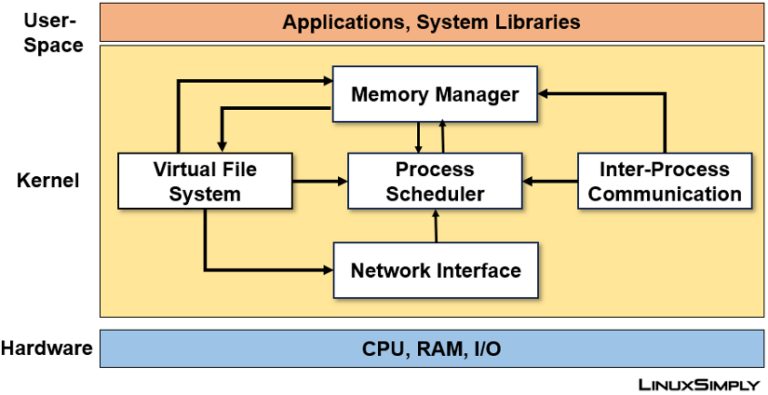
A system is built in layers, each responsible for a specific function:
The Kernel
The kernel is the core of the system. It handles:
Hardware communication
Memory management
Process scheduling
Security permissions
Device drivers
The kernel runs silently in the background, enabling everything else to function.
System Libraries
Libraries act as translators between applications and the kernel, allowing software to work consistently across different systems.
System Services (Daemons)
These background services manage networking, sound, printing, power management, Bluetooth, and more.
The User Interface
This is where it differs most dramatically from other operating systems. The graphical interface is not fixed. Users can choose from multiple desktop environments, each offering a different look, workflow, and philosophy.
This modular design is why Linux can run on everything from old laptops to enterprise servers — and why users can customize it so deeply.
How Linux Differs From Windows and macOS
Control vs Corporate Design
Windows and macOS are designed around centralized control. Updates, features, interface changes, and background services are decided by the vendor and delivered to users with limited ability to opt out.
Linux takes the opposite approach.
On:
Updates are optional and configurable
Features are installed by choice
Telemetry is minimal or nonexistent
The system belongs to the user
Software Management
Instead of downloading installers from random websites, Linux uses package managers. These tools install software from secure, curated repositories maintained by the distro.
This leads to:
Better security
Fewer broken installations
Cleaner system maintenance
Centralized updates for all software
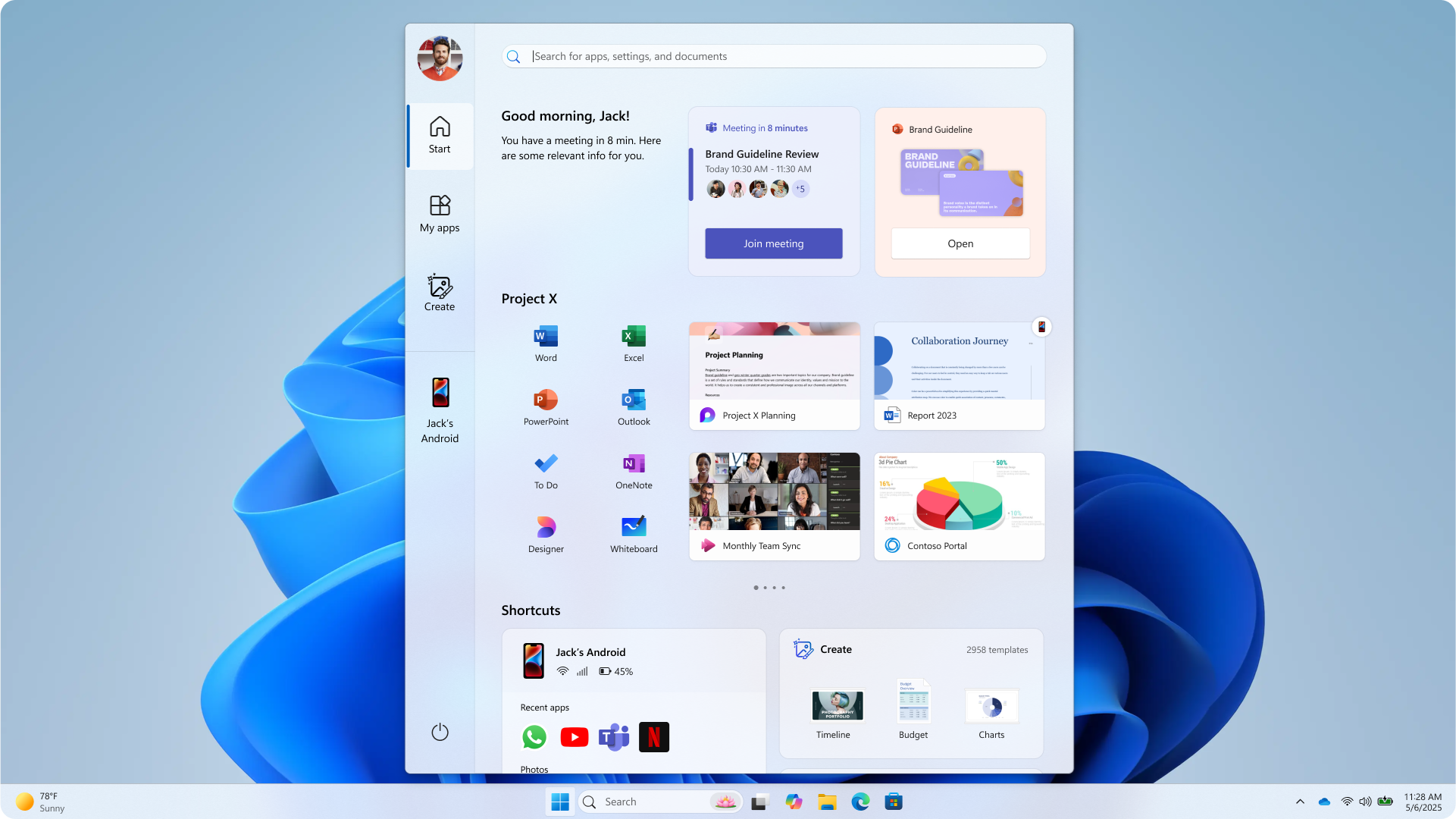
The Breaking Point: Windows’ Recent Direction
The recent popularity surge of Linux cannot be separated from dissatisfaction with Microsoft and Windows.
Forced Hardware Requirements
Windows 11 introduced strict requirements such as TPM 2.0 and newer CPUs, instantly rendering millions of capable machines “unsupported.”
Forced Updates and Interface Changes
Long-standing workflows were broken with minimal user control. Taskbar customization was removed. Settings were rearranged. Features disappeared without warning.
Aggressive AI Integration
AI assistants such as Copilot were embedded directly into the operating system, often enabled by default, raising concerns about workflow disruption and data usage.
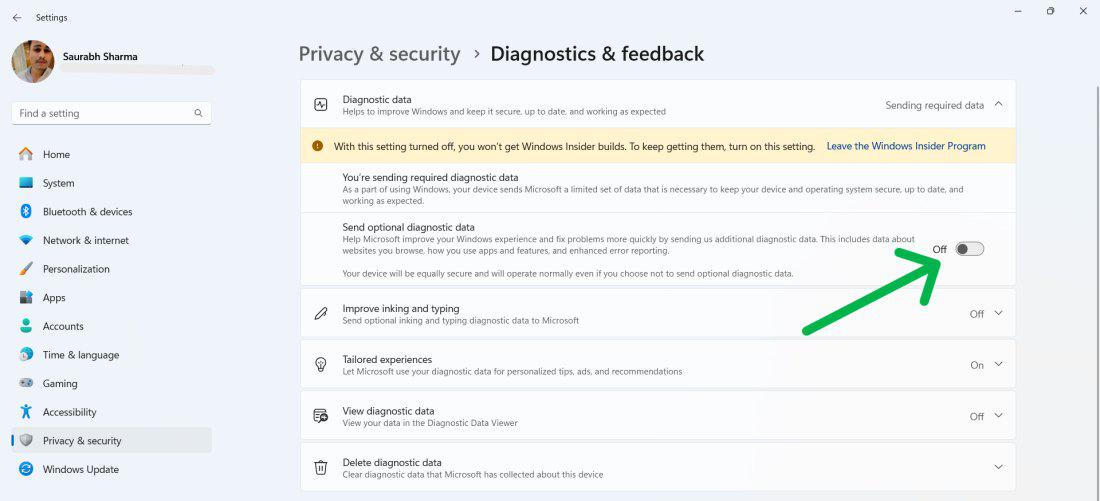
Privacy and Telemetry Concerns
Windows increasingly collects usage data, diagnostic data, and behavioral metrics. While some telemetry can be disabled, full control is difficult and often temporary.
For many users, this was the final push.
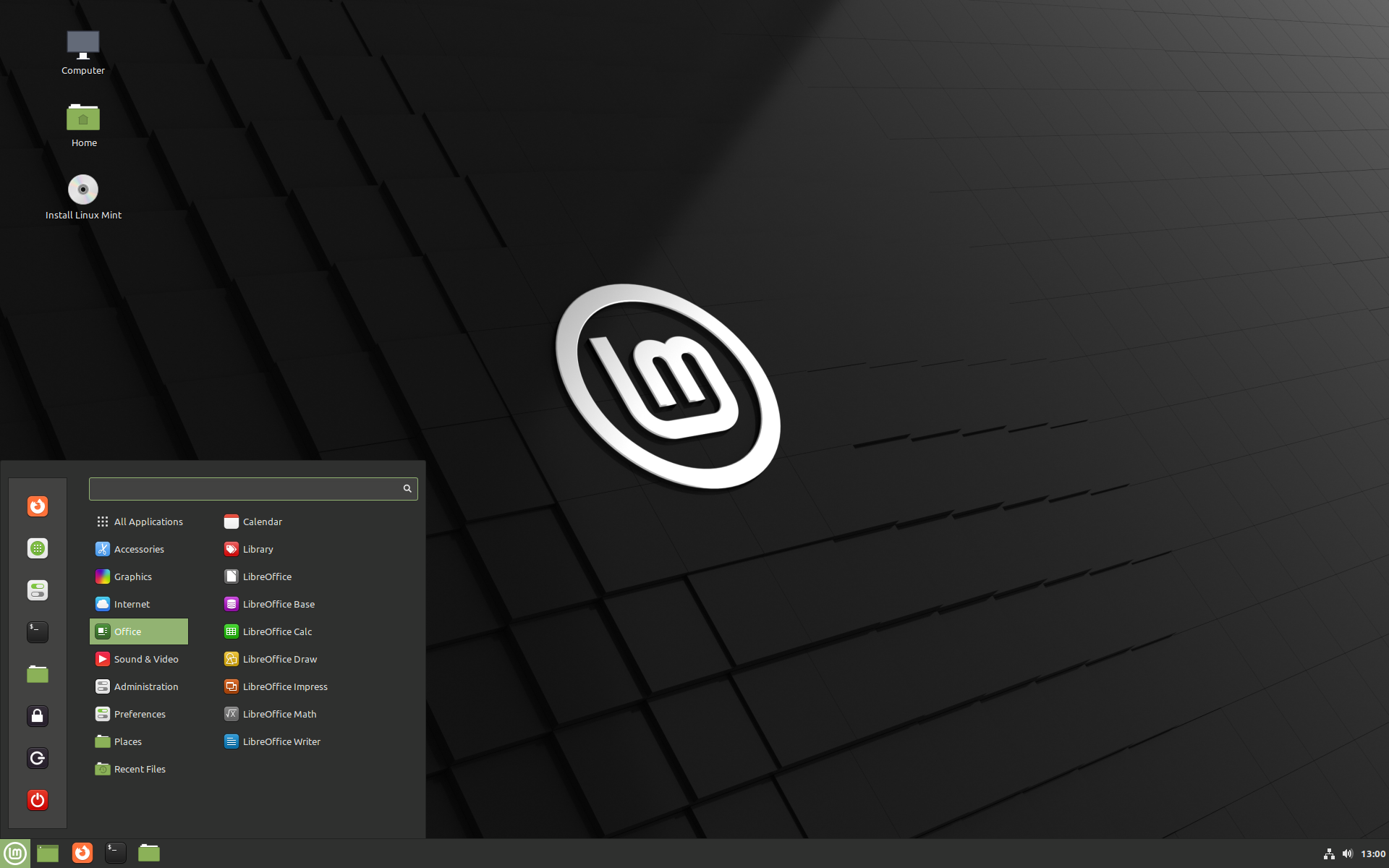
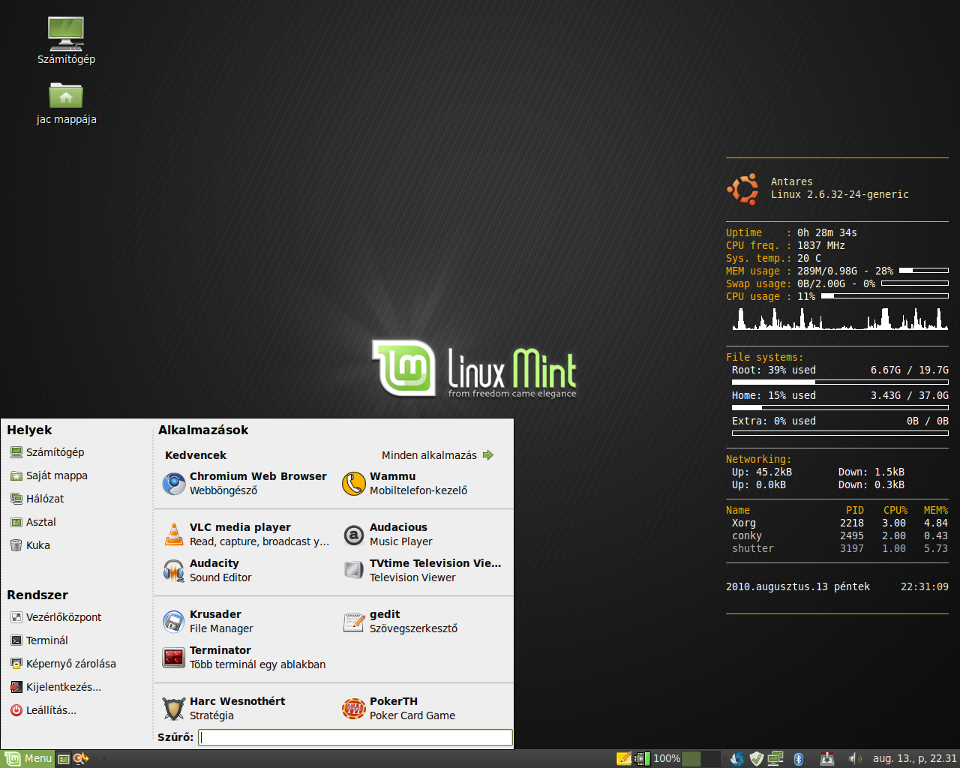
Linux Mint Cinnamon: A Familiar Landing Point
One of the most common destinations for new Linux users is Mint, particularly the Cinnamon edition.
Mint focuses on:
Stability over novelty
Clear update policies
Minimal disruption
A traditional desktop layout
The Cinnamon Desktop Environment
Cinnamon was explicitly designed to feel familiar to Windows users:
Start-menu-style launcher
Bottom taskbar
System tray icons
Traditional window controls
This familiarity dramatically reduces the learning curve, making Mint Cinnamon one of the most beginner-friendly Linux experiences available today.
What Is a Linux Distribution (Distro)?
A Linux distribution is a complete operating system built around the kernel, bundled with:
A desktop environment
System utilities
Package management tools
Default applications
Visual theming
Different distros exist because users have different priorities: stability, cutting-edge features, performance, or simplicity.
Desktop Environments Explained
A desktop environment (DE) defines how Linux looks and feels. It controls windows, panels, menus, system settings, and workflows.
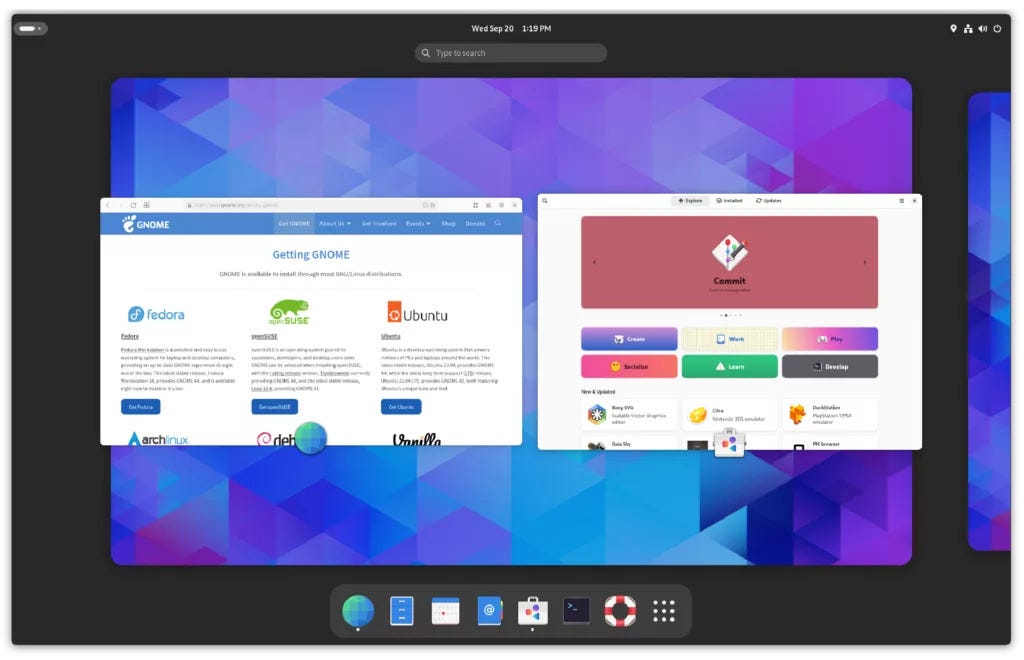
GNOME
Used by default in Fedora, GNOME focuses on simplicity and productivity.
Strengths
Clean, modern design
Strong accessibility
Excellent touchpad gestures
Weaknesses
Non-traditional workflow
Limited customization without extensions
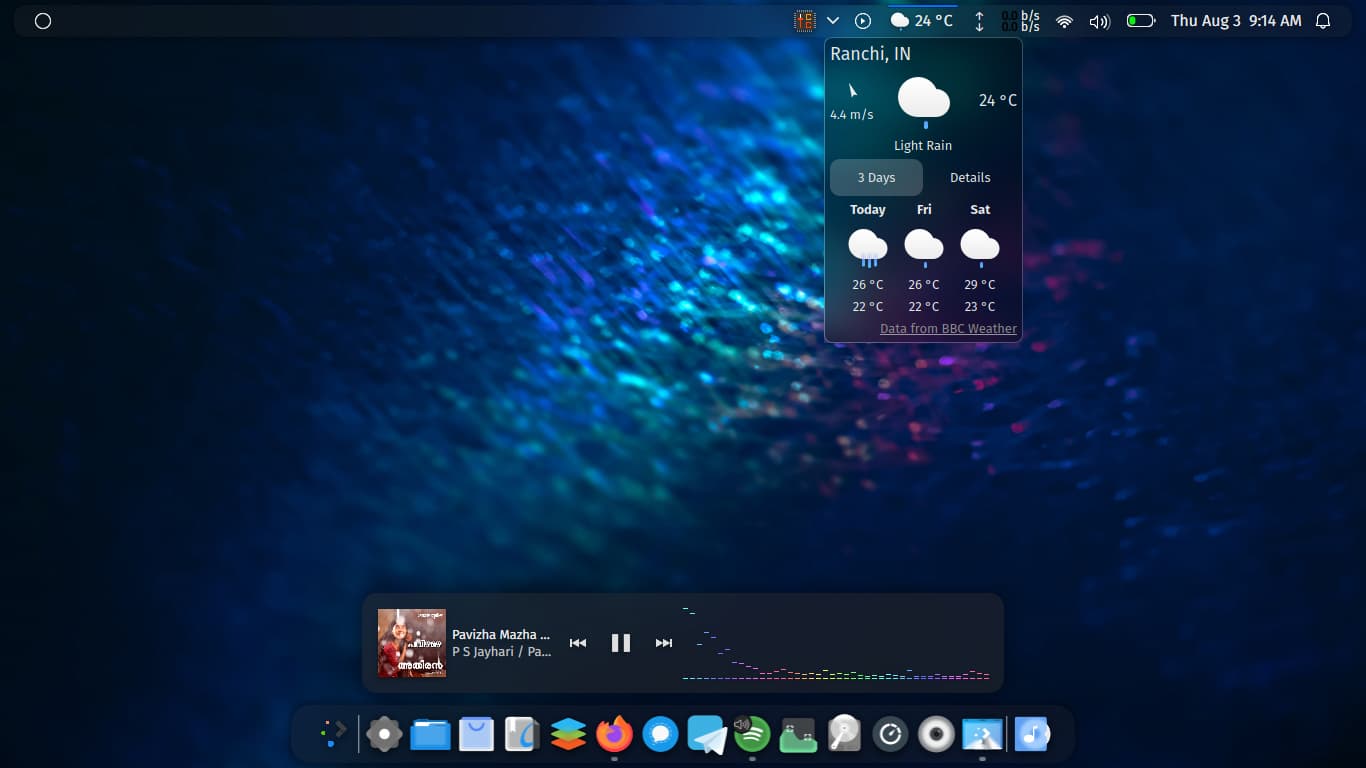
KDE Plasma
KDE is one of the most powerful and customizable desktop environments available.
Strengths
Extreme customization
Feature-rich tools
Can closely resemble Windows
Weaknesses
Overwhelming for beginners
More settings than most users need
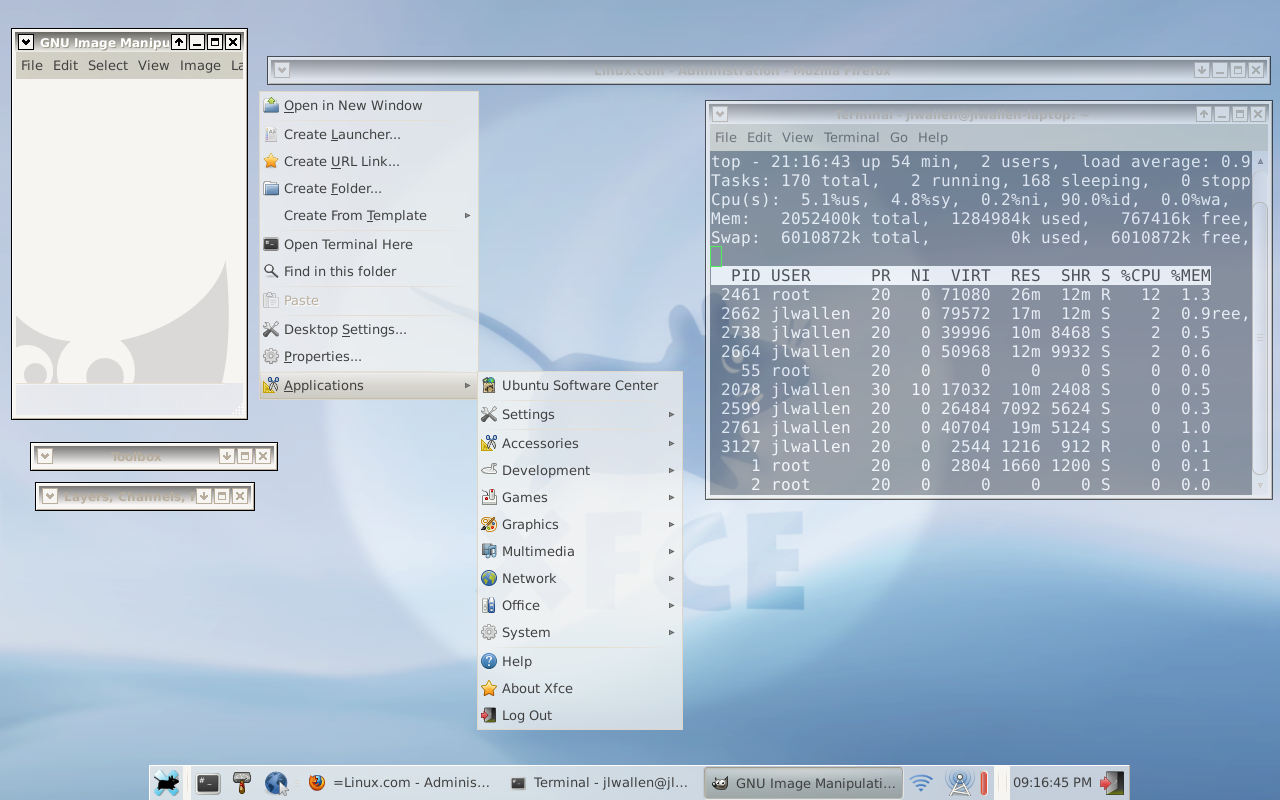
Xfce
Xfce prioritizes speed and efficiency.
Strengths
Lightweight and fast
Excellent for older hardware
Stable and predictable
Weaknesses
Dated visuals
Fewer modern conveniences
MATE
MATE continues the classic GNOME 2 desktop style.
Strengths
Traditional layout
Low resource usage
Very stable
Weaknesses
Slower development
Less modern design
File Managers and Core Linux Components
Linux distros also differ in their default system tools.
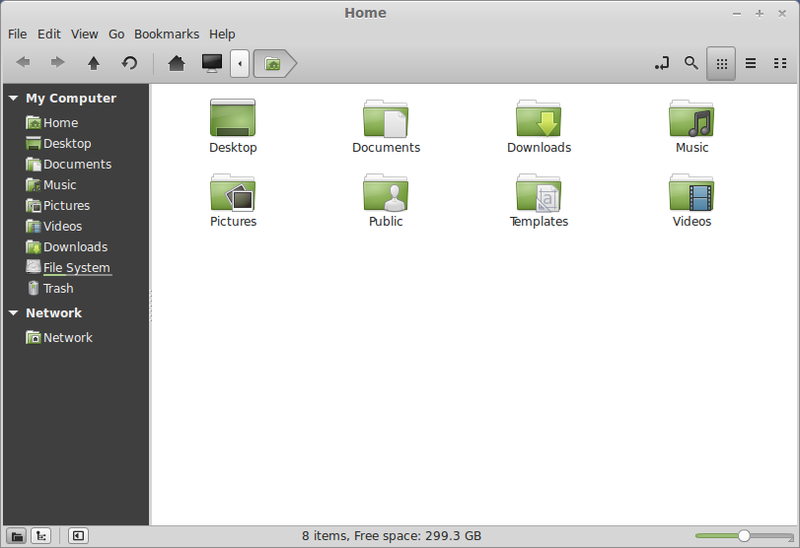
File Managers
Nemo (Linux Mint): Familiar and intuitive
Nautilus (GNOME): Clean and minimal
Dolphin (KDE): Powerful and feature-rich
Thunar (Xfce): Lightweight and fast
Package Managers
Package managers handle software installation and updates:
APT (Ubuntu/Debian-based distros)
DNF (Fedora)
Pacman (Arch)
These tools are one of the biggest strengths, offering consistent and secure system management.
Fedora vs Linux Mint: Two Approaches
Feature
Linux Mint
Fedora
Target Audience
Beginners
Developers / Enthusiasts
Stability
Very high
High, but newer software
Desktop Default
Cinnamon
GNOME
Release Style
Conservative
Cutting-edge
Learning Curve
Low
Moderate
Mint prioritizes comfort and reliability, while Fedora showcases the future of technologies.
macOS and Why Users Leave
macOS offers a refined experience but comes with trade-offs:
Tight hardware lock-in
Limited customization
Increasing reliance on cloud services
High hardware costs
Linux offers a way to regain control, extend hardware lifespan, and avoid ecosystem dependency.
Why Linux Feels Different
Linux does not assume it knows better than the user.
There are:
No ads in the OS
No forced AI assistants
No hidden background services
No surprise feature rollouts
Updates happen when you decide. Features exist because you install them. The system works for you, not around you.
Final Thoughts: Linux Is No Longer “Alternative”
In 2026 is mature, polished, and approachable. With distributions like Mint and Fedora, modern desktop environments, and vast community support, has become a legitimate daily-driver operating system for millions of users.
The surge in adoption is not driven by ideology — it’s driven by choice, control, and trust.
As Windows becomes more restrictive and macOS more closed, stands as a reminder of what personal computing was always meant to be: personal.
If you’d like, I can also:
Add SEO-optimized headings and meta descriptions
Rewrite this for a more opinionated or personal blog tone
The Illusion of Stability in Modern Updates For most users, operating system updates are something that simply happen. They arrive quietly, often installing in the background, requiring little more than…
Macbook Neo, How Does It Compare To Air & Pro? Over the last few years the laptop market has experienced one of the most significant architectural changes in its history.…
Apple’s latest product announcements mark one of the most significant shifts in the Mac lineup in more than a decade. While Apple routinely updates its hardware with faster chips, incremental…
There is a particular kind of frustration that only a slow computer can produce. It is not dramatic. It is not urgent. It does not scream for attention. Instead, it…
In an era where nearly every aspect of personal computer maintenance and professional life is mediated through digital systems, your computer is no longer a luxury device — it is…
Phone says charging but battery not increasing is one of the most frustrating problems smartphone users face. You plug it in.The lightning bolt appears.It says “Charging.” But the battery percentage…
Apple’s rumour cycle always looks like a thousand disconnected leaks — until you line them up and notice the same themes repeating: AI-first silicon, camera and display differentiation, form-factor experiments (foldables / spatial…
Wi-Fi connected but no internet is one of the most frustrating messages you can see on a computer or laptop. The Wi-Fi icon shows full bars.It says “Connected.”But websites won’t…
Unfortunately, there was an error submitting your request.
Please try again later, or reach out to us directly. You can call us at +44 1429 280955 or email us at [email protected] for assistance. We’re here to help you get your computer back up and running!
We’ve received your booking, Our team will get in touch with you shortly to confirm the details. You’re one step closer to having your computer fixed! If you have any urgent questions, feel free to contact us. Otherwise, sit back, and we’ll handle the rest.