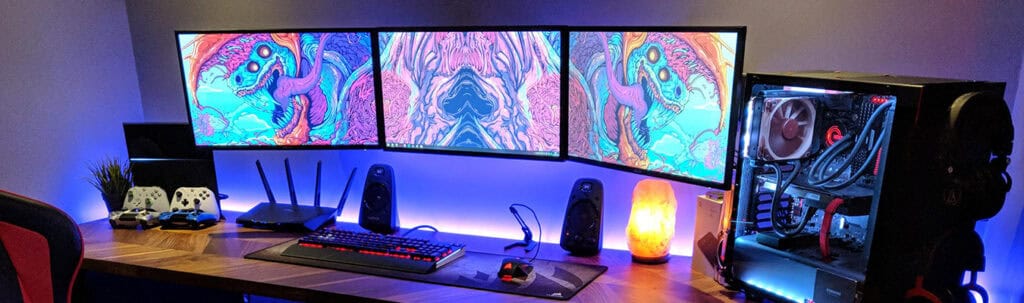
Ultrawide vs Dual Monitor: Which Setup Wins in 2025?
Adam Fornal
July 23rd, 2025
Table of Contents
Ultrawide vs Dual Monitor: Which Setup Wins in 2025?
The eternal debate between single ultrawide displays and dual monitor configurations continues to captivate professionals, gamers, and productivity enthusiasts in 2025. As display technology advances and remote work becomes increasingly prevalent, choosing the right monitor setup has never been more critical for maximizing efficiency and comfort. The Ultrawide vs Dual Monitor decision affects everything from workspace aesthetics to productivity workflows, making it essential to understand the distinct advantages and limitations of each approach.
Modern display technology has evolved dramatically, offering stunning visual quality and innovative features that make both ultrawide and dual monitor setups more appealing than ever. However, the Ultrawide vs Dual Monitor choice involves more than just screen real estate—it encompasses considerations of cost, desk space, graphics card requirements, software compatibility, and personal workflow preferences. Understanding these factors helps ensure your investment delivers the productivity gains and user experience you’re seeking.
The Evolution of Monitor Technology in 2025
Display technology has reached remarkable heights in 2025, with both ultrawide and dual monitor solutions offering exceptional image quality, color accuracy, and refresh rates. The Ultrawide vs Dual Monitor landscape has been transformed by advances in panel manufacturing, resulting in more affordable options and better performance across all price ranges. Modern ultrawide displays feature improved curvature algorithms that reduce eye strain, while dual monitor setups benefit from thinner bezels and better color matching between paired displays.
Ultrawide Vs Dual Monitor: Which Setup Wins In 2025? 7
Current Ultrawide Display Innovations
Today’s ultrawide monitors represent significant technological achievements, featuring aspect ratios ranging from 21:9 to the massive 32:9 super-ultrawide formats. These displays have addressed many historical concerns that influenced the Ultrawide vs Dual Monitor debate, including better pixel density, improved color gamut coverage, and enhanced refresh rates suitable for both professional work and gaming. Modern ultrawide displays also incorporate advanced features like picture-by-picture modes, USB-C connectivity with power delivery, and intelligent brightness adjustment that adapts to ambient lighting conditions.
The manufacturing improvements in ultrawide technology have resulted in more consistent panel quality and reduced the premium pricing that once made these displays prohibitively expensive. Current ultrawide models offer better uniformity across the entire screen surface, addressing the edge brightness issues that previously plagued curved displays. These improvements have made the Ultrawide vs Dual Monitor decision more competitive, as ultrawide displays now deliver professional-grade performance at more accessible price points.
Dual Monitor Technology Advancements
Dual monitor configurations have also benefited from technological progress, with modern displays offering virtually invisible bezels and improved color consistency between matched pairs. The Ultrawide vs Dual Monitor comparison now includes dual setups with seamless visual continuity that rivals single ultrawide displays. Advanced calibration tools and factory color matching ensure that paired monitors deliver consistent color reproduction, eliminating the visual discontinuity that once made dual setups less appealing for color-critical work.
Modern dual monitor solutions also incorporate intelligent features like automatic brightness matching, synchronized color temperature adjustment, and streamlined cable management systems. These improvements address traditional pain points in dual monitor configurations, making the Ultrawide vs Dual Monitor choice more about personal preference and specific use cases rather than technical limitations.
Productivity and Workflow Considerations
The Ultrawide vs Dual Monitor decision significantly impacts daily productivity and workflow efficiency. Each configuration offers distinct advantages for different types of work, and understanding these differences helps determine which setup best supports your specific professional requirements and working style.
Ultrawide Advantages for Professional Work
Ultrawide displays excel in scenarios requiring continuous horizontal workspace, such as video editing, financial modeling, and code development. The seamless canvas provided by ultrawide monitors eliminates the visual interruption of bezels, creating an immersive work environment that enhances focus and reduces eye movement fatigue. When considering Ultrawide vs Dual Monitor for professional applications, ultrawide displays often provide superior experiences for tasks requiring panoramic views or extensive horizontal scrolling.
The single-display nature of ultrawide monitors simplifies window management and reduces the complexity of organizing applications across multiple screens. Professional software increasingly supports ultrawide aspect ratios natively, providing optimized layouts that take advantage of the extended horizontal space. This native support makes ultrawide displays particularly attractive for professionals using specialized applications like digital audio workstations, video editing suites, and advanced spreadsheet applications where the Ultrawide vs Dual Monitor choice directly impacts workflow efficiency.
Software Optimization for Ultrawide Displays
Modern professional applications have embraced ultrawide support, offering interface layouts specifically designed for extended aspect ratios. Video editing software utilizes the extra horizontal space for extended timelines, while development environments can display more code columns and tool panels simultaneously. The Ultrawide vs Dual Monitor comparison increasingly favors ultrawide displays for applications with sophisticated interface layouts that benefit from continuous horizontal space.
Operating systems have also improved their support for ultrawide displays, with better window snapping algorithms and enhanced multi-window management features. These improvements make it easier to organize multiple applications on a single ultrawide display, potentially eliminating the need for multiple monitors in many use cases and strengthening the ultrawide position in the Ultrawide vs Dual Monitor debate.
Dual Monitor Benefits for Multitasking
Dual monitor configurations excel in scenarios requiring distinct separation between different types of content or applications. The Ultrawide vs Dual Monitor choice often favors dual setups for users who need to maintain clear boundaries between different workflows, such as keeping reference materials on one screen while working on another. This physical separation can improve focus and reduce cognitive load when switching between different types of tasks.
The flexibility of dual monitor setups allows for different display orientations, with one monitor in landscape and another in portrait mode, providing optimal viewing for different content types. This versatility makes dual monitors particularly attractive for professionals working with documents, code, or other vertically-oriented content alongside traditional horizontal applications. The Ultrawide vs Dual Monitor decision often comes down to whether this flexibility outweighs the seamless experience of a single ultrawide display.
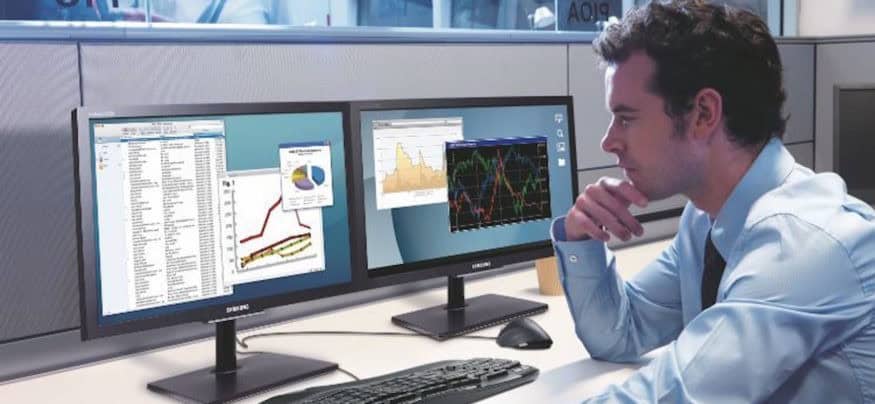
Certain professional workflows benefit significantly from the distinct separation that dual monitors provide. Financial professionals often prefer having market data on one screen while performing analysis on another, maintaining clear visual separation between different information types. The Ultrawide vs Dual Monitor choice frequently favors dual configurations for these specialized workflows where information categorization and visual separation enhance productivity.
Content creators working with multiple applications simultaneously often find dual monitors more intuitive for organizing their workspace. Having dedicated screens for different tools—such as one for editing and another for asset management—can streamline complex creative workflows. This workflow optimization makes dual monitors compelling for users whose work involves frequent application switching and content comparison.
Ultrawide Vs Dual Monitor: Which Setup Wins In 2025? 8
Gaming and Entertainment Performance
The Ultrawide vs Dual Monitor debate takes on different dimensions when considering gaming and entertainment applications. Each configuration offers unique advantages for different types of gaming experiences and multimedia consumption, making the choice highly dependent on individual preferences and specific use cases.
Ultrawide Gaming Advantages
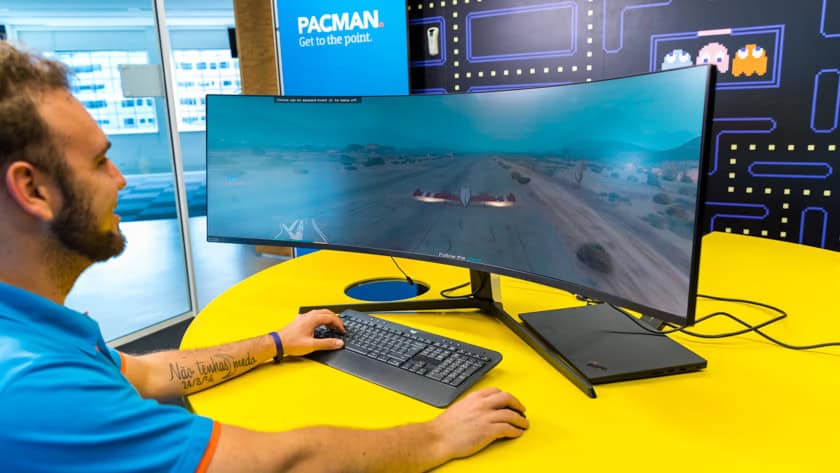
Gaming on ultrawide displays provides an immersive experience that extends peripheral vision and creates more engaging gameplay environments. Modern games increasingly support ultrawide aspect ratios natively, offering field-of-view advantages that can improve competitive performance while enhancing visual immersion. The Ultrawide vs Dual Monitor comparison strongly favors ultrawide displays for gaming applications where seamless visual continuity and extended field of view provide tangible benefits.
The single-display nature of ultrawide gaming eliminates the visual interruption of bezels that would cut through the center of the gaming viewport in dual monitor configurations. This seamless experience is particularly valuable for racing games, flight simulators, and first-person shooters where peripheral vision and visual continuity significantly impact gameplay quality. Modern ultrawide displays also support high refresh rates and advanced gaming features like variable refresh rate technology, making them competitive with traditional gaming monitors in the Ultrawide vs Dual Monitor discussion.
Ultrawide Vs Dual Monitor: Which Setup Wins In 2025? 9
Ultrawide Gaming Compatibility and Performance
Game compatibility with ultrawide displays has improved dramatically, with most modern titles supporting 21:9 and 32:9 aspect ratios without modification. However, some older games and certain competitive titles may require tweaking or may not support ultrawide resolutions properly. When evaluating Ultrawide vs Dual Monitor for gaming, it’s important to consider the specific games you play and their ultrawide support status.
The graphics card requirements for ultrawide gaming are more demanding than traditional 16:9 gaming due to the increased pixel count. High-end ultrawide displays with 1440p or 4K vertical resolution require substantial graphics processing power to maintain high frame rates. This hardware requirement is an important factor in the Ultrawide vs Dual Monitor decision, as dual monitor gaming typically allows for more flexible performance scaling by running games on a single display while using the second for auxiliary applications.
Dual Monitor Gaming and Entertainment
Dual monitor configurations offer flexibility for gaming setups, allowing users to game on one display while maintaining access to communication tools, streaming software, or reference materials on the second screen. This multitasking capability makes dual monitors attractive for content creators who stream their gameplay or for gamers who need access to guides, maps, or communication tools during play. The Ultrawide vs Dual Monitor choice often favors dual setups for users who prioritize multitasking flexibility during gaming sessions.
Entertainment consumption on dual monitor setups provides options for simultaneous activities, such as watching videos while browsing or working on other tasks. However, the bezel interruption makes dual monitors less ideal for content that benefits from uninterrupted viewing, such as movies or immersive gaming experiences. The Ultrawide vs Dual Monitor decision for entertainment often depends on whether users prefer dedicated entertainment viewing or the flexibility of simultaneous activities.
Ultrawide Vs Dual Monitor: Which Setup Wins In 2025? 10
Streaming and Content Creation Considerations
Content creators who stream or produce gaming content often find dual monitor setups advantageous for managing streaming software, chat interactions, and monitoring tools while maintaining gaming performance on the primary display. The Ultrawide vs Dual Monitor comparison frequently supports dual configurations for content creation workflows where simultaneous monitoring of multiple applications is essential.
However, ultrawide displays with picture-by-picture or picture-in-picture capabilities can provide similar functionality within a single seamless display. These features allow content creators to monitor streaming applications while gaming, potentially offering the benefits of dual monitors without the bezel interruption. The choice between these approaches in the Ultrawide vs Dual Monitor debate often comes down to personal preference and specific workflow requirements.
The financial considerations in the Ultrawide vs Dual Monitor decision involve more than just initial purchase price. Total cost of ownership includes factors like graphics card requirements, mounting solutions, desk space modifications, and potential future upgrade paths. Understanding these comprehensive costs helps make an informed decision that aligns with both current needs and future plans.
Initial Investment Comparison
High-quality ultrawide displays command premium pricing, especially for models with advanced features like high refresh rates, excellent color accuracy, and premium build quality. When comparing Ultrawide vs Dual Monitor costs, a single premium ultrawide display often costs more than two mid-range monitors with similar total screen real estate. However, this comparison becomes more complex when considering the cost of matching monitors, mounting solutions, and additional cable management requirements for dual setups.
The Ultrawide vs Dual Monitor cost equation also varies significantly based on specific requirements and quality expectations. Entry-level ultrawide displays may cost less than two premium monitors, while high-end ultrawide displays can exceed the cost of dual premium displays. Professional users requiring color accuracy and advanced features may find that dual monitors offer better value by allowing them to invest in one high-quality display and pair it with a more affordable secondary monitor.
Long-term Value Considerations
The longevity and upgrade path considerations affect the Ultrawide vs Dual Monitor value proposition over time. Ultrawide displays may have longer useful lifespans as single units but offer less flexibility for partial upgrades. Dual monitor setups allow for incremental upgrades, such as replacing one monitor while keeping the other, potentially extending the overall system lifespan and reducing long-term costs.
Technology advancement rates also impact long-term value. Display technology continues evolving rapidly, and the ability to upgrade components individually in dual monitor setups may provide better adaptation to changing needs and emerging technologies. The Ultrawide vs Dual Monitor decision should consider how each approach handles technological obsolescence and upgrade requirements.
Graphics Card and System Requirements
The graphics processing requirements differ significantly between ultrawide and dual monitor configurations, affecting both initial system costs and upgrade requirements. High-resolution ultrawide displays demand substantial graphics processing power for gaming and high-performance applications, potentially requiring more expensive graphics cards than dual monitor setups where intensive applications run on a single display.
However, dual monitor configurations place different demands on graphics systems, particularly for GPU memory and multi-display management capabilities. The Ultrawide vs Dual Monitor comparison must consider how each configuration affects overall system requirements and whether existing hardware can support the chosen setup without upgrades.
Power Consumption and Efficiency
Power consumption patterns differ between ultrawide and dual monitor setups, affecting both electricity costs and heat generation in the workspace. Single ultrawide displays typically consume less power than two separate monitors with equivalent screen area, potentially offering better energy efficiency. The Ultrawide vs Dual Monitor comparison should include these operational costs, especially for users who maintain their displays for extended periods.
The environmental impact and efficiency considerations may influence the Ultrawide vs Dual Monitor decision for users prioritizing sustainability. Single displays generally have lower environmental impact in manufacturing and disposal, while also offering better energy efficiency during operation. These factors contribute to the total cost of ownership and may influence decision-making for environmentally conscious users.
Physical Setup and Ergonomics
The physical implementation of Ultrawide vs Dual Monitor setups significantly impacts workspace design, ergonomics, and user comfort. Each configuration requires different considerations for desk space, mounting solutions, and optimal viewing arrangements that affect both immediate usability and long-term health implications.
Desk Space and Physical Requirements
Ultrawide displays require substantial horizontal desk space but maintain a relatively simple physical footprint with a single stand and straightforward cable management. The Ultrawide vs Dual Monitor comparison shows ultrawide displays often requiring deeper desks to maintain optimal viewing distances, especially for larger curved models that extend closer to users when properly positioned. However, the single-unit nature simplifies setup and reduces complexity in workspace organization.
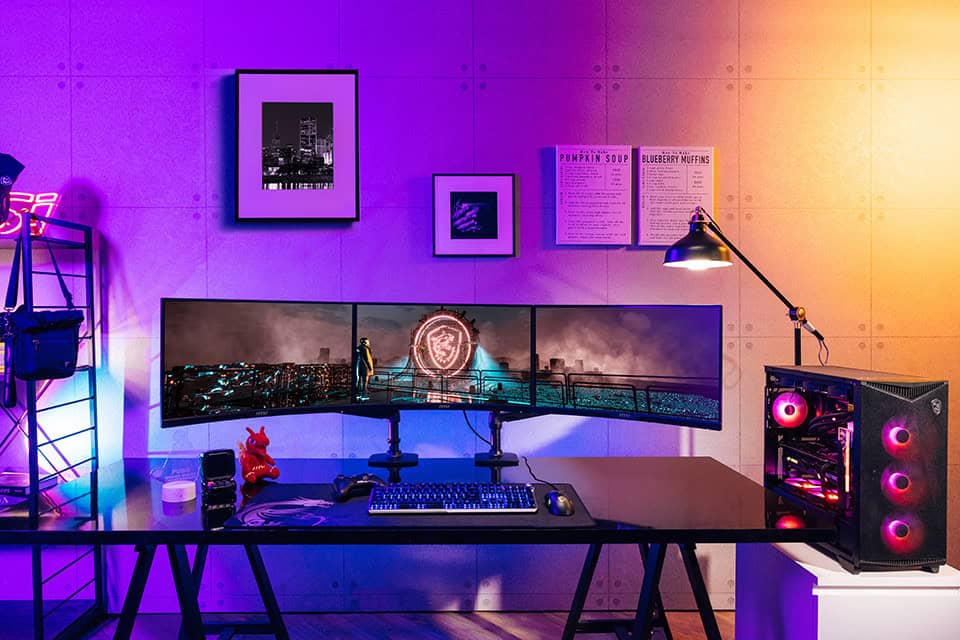
Dual monitor configurations demand more complex physical arrangements, requiring either dual monitor arms or desk space for two separate stands. The Ultrawide vs Dual Monitor setup complexity increases with dual monitors due to alignment requirements, color matching needs, and more extensive cable management. However, dual monitors offer more flexibility in positioning and can often work better with existing desk configurations that might not accommodate large ultrawide displays.
Ultrawide Vs Dual Monitor: Which Setup Wins In 2025? 11
Ergonomic Considerations and Health Impact
Proper ergonomic setup differs significantly between ultrawide and dual monitor configurations, affecting user comfort and long-term health outcomes. Ultrawide displays require careful attention to viewing distance and angle to ensure comfortable viewing across the entire screen width without excessive head movement. The Ultrawide vs Dual Monitor ergonomic comparison shows ultrawide setups potentially requiring more precise positioning to avoid neck strain and eye fatigue.
Dual monitor setups offer more flexibility in positioning individual displays for optimal ergonomics but require careful attention to alignment and height matching. The ability to angle monitors independently can provide better ergonomic accommodation for different users and tasks. The Ultrawide vs Dual Monitor ergonomic decision often depends on individual physical requirements and workspace constraints.
Mounting and Installation Solutions
Professional mounting solutions for ultrawide displays require robust arms capable of supporting larger, heavier displays while providing smooth adjustment capabilities. The Ultrawide vs Dual Monitor mounting comparison shows ultrawide displays often requiring more expensive mounting solutions due to size and weight requirements. However, the single-mount nature simplifies installation and adjustment procedures.
Dual monitor mounting systems offer more complexity but also more flexibility in positioning and adjustment. Quality dual monitor arms allow independent adjustment of each display, providing better customization for different tasks and users. The Ultrawide vs Dual Monitor mounting decision should consider both immediate setup requirements and future adjustment needs.
Cable Management and Connectivity
Cable management complexity differs significantly between ultrawide and dual monitor setups, affecting both aesthetics and functionality. Ultrawide displays typically require fewer cables but may need higher-bandwidth connections for optimal performance. The Ultrawide vs Dual Monitor cable management comparison shows ultrawide setups generally offering simpler organization with fewer connection points and reduced complexity.
Dual monitor setups require more extensive cable management but offer more flexibility in connection types and source devices. The ability to connect different devices to different monitors can provide workflow advantages but increases setup complexity. The Ultrawide vs Dual Monitor connectivity decision should consider both current connection needs and future expansion requirements.
Future-Proofing and Technology Trends
The Ultrawide vs Dual Monitor decision in 2025 should consider emerging technologies and future trends that may affect the long-term viability and value of each approach. Display technology, software compatibility, and workplace trends continue evolving, potentially influencing which configuration provides better future-proofing for changing needs and technological advancement.
Emerging Display Technologies
Advanced display technologies like micro-LED, improved OLED implementations, and enhanced HDR capabilities are being integrated into both ultrawide and dual monitor solutions. The Ultrawide vs Dual Monitor technology trajectory shows both approaches benefiting from these improvements, but at different rates and with different cost implications. Ultrawide displays often receive premium technologies first due to their positioning in high-end market segments.
Virtual and augmented reality integration represents an emerging consideration in the Ultrawide vs Dual Monitor discussion. As AR/VR technologies mature and integrate with traditional computing workflows, the optimal display configuration may shift toward solutions that complement rather than compete with immersive technologies. Understanding these trends helps inform decisions that remain relevant as computing paradigms evolve.
Ultrawide Vs Dual Monitor: Which Setup Wins In 2025? 12
Software and OS Development Trends
Operating system development increasingly focuses on better multi-monitor and ultrawide support, with improved window management and application organization features. The Ultrawide vs Dual Monitor software compatibility landscape continues improving for both configurations, but with different emphasis areas. Ultrawide support focuses on better application layouts and interface scaling, while dual monitor improvements target seamless multi-display management and workflow optimization.
Application development trends show growing native support for ultrawide displays alongside continued enhancement of multi-monitor capabilities. The Ultrawide vs Dual Monitor software ecosystem suggests both approaches will remain viable long-term, with specific advantages for different application types and workflow requirements.
Workplace and Remote Work Evolution
Remote work trends and hybrid workplace models influence the Ultrawide vs Dual Monitor decision by emphasizing portability, setup flexibility, and space efficiency. As workers increasingly split time between home and office environments, the ability to recreate similar experiences across different locations becomes important. This trend may favor more standardized solutions or portable configurations that can adapt to varying workspace constraints.
The evolution of workspace design and hot-desking concepts in modern offices also affects the Ultrawide vs Dual Monitor consideration. Shared workspaces may favor standardized configurations that work well for diverse users and applications, potentially influencing corporate purchasing decisions and individual setup choices.
Making the Right Choice for Your Needs
The Ultrawide vs Dual Monitor decision in 2025 ultimately depends on individual requirements, preferences, and specific use cases rather than any universal superiority of either approach. Both configurations offer compelling advantages for different scenarios, and the optimal choice varies based on workflow requirements, budget constraints, physical space limitations, and personal preferences.
Key Decision Factors
When evaluating Ultrawide vs Dual Monitor options, consider your primary activities, multitasking patterns, and physical workspace constraints. Users who benefit from seamless horizontal workspace and immersive experiences may find ultrawide displays more suitable, while those requiring clear task separation and flexible positioning may prefer dual monitor configurations. The Ultrawide vs Dual Monitor choice should align with both current needs and anticipated future requirements.
Budget considerations, graphics card capabilities, and upgrade flexibility also significantly influence the Ultrawide vs Dual Monitor decision. Evaluate total ownership costs including mounting, cables, and potential system upgrades rather than focusing solely on display prices. Consider how each approach handles technology evolution and whether partial upgrades or complete replacement makes more sense for your situation.
Final Recommendations
For creative professionals and gamers seeking immersive experiences, ultrawide displays often provide superior value through seamless visual continuity and enhanced application support. The Ultrawide vs Dual Monitor comparison favors ultrawide solutions for users whose workflows benefit from continuous horizontal space and minimal visual interruption.
Business professionals and multitaskers who require clear separation between different types of content may find dual monitor configurations more productive and flexible. The Ultrawide vs Dual Monitor decision frequently supports dual setups for users who need to maintain distinct workspaces or frequently reference multiple sources simultaneously.
Ultimately, the Ultrawide vs Dual Monitor choice should reflect your specific needs, preferences, and constraints rather than following general recommendations. Consider trying both configurations if possible, as personal experience often reveals preferences that aren’t apparent from specifications alone. The investment in either setup represents a significant decision that will affect your daily computing experience, making careful evaluation worthwhile for achieving optimal productivity and satisfaction.
Both ultrawide and dual monitor configurations continue evolving and improving, ensuring that either choice can provide excellent value when properly matched to user requirements. The Ultrawide vs Dual Monitor landscape in 2025 offers compelling options for every type of user, making this an exciting time to upgrade your display setup regardless of which direction you choose.
The Illusion of Stability in Modern Updates For most users, operating system updates are something that simply happen. They arrive quietly, often installing in the background, requiring little more than…
Macbook Neo, How Does It Compare To Air & Pro? Over the last few years the laptop market has experienced one of the most significant architectural changes in its history.…
Apple’s latest product announcements mark one of the most significant shifts in the Mac lineup in more than a decade. While Apple routinely updates its hardware with faster chips, incremental…
There is a particular kind of frustration that only a slow computer can produce. It is not dramatic. It is not urgent. It does not scream for attention. Instead, it…
In an era where nearly every aspect of personal computer maintenance and professional life is mediated through digital systems, your computer is no longer a luxury device — it is…
Phone says charging but battery not increasing is one of the most frustrating problems smartphone users face. You plug it in.The lightning bolt appears.It says “Charging.” But the battery percentage…
Apple’s rumour cycle always looks like a thousand disconnected leaks — until you line them up and notice the same themes repeating: AI-first silicon, camera and display differentiation, form-factor experiments (foldables / spatial…
Wi-Fi connected but no internet is one of the most frustrating messages you can see on a computer or laptop. The Wi-Fi icon shows full bars.It says “Connected.”But websites won’t…
Unfortunately, there was an error submitting your request.
Please try again later, or reach out to us directly. You can call us at +44 1429 280955 or email us at [email protected] for assistance. We’re here to help you get your computer back up and running!
We’ve received your booking, Our team will get in touch with you shortly to confirm the details. You’re one step closer to having your computer fixed! If you have any urgent questions, feel free to contact us. Otherwise, sit back, and we’ll handle the rest.