Creating a quiet computing environment has become increasingly important as computers have integrated deeper into our living and working spaces. When you Build a Silent PC, you’re investing in a more peaceful, focused environment that enhances productivity and reduces distracting noise pollution. Modern technology offers numerous solutions for achieving near-silent operation without sacrificing performance, making 2025 the perfect time to embrace quiet computing.
The art of building a silent computer extends beyond simply choosing quiet components. It requires understanding the fundamental principles of noise generation, airflow management, and strategic component selection. Whether you’re a content creator working late hours, a professional requiring concentration, or simply someone who values tranquility, learning to Build a Silent PC opens up new possibilities for your computing experience. This comprehensive guide explores every aspect of silent PC construction, from initial planning through final optimization.
Understanding Noise Sources in Modern PCs
Before you can effectively Build a Silent PC, you must identify where noise originates within computer systems. The primary culprits include cooling fans, hard drives, power supplies, and graphics cards. Each component contributes to the overall acoustic signature of your system, and addressing these sources systematically is crucial for achieving true silence.
Fan noise represents the most common and controllable source of computer acoustics. Traditional cooling solutions rely on high-speed fans to move air across heat-generating components, creating the characteristic whirring sound associated with computers. When you Build a Silent PC, replacing or optimizing these fans becomes a primary focus. Modern fan technology offers significant improvements in noise-to-performance ratios, with advanced bearing designs and optimized blade profiles reducing acoustic output while maintaining effective cooling.
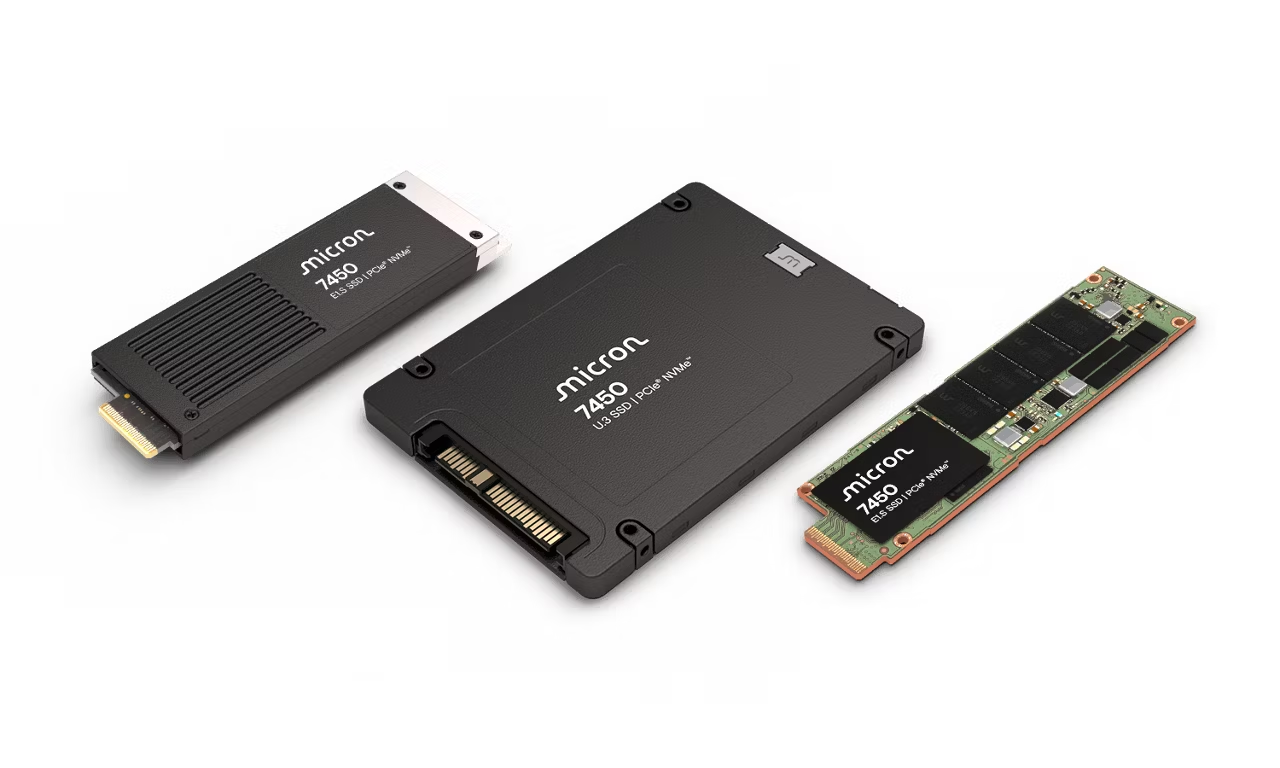
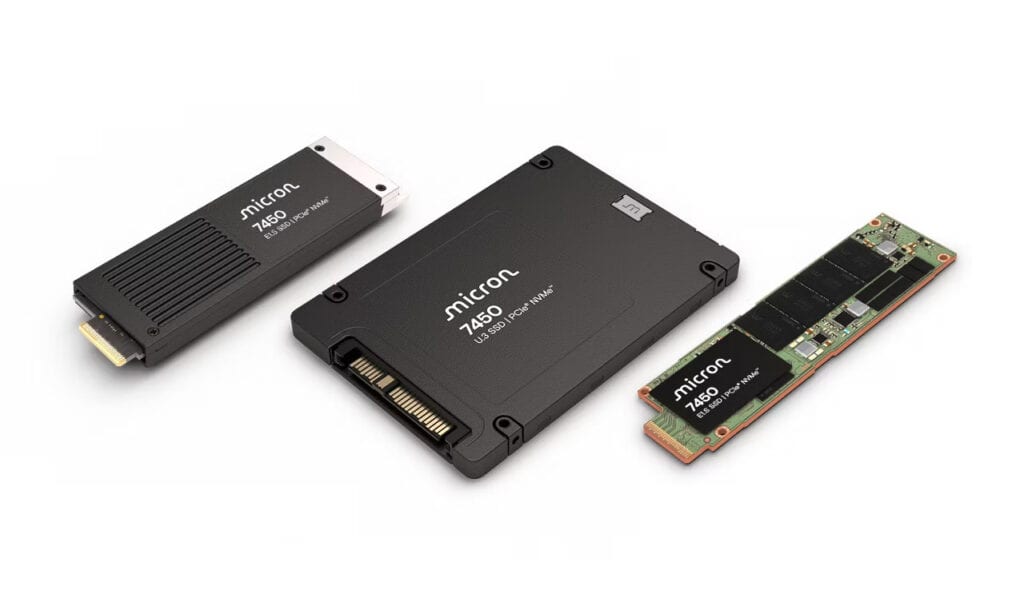
Storage devices also contribute significantly to system noise, particularly traditional mechanical hard drives with their spinning platters and moving read/write heads. Solid-state drives eliminate this mechanical noise entirely, making them essential components when you Build a Silent PC. The clicking, whirring, and seeking sounds of mechanical drives can be surprisingly intrusive in quiet environments, making storage selection a critical decision in silent PC construction.
How To Build A Silent Pc In 2025 7
The Physics of PC Noise Generation
Understanding the physical principles behind noise generation helps you make informed decisions when you Build a Silent PC. Sound intensity follows logarithmic scaling, meaning that reducing the loudest components provides the most significant acoustic improvements. Vibration transmission through the computer case can amplify component noise, creating secondary acoustic issues that proper dampening materials can address effectively.
Air turbulence represents another significant source of noise in computer systems. When fans push air through restrictive spaces or around sharp edges, turbulence creates additional acoustic energy. Strategic case design and component placement minimize these effects, allowing you to Build a Silent PC that operates smoothly and quietly. Proper cable management also reduces air turbulence by eliminating obstacles in airflow paths.
Essential Components for Silent PC Construction
Successfully building a quiet computer requires careful selection of every major component. Each element contributes to the overall acoustic profile, and compromising on any single part can undermine your entire silent PC project. The following sections explore the critical components needed to Build a Silent PC that meets both performance and acoustic requirements.
Selecting the Perfect Silent Case
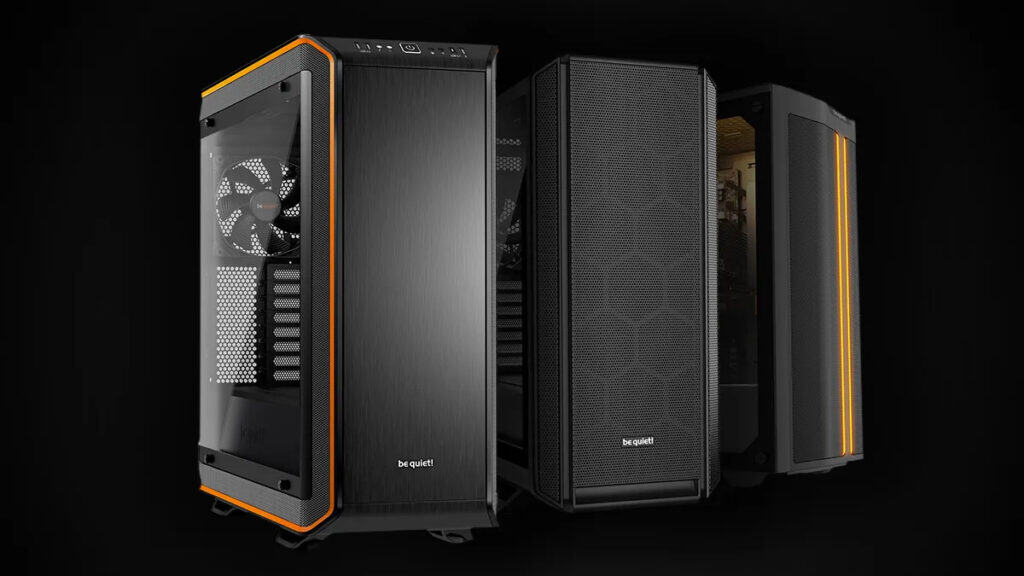
The foundation of any successful silent PC build begins with choosing an appropriate case. When you Build a Silent PC, the enclosure serves multiple critical functions: containing components, managing airflow, dampening vibrations, and providing acoustic isolation. Modern silent PC cases incorporate sound-dampening materials, optimized ventilation designs, and vibration-reducing mounting systems.
Quality silent cases feature thick steel construction that resists vibration transmission and provides inherent noise dampening. Sound-absorbing foam applied to interior surfaces captures acoustic energy before it can escape the enclosure. These materials must balance acoustic performance with thermal management, ensuring that dampening doesn’t impede necessary airflow when you Build a Silent PC.
How To Build A Silent Pc In 2025 8
Case Design Features for Optimal Silence
Ventilation design plays a crucial role in silent PC construction. Large, slow-moving fans generate less noise than smaller, high-speed alternatives while moving equivalent air volumes. When you Build a Silent PC, look for cases with 140mm or larger fan mounting points that allow for low-RPM operation. Mesh panels with large openings reduce air resistance, minimizing the fan speeds required for adequate cooling.
Tool-free mounting systems reduce vibration transmission between components and the case structure. Rubber grommets, suspension mounts, and dampening pads isolate vibrating components from the main chassis. These features become particularly important when you Build a Silent PC, as even minor vibrations can create audible noise in otherwise quiet systems.
Cooling Solutions That Prioritize Silence
Thermal management represents the greatest challenge when you Build a Silent PC, as inadequate cooling forces fans to run at higher speeds, negating acoustic benefits. Modern cooling solutions offer sophisticated approaches to heat dissipation that maintain low temperatures while minimizing noise generation.
Large tower CPU coolers with oversized heatsinks provide exceptional thermal performance at low fan speeds. These coolers rely on extensive surface area and efficient heat pipe designs to transfer thermal energy away from processors. When you Build a Silent PC, investing in premium cooling allows you to run fans at barely audible speeds while maintaining safe operating temperatures even under heavy workloads.
Liquid Cooling for Silent Operation
All-in-one liquid cooling systems can offer excellent silent performance when properly implemented. Large radiators with low-speed fans provide efficient heat dissipation while generating minimal noise. However, pump noise becomes a consideration when you Build a Silent PC with liquid cooling. Modern pumps operate much more quietly than early designs, but selection and speed control remain important factors.
Custom liquid cooling loops represent the ultimate solution for those serious about silent PC construction. These systems allow complete control over pump speeds, radiator sizing, and fan configuration. When you Build a Silent PC with custom cooling, you can achieve virtually silent operation even with high-performance components. The complexity and cost increase significantly, but the acoustic benefits can be substantial for dedicated enthusiasts.
Power Supply Selection for Quiet Computing
The power supply unit often receives insufficient attention during silent PC builds, yet it significantly impacts overall system noise. Quality units with large, slow-moving fans and efficient designs generate minimal acoustic output while providing stable power delivery. When you Build a Silent PC, PSU selection requires balancing efficiency, capacity, and acoustic performance.
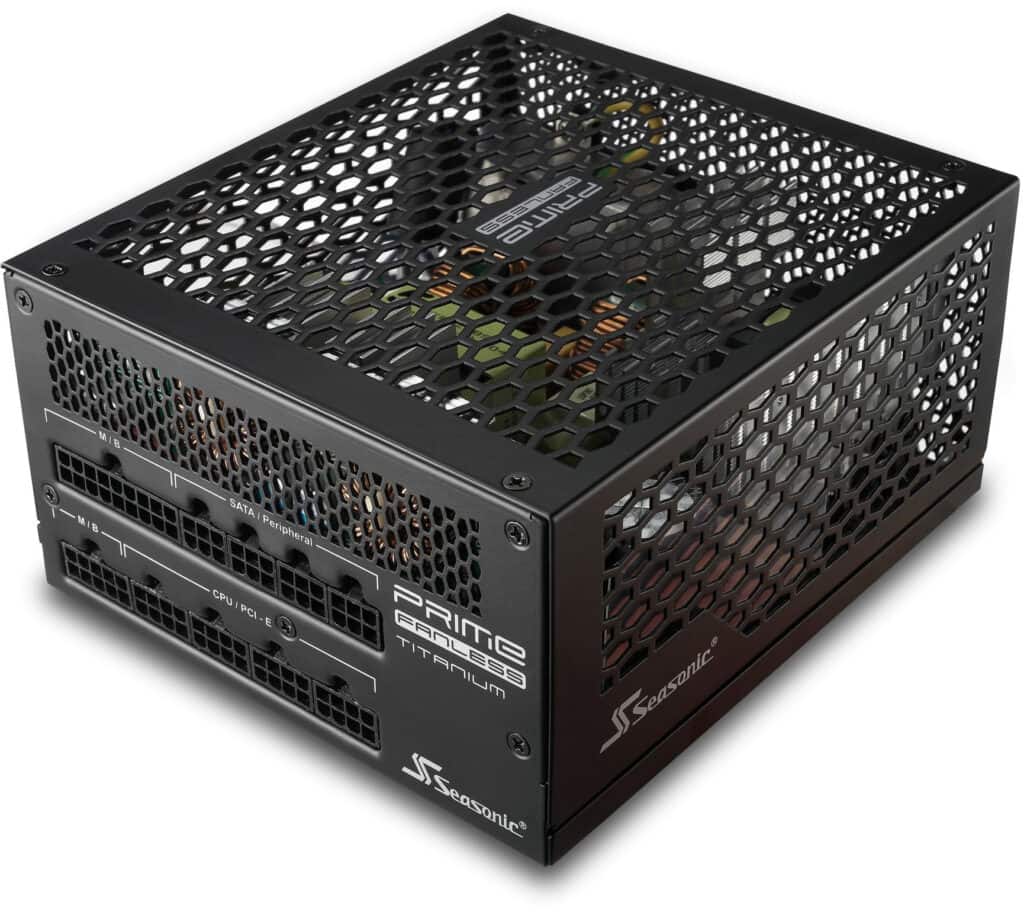
Fanless power supplies eliminate mechanical noise entirely for lower-power systems. These units rely on passive cooling through large heatsinks and convection airflow. For systems consuming less than 400-500 watts, fanless PSUs allow you to Build a Silent PC with one less noise source to consider. Higher-power systems require fan-cooled units, but modern designs with hybrid fan modes operate silently under light loads.
How To Build A Silent Pc In 2025 9
Efficiency and Acoustic Performance
Power supply efficiency directly impacts noise generation through reduced heat production. More efficient units waste less energy as heat, requiring less aggressive cooling to maintain safe operating temperatures. When you Build a Silent PC, choosing 80 Plus Gold or Platinum certified PSUs ensures optimal efficiency and typically correlates with better acoustic performance due to reduced cooling requirements.
Modular cabling systems improve airflow and reduce clutter inside silent PC cases. Better airflow allows fans to operate at lower speeds while maintaining adequate cooling. The cleaner internal layout also simplifies maintenance and upgrades, important considerations when you Build a Silent PC that you plan to use for years.
Advanced Techniques for Maximum Silence
Beyond component selection, several advanced techniques can help you Build a Silent PC that achieves exceptional quiet operation. These methods require additional effort and investment but can produce remarkable results for users demanding the quietest possible computing experience.
Fan Control and Speed Management
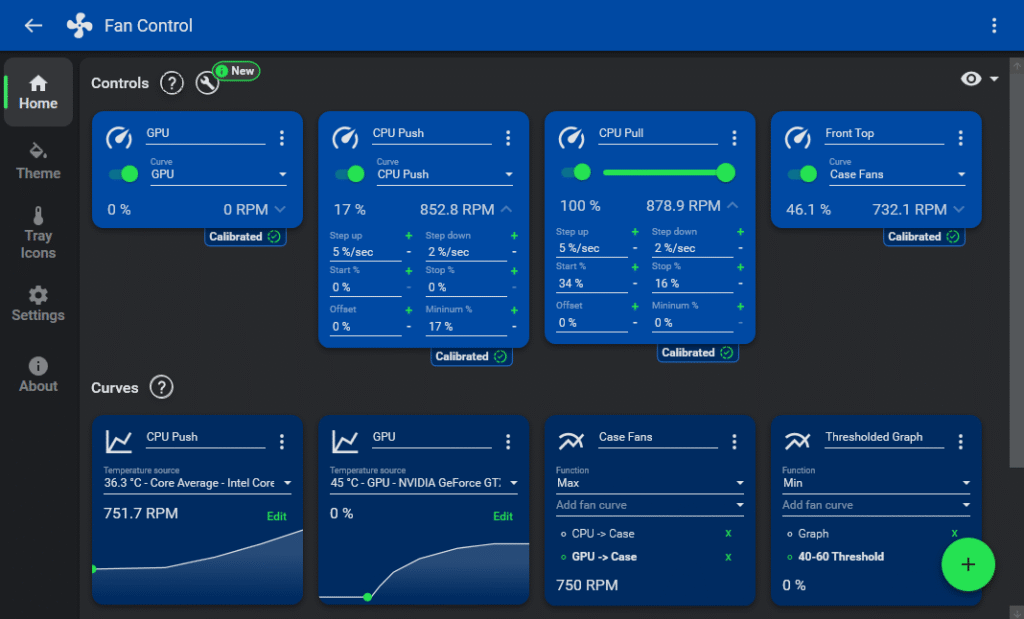
Modern motherboards offer sophisticated fan control capabilities that allow precise speed management based on temperature sensors throughout the system. When you Build a Silent PC, configuring custom fan curves ensures cooling operates at the minimum speeds necessary for safe temperatures. This approach maintains thermal protection while minimizing acoustic output during typical usage.
Third-party fan controllers provide even more granular control over cooling systems. These devices allow you to Build a Silent PC with independent control over multiple fan zones, creating optimal cooling profiles for different usage scenarios. Some controllers include acoustic sensors that automatically adjust fan speeds based on ambient noise levels, maintaining consistent quiet operation.
How To Build A Silent Pc In 2025 10
Temperature Monitoring and Thermal Management
Comprehensive temperature monitoring becomes crucial when you Build a Silent PC with aggressive fan speed reduction. Multiple thermal sensors throughout the system provide early warning of temperature increases before they reach critical levels. Quality monitoring software displays real-time temperatures and can trigger fan speed increases when necessary to prevent overheating.
Strategic thermal design involves understanding heat sources and designing cooling solutions that address them efficiently. When you Build a Silent PC, consider component placement to minimize thermal interactions and optimize natural convection cooling. Proper case ventilation with intake and exhaust fans creates predictable airflow patterns that enhance cooling efficiency while maintaining low noise levels.
Vibration Dampening and Isolation
Mechanical vibrations can transmit through solid materials and amplify at resonant frequencies, creating noise issues that undermine silent PC construction. When you Build a Silent PC, addressing vibration at its source and preventing transmission becomes essential for achieving true quiet operation.
Component isolation involves decoupling vibrating parts from the main case structure using dampening materials. Rubber washers, foam pads, and specialized mounting systems absorb vibrational energy before it can reach resonant structures. These techniques become particularly important when you Build a Silent PC with mechanical storage devices or older components that generate more vibration.
Case Modifications for Enhanced Silence
Advanced builders sometimes modify cases to improve acoustic performance beyond manufacturer specifications. Adding additional sound-dampening material to interior surfaces can reduce reflected noise within the enclosure. When you Build a Silent PC with extensive modifications, ensure that changes don’t impede necessary airflow or create thermal management issues.
Sealing unnecessary openings prevents noise leakage from the case interior. Expansion slot covers, cable grommets, and interface seals all contribute to acoustic containment. However, balance sealing with ventilation requirements when you Build a Silent PC, as excessive sealing can create pressure imbalances that force fans to work harder.
Storage Solutions for Silent Computing
Storage devices represent a significant source of noise in traditional computer systems, making storage selection crucial when you Build a Silent PC. Modern solid-state drives eliminate mechanical noise entirely while providing superior performance characteristics compared to traditional hard drives.
NVMe SSDs offer the best combination of performance and silence for primary storage. These devices mount directly to the motherboard, eliminating cable vibrations and reducing potential noise sources. When you Build a Silent PC, NVMe drives provide fast boot times and application loading without any mechanical noise generation.
Managing Large Storage Requirements Silently
For users requiring large storage capacities, combining SSDs with strategically selected mechanical drives can provide cost-effective solutions. When you Build a Silent PC with hybrid storage, choose mechanical drives specifically designed for quiet operation and mount them with vibration dampening systems. Some users relocate bulk storage to separate enclosures, removing mechanical noise from the primary system entirely.
Network-attached storage represents another approach for silent PC builders requiring extensive storage capacity. By moving bulk storage to a separate, remotely located system, you can Build a Silent PC that maintains access to large data collections without local mechanical drive noise. This approach requires network infrastructure but can dramatically improve acoustic performance.
Different types of PC builds require tailored approaches to achieve optimal silence. Gaming systems, workstations, and home theater PCs each present unique challenges when you Build a Silent PC for specific use cases. Understanding these differences ensures your quiet computing project meets both acoustic and performance requirements.
Silent Gaming PC Construction
Gaming systems present particular challenges for silent PC construction due to high-performance graphics cards and processors that generate substantial heat. When you Build a Silent PC for gaming, thermal management becomes critical as inadequate cooling forces fans to operate at audible speeds during gameplay.
Modern graphics cards offer varying approaches to cooling and noise control. Some manufacturers prioritize acoustic performance with larger, slower-moving fans and more extensive heat dissipation systems. When you Build a Silent PC for gaming, research graphics card reviews that include noise measurements under gaming loads, as specifications alone don’t always reflect real-world acoustic performance.
Balancing Performance and Acoustics in Gaming Systems
Undervolting and power limiting techniques can reduce heat generation without significantly impacting gaming performance. When you Build a Silent PC for gaming, these approaches allow lower fan speeds while maintaining adequate cooling. Modern graphics cards and processors include sophisticated power management features that optimize performance per watt, reducing thermal loads and associated cooling requirements.
Frame rate limiting and adaptive sync technologies reduce unnecessary GPU workload during gaming. When you Build a Silent PC that doesn’t need to render hundreds of frames per second, limiting output to monitor refresh rates reduces power consumption and heat generation. This approach maintains smooth gaming experiences while enabling quieter operation through reduced cooling demands.
Workstation and Creative Content Systems
Professional workstations often require sustained high performance for rendering, compilation, or data processing tasks. When you Build a Silent PC for professional use, consider that extended high-load operation demands robust cooling solutions that can maintain quiet operation over long periods.
Content creators working with audio production have particularly stringent noise requirements, as even minimal fan noise can interfere with sensitive recording equipment. When you Build a Silent PC for audio work, achieving near-silent operation during recording sessions becomes essential. Some creators implement separate recording and processing systems to completely eliminate computer noise from sensitive environments.
Thermal Management for Sustained Workloads
Workstation cooling solutions must handle sustained thermal loads without ramping fan speeds to audible levels. Large thermal mass and efficient heat dissipation systems allow you to Build a Silent PC that maintains quiet operation even during intensive professional workloads. Some builders implement separate cooling zones for processors and graphics cards to optimize thermal management for different heat sources.
Professional workstations often benefit from more aggressive cooling solutions that provide thermal headroom for quiet operation. When you Build a Silent PC for professional use, investing in premium cooling components ensures reliable, quiet operation during critical work sessions. The productivity benefits of a quiet working environment often justify the additional investment in specialized components.
Home Theater and Living Room PCs
Home theater PCs operate in noise-sensitive environments where even moderate fan noise can disrupt entertainment experiences. When you Build a Silent PC for living room use, acoustic performance often takes priority over maximum performance, as media playback and streaming don’t require cutting-edge hardware specifications.
Passive cooling solutions become more viable for home theater applications due to lower performance requirements. Fanless cases and passive cooling systems allow you to Build a Silent PC that operates completely silently for media consumption. These systems require careful thermal design but can achieve zero noise output for appropriate workloads.
How To Build A Silent Pc In 2025 12
Integration with Home Entertainment Systems
Home theater PCs must integrate seamlessly with existing entertainment equipment and room aesthetics. When you Build a Silent PC for living room use, consider form factors and styling that complement your entertainment center. Some builders choose compact cases that blend with audio/video components, prioritizing appearance and acoustics over expandability.
Remote operation capabilities become important for living room PCs, as traditional keyboard and mouse interfaces may not suit entertainment room usage. When you Build a Silent PC for home theater use, consider wireless input options and media center software that supports remote control interfaces. These considerations ensure your quiet PC integrates effectively with your entertainment workflow.
Optimization and Fine-Tuning for Peak Silence
After assembling your quiet computer, optimization and fine-tuning ensure maximum acoustic performance from your selected components. When you Build a Silent PC, the assembly process represents only the beginning of achieving optimal quiet operation. Careful configuration and ongoing maintenance maintain peak acoustic performance over the system’s lifetime.
Initial Setup and Configuration
Proper initial configuration sets the foundation for long-term quiet operation. When you Build a Silent PC, spend time configuring fan curves, power management settings, and thermal monitoring to optimize the balance between cooling performance and acoustic output. Many systems ship with conservative default settings that prioritize thermal safety over acoustic performance.
BIOS and UEFI settings provide the most direct control over fan behavior and power management. When you Build a Silent PC, explore advanced cooling options that may not be accessible through operating system software. Some motherboards include specialized quiet modes that automatically configure multiple systems for reduced noise output.
Software Tools for Silent PC Management
Dedicated fan control software provides more sophisticated management than basic BIOS options. When you Build a Silent PC, these applications allow real-time adjustment of cooling curves based on system usage patterns. Some programs include automatic profiles that adjust cooling behavior for different applications or times of day.
System monitoring tools help you understand thermal and acoustic performance over time. When you Build a Silent PC, establishing baseline measurements allows you to track performance changes and identify developing issues before they impact quiet operation. Regular monitoring ensures your silent PC maintains optimal performance as components age and thermal characteristics change.
Long-term Maintenance for Sustained Silence
Maintaining quiet operation requires ongoing attention to component cleanliness and system optimization. When you Build a Silent PC, dust accumulation over time can force fans to operate at higher speeds to maintain adequate cooling. Regular cleaning maintains thermal efficiency and preserves acoustic performance.
Component aging affects thermal performance and may require adjustment of cooling curves and fan speeds. When you Build a Silent PC, periodic review and adjustment of cooling settings ensures continued quiet operation as thermal paste ages and component efficiency changes. Some builders schedule regular maintenance sessions to clean components and update cooling configurations.
Troubleshooting Noise Issues
Even well-designed silent PCs can develop noise issues over time. When you Build a Silent PC, understanding common noise sources and diagnostic techniques helps maintain quiet operation. Fan bearing wear, coil whine, and vibration issues can develop gradually and require different solutions.
Systematic diagnosis involves isolating individual components to identify specific noise sources. When you Build a Silent PC that develops new noise issues, methodical testing helps pinpoint problems without unnecessary component replacement. Some issues can be resolved through software configuration changes, while others may require hardware replacement or modification.
Achieving Your Perfect Silent PC
Successfully completing a silent PC build requires patience, research, and attention to detail, but the results justify the effort invested. When you Build a Silent PC following the principles and techniques outlined in this guide, you create a computing environment that enhances productivity, reduces stress, and provides a more enjoyable user experience.
The Evolution of Silent Computing
The technology available for silent PC construction continues advancing rapidly. When you Build a Silent PC in 2025, you benefit from years of development in fan technology, thermal design, and component efficiency. Future innovations promise even better solutions for users demanding quiet computing experiences.
Planning Your Silent PC Journey
Whether you’re building your first silent PC or upgrading an existing system, success depends on careful planning and realistic expectations. When you Build a Silent PC, consider your specific requirements, budget constraints, and performance needs to create a system that delivers the optimal balance for your situation.
The investment in silent PC construction pays long-term dividends through improved concentration, reduced fatigue, and enhanced enjoyment of your computing experience. When you Build a Silent PC that meets your needs, you’ve created a valuable tool that supports your work and entertainment goals while respecting your acoustic environment.
Remember that building a truly silent PC is an iterative process that improves with experience and ongoing optimization. Your first silent build provides the foundation for understanding quiet computing principles that will benefit future projects and upgrades. The knowledge gained when you Build a Silent PC transfers to all aspects of computer construction and optimization.
The Illusion of Stability in Modern Updates For most users, operating system updates are something that simply happen. They arrive quietly, often installing in the background, requiring little more than…
Macbook Neo, How Does It Compare To Air & Pro? Over the last few years the laptop market has experienced one of the most significant architectural changes in its history.…
Apple’s latest product announcements mark one of the most significant shifts in the Mac lineup in more than a decade. While Apple routinely updates its hardware with faster chips, incremental…
There is a particular kind of frustration that only a slow computer can produce. It is not dramatic. It is not urgent. It does not scream for attention. Instead, it…
In an era where nearly every aspect of personal computer maintenance and professional life is mediated through digital systems, your computer is no longer a luxury device — it is…
Phone says charging but battery not increasing is one of the most frustrating problems smartphone users face. You plug it in.The lightning bolt appears.It says “Charging.” But the battery percentage…
Apple’s rumour cycle always looks like a thousand disconnected leaks — until you line them up and notice the same themes repeating: AI-first silicon, camera and display differentiation, form-factor experiments (foldables / spatial…
Wi-Fi connected but no internet is one of the most frustrating messages you can see on a computer or laptop. The Wi-Fi icon shows full bars.It says “Connected.”But websites won’t…
Unfortunately, there was an error submitting your request.
Please try again later, or reach out to us directly. You can call us at +44 1429 280955 or email us at sales@kingfishercomputers.co.uk for assistance. We’re here to help you get your computer back up and running!
We’ve received your booking, Our team will get in touch with you shortly to confirm the details. You’re one step closer to having your computer fixed! If you have any urgent questions, feel free to contact us. Otherwise, sit back, and we’ll handle the rest.