When your computer reaches the end of its useful life for your needs, Donating Your PC or selling it becomes an environmentally responsible alternative to disposal. However, before parting with your device, several crucial steps must be taken to protect your personal information and ensure the recipient gets a fully functional system. This comprehensive guide covers everything you need to know before selling or donating your device to another user.
Understanding the Importance of Proper PC Preparation
Many people underestimate the amount of sensitive information stored on their computers. Before Donating Your PC, it’s essential to recognize that standard deletion methods don’t completely remove your data from the hard drive. Without proper preparation, your personal files, passwords, financial records, and other confidential information could be accessible to the next owner. Additionally, preparing your computer correctly ensures the recipient receives a device that operates efficiently and meets their needs.
The Risks of Inadequate Preparation
The potential consequences of inadequate preparation when donating or selling a computer can be severe. Identity theft, financial fraud, and privacy violations are just a few of the risks associated with improper data removal. Even seemingly insignificant information can be pieced together to create a comprehensive profile that malicious actors could exploit. Moreover, failing to properly prepare your computer may result in the recipient receiving a device with performance issues, missing drivers, or incompatible software configurations.
Benefits of Responsible PC Donation
When done correctly, Donating Your PC provides numerous benefits for both the donor and recipient. From an environmental perspective, Donating Your PC extends the device’s useful life and reduces electronic waste. Socially, Donating Your PC helps bridge the digital divide by providing technology access to individuals, schools, or organizations with limited resources. For the donor, Donating Your PC may qualify for tax deductions while creating space for new equipment. These multifaceted benefits make Donating Your PC an attractive option for those upgrading their systems.
Essential Preparation Steps Before Parting With Your Computer
Properly preparing your computer before Donating Your PC or selling it involves several important steps. From backing up your data to sanitizing storage devices, each procedure serves a specific purpose in protecting your information and providing value to the next user. The following comprehensive checklist will guide you through the essential preparation process.
1. Data Backup and Inventory
Before Donating Your PC, creating complete backups of your important files is the critical first step. This process ensures you retain access to all necessary information while allowing for complete removal of data from the device you’re donating.
Creating Comprehensive Backups
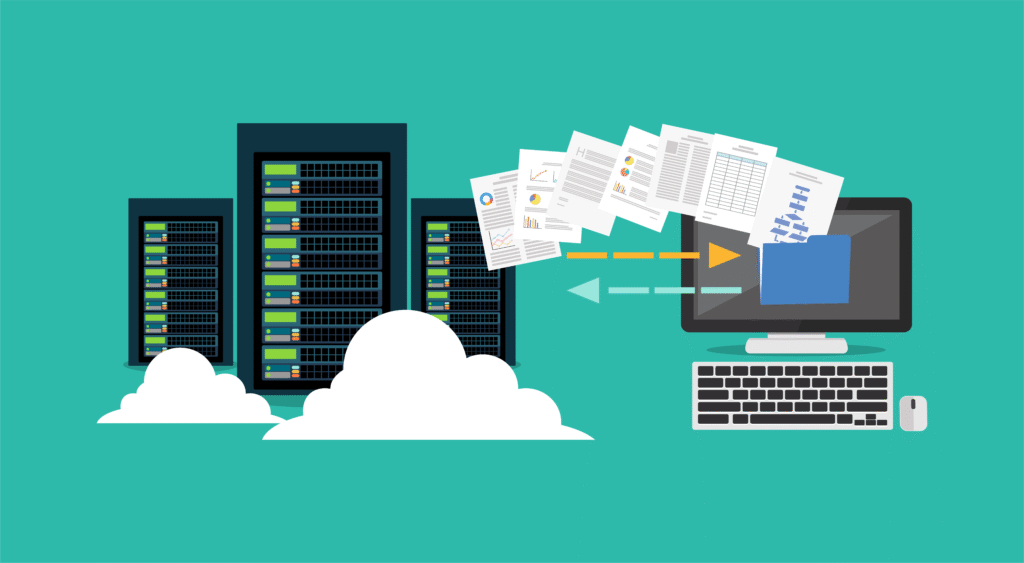
Start the process by identifying and backing up all important data. This includes documents, photos, videos, music files, emails, browser bookmarks, and application data. Multiple backup methods provide the best security: external hard drives offer quick local storage, while cloud services provide accessibility and protection against physical damage. For critical files, consider creating redundant backups across different storage types. Verify all backups by accessing several random files to ensure the process completed successfully before proceeding with your donation.
Cataloging Software and License Information
Before Donating Your PC, document all installed software and associated license information. Create a spreadsheet listing each application, its version, purchase date, license key, and account details. For subscription-based software, note whether licenses can be transferred to new devices. Some software licenses permit installation on multiple devices, while others may need deactivation before donation. This catalog serves dual purposes – helping you reinstall necessary applications on your new system while clearly identifying which software should be removed or transferred before donating.
Many applications and services associate with specific hardware configurations. Proper account management before Donating Your PC prevents unauthorized access and potential licensing issues.
Deauthorizing Software and Services
Before Donating Your PC, deauthorize it from services with device limits. Digital media applications like iTunes, Adobe Creative Cloud, and digital gaming platforms often restrict the number of devices that can use purchased content simultaneously. Failing to deauthorize these services may prevent you from activating them on your new device. Similarly, streaming services, password managers, and productivity suites should be logged out and, when possible, removed from your “trusted devices” list before donating.
Removing Saved Passwords and Credentials
Web browsers, email clients, and many applications store login credentials to enhance convenience. Before Donating Your PC, remove all saved passwords, form data, and authentication cookies. Most browsers include options to delete this information within their privacy or security settings. Password managers often store their databases as encrypted files that should be securely deleted before donation. Additionally, check operating system credential managers, which may store authentication information for network shares, encrypted files, or system features. Thoroughly removing this sensitive data significantly reduces the risk of unauthorized account access.
3. Data Sanitization Methods
Simply deleting files or performing a quick format doesn’t permanently remove data. Before Donating Your PC, proper data sanitization ensures your personal information cannot be recovered through readily available data recovery tools.
Standard Deletion vs. Secure Wiping
When preparing for Donating Your PC, understand that standard file deletion only removes file references, not the data itself. When you typically delete a file, the operating system merely marks that space as available for new data while the original information remains recoverable until overwritten. Before donation, implement secure wiping methods that overwrite storage areas with random data multiple times. Several free and commercial applications can perform this function, using algorithms that meet various security standards. The appropriate wiping method depends on your security requirements, with more intensive methods taking longer but providing greater protection.
Dealing with Different Storage Types
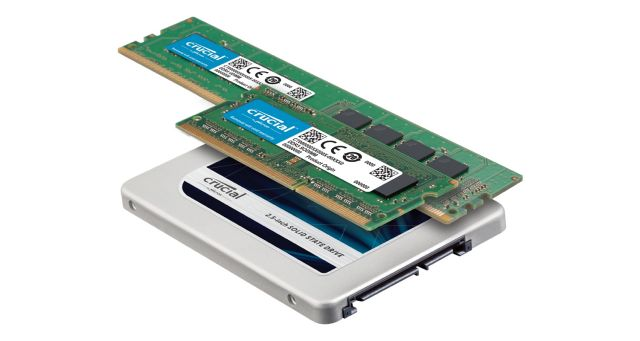
The approach to data sanitization before Donating Your PC varies based on the storage technology. Traditional hard disk drives (HDDs) can be securely wiped using software that overwrites sectors multiple times. Solid-state drives (SSDs) and NVMe storage require different methods due to their architecture; manufacturer-provided tools or the ATA Secure Erase command provide the most effective sanitization. For computers with multiple storage devices, each drive requires individual attention. External storage devices and removable media should also be considered when donating, as these may contain synced copies of important files.
4. Operating System Reinstallation
After securely wiping data, reinstalling the operating system before Donating Your PC provides the recipient with a clean, functional computer free from your personal information.
Clean Installation Procedures
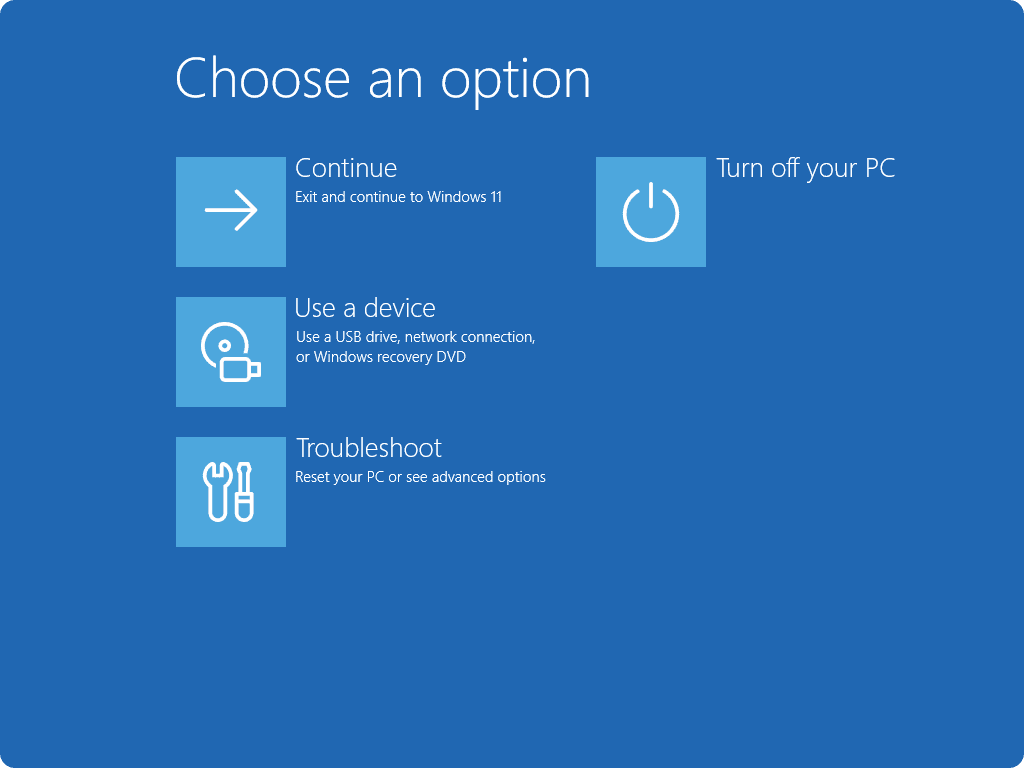
Performing a clean installation before Donating Your PC erases all previous data and creates a fresh system environment. This process typically involves booting from installation media (USB drive or DVD), formatting the storage devices, and installing a fresh copy of the operating system. When donating a Windows computer, you can use Microsoft’s Media Creation Tool to create installation media with the latest version compatible with your hardware. For macOS devices, Recovery Mode provides reinstallation options. Linux distributions can be installed from freely downloadable ISO images. Regardless of the operating system, a clean installation ensures no residual personal data remains.
Legal and Licensing Considerations
Operating system licensing represents an important consideration when Donating Your PC. Windows licenses often bind to specific hardware configurations, potentially allowing the recipient to activate Windows without purchasing a new license. Research whether your license type is transferable. OEM licenses typically remain with the hardware, while retail licenses may have different terms. For macOS, the operating system licenses with the hardware, making it straightforward when donating to a new user. With Linux, licensing rarely presents issues as most distributions use free and open-source licenses. Proper understanding of these considerations ensures legal compliance when donating your computer.
Advanced Preparation Tactics for Maximum Security and Value
Beyond the essential steps, several advanced procedures can enhance both security and the value provided when Donating Your PC. These additional measures address specific concerns related to data security, hardware optimization, and recipient support.
5. Hardware Assessment and Preparation
Physical preparation of your computer before Donating Your PC ensures the recipient receives functional hardware in the best possible condition.
Cleaning and Physical Maintenance
Thorough cleaning before Donating Your PC improves aesthetics and functionality. External surfaces should be wiped with appropriate electronics-safe cleaners to remove dirt, dust, and fingerprints. For desktop systems, opening the case (after disconnecting power) allows for compressed air cleaning of internal components, especially cooling fans and heat sinks. Keyboard keys, ports, and vents deserve special attention. Check for and remove any stickers containing personal information or asset tags. This physical preparation not only presents a better appearance but can also improve system cooling and overall reliability.
Hardware Testing and Troubleshooting
Comprehensive hardware testing before Donating Your PC identifies any components requiring repair or replacement. Run diagnostic tools to check storage device health, memory integrity, and processor stability. Many manufacturers provide hardware diagnostic utilities, while third-party options offer comprehensive testing capabilities. If issues are discovered, assess whether repairs are economically reasonable. Document any known hardware limitations to communicate to the recipient. This transparency builds trust and ensures the new user has appropriate expectations about the system’s capabilities and condition.
6. Documentation and Recipient Support
Providing proper documentation when Donating Your PC significantly enhances the recipient’s experience and the overall value of your donation.
Creating System Documentation
Before Donating Your PC, create comprehensive documentation about the system configuration. Include details such as hardware specifications (processor, memory, storage capacity), installed operating system version, available software, and any special features or limitations. Note any replacement parts or upgrades from the original configuration. When donating to an organization, this documentation helps IT staff properly deploy and support the system. For individual recipients, this information assists with understanding the computer’s capabilities and potential future upgrade paths. Clear, accurate documentation represents a valuable addition when passing on your computer.
Including Recovery Options
Providing recovery options when Donating Your PC helps recipients address future issues. Create recovery media (USB drive or DVD) with operating system installation files and necessary drivers. If possible, configure a recovery partition on the primary storage device. Document the recovery procedures, including how to access boot options or recovery environments. Some systems include manufacturer-specific recovery methods that should be explained. These preparations empower recipients to resolve problems without technical assistance, maximizing the long-term value of your donation.
What To Do Before Selling Or Donating Your Pc 7
7. Finding the Right Recipient or Buyer
Identifying appropriate recipients before Donating Your PC ensures your device benefits those who need it most.
Researching Donation Programs
When considering Donating Your PC, research established programs that match computers with qualified recipients. Many nonprofit organizations specialize in refurbishing and distributing donated technology to schools, community centers, low-income families, or developing nations. These programs often provide tax receipts and may offer free pickup services. Some manufacturers and retailers also operate take-back programs that refurbish suitable devices for donation. Government agencies occasionally accept technology donations for public schools or community services. These structured programs provide accountability and ensure your device reaches appropriate recipients.
Evaluating Selling Options
If selling rather than Donating Your PC, several marketplace options exist, each with advantages and considerations. Online marketplaces provide wide exposure but may involve shipping logistics and payment processing concerns. Local classified listings or community groups reduce shipping issues but typically reach smaller audiences. Buyback programs from manufacturers or retailers offer convenience but usually provide lower compensation than direct sales. Trade-in programs when purchasing new equipment provide similar convenience benefits. Regardless of the chosen method, the preparation steps remain largely identical, focusing on data security and system functionality.
8. Environmental and Social Responsibility
Understanding the broader impact of technology disposal informs responsible decisions about Donating Your PC or recycling it when donation isn’t appropriate.
Environmental Impact of Electronic Waste
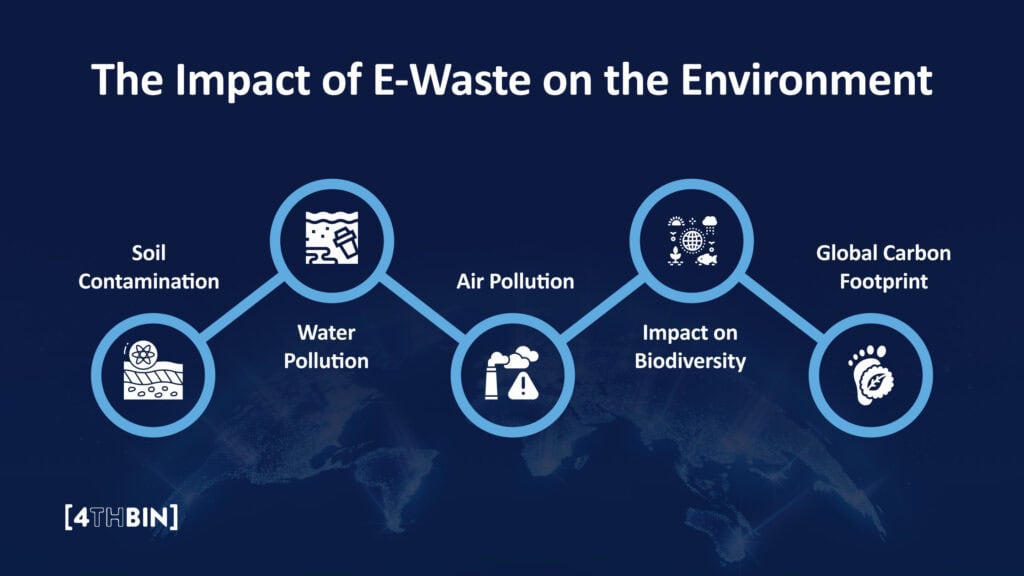
The environmental considerations of Donating Your PC versus disposal are significant. Electronic waste contains potentially hazardous materials including lead, mercury, cadmium, and flame retardants that can contaminate soil and water when improperly discarded. By donating, you extend its useful life and delay its entry into the waste stream. The manufacturing of new computers requires substantial resources and energy; donating reduces demand for new production. If your computer is too outdated or non-functional for donation, responsible recycling through certified e-waste handlers ensures hazardous components receive appropriate treatment rather than contaminating landfills.
Digital Inclusion and Access
Donating Your PC contributes to digital inclusion efforts that address technological inequality. Digital literacy and access increasingly determine educational and economic opportunities, yet many individuals and organizations lack sufficient computing resources. By donating, you provide essential tools that may enable job searches, educational advancement, community connections, or small business operations. The social return often exceeds its monetary value, especially when the recipient would otherwise lack technological access. Research organizations serving underprivileged communities to maximize this social impact.
What To Do Before Selling Or Donating Your Pc 8
9. Tax Implications and Record Keeping
Understanding the financial aspects of Donating Your PC ensures you receive appropriate tax benefits while maintaining necessary documentation.
Valuation Guidelines for Donated Equipment
When Donating Your PC to qualified charitable organizations, you may be eligible for tax deductions based on the device’s fair market value. This value typically represents what a willing buyer would pay for the computer in its current condition, not its original purchase price or replacement cost. Research comparable systems on resale markets to establish reasonable valuation. For higher-value systems, professional appraisal may be necessary. The recipient organization may provide valuation guidelines or estimated values, though ultimately, determining appropriate valuation remains the donor’s responsibility within relevant tax regulations.
Required Documentation for Tax Deductions
Maintain proper documentation when Donating Your PC to support potential tax deductions. Request a receipt from the receiving organization that specifies the donation date, organization name, donation description, and statement regarding any goods or services provided in exchange. For donations exceeding certain values (typically $250), this written acknowledgment becomes mandatory for tax purposes. When Donating Your PC valued above significant thresholds (often $500 for individual items), additional tax forms may be required. Photograph the equipment before Donating Your PC and save original purchase documentation when available. Consult with tax professionals regarding specific requirements and limitations for your situation.
10. Post-Donation Considerations
Several important steps after Donating Your PC complete the process and prevent potential issues.
Updating Personal Records and Inventories
After Donating Your PC, update your personal records to reflect the changed status of your assets. Remove the donated equipment from home inventory lists used for insurance purposes. Update your technology replacement plans to account for the donated device. If you maintained extended warranties or service contracts for the equipment, cancel these services after Donating Your PC if they’re non-transferable. For business donors, update asset tracking systems and amortization schedules. These administrative tasks after Donating Your PC prevent confusion in future financial planning and ensure accurate record-keeping.
Monitoring for Unauthorized Access
Even with thorough preparation before Donating Your PC, prudent security practices include monitoring for potential unauthorized access to your accounts. After Donating Your PC, review activity logs for important services, particularly cloud storage, email, and financial accounts. Consider changing passwords for critical services as an additional precaution. Enable login notifications where available to alert you to new device connections. While proper data sanitization before Donating Your PC should prevent data recovery, these monitoring practices provide an additional security layer and early warning of potential issues.
Responsible Technology Transition
Donating Your PC represents a responsible approach to technology transition that benefits you, the recipient, and the environment. By following the comprehensive preparation steps outlined in this guide, you protect your personal information while maximizing the value provided to the next user.
Final Preparation Checklist
Before finalizing the process of Donating Your PC, review this condensed checklist to ensure you’ve completed all essential steps:
Back up all important data and verify backup integrity
Document and transfer software licenses as appropriate
Deauthorize the computer from limited-device services
Remove saved credentials from browsers and applications
Securely wipe all storage devices using appropriate methods
Reinstall the operating system and necessary drivers
Clean the computer physically, inside and out
Test all hardware components for functionality
Create system documentation and recovery media
Obtain appropriate donation receipts or sales documentation
This systematic approach ensures both your security and the recipient’s satisfaction.
Embracing the Circular Economy
Donating Your PC aligns with circular economy principles that emphasize resource efficiency and extended product lifecycles. Rather than following the traditional linear economy model of manufacture-use-dispose, donation creates additional value cycles. This approach reduces raw material extraction, manufacturing energy consumption, and waste generation. By thoughtfully preparing and donating your computer, you participate in this more sustainable economic model. As technology continues its rapid evolution, responsible practices become increasingly important in managing the environmental and social impacts of our digital lives.
The decision to sell or donate your computer, followed by proper preparation and execution, represents technology stewardship at its best. Your careful attention to these details when Donating Your PC protects your privacy, provides valuable resources to others, and demonstrates environmental responsibility. This comprehensive approach transforms a simple disposal decision into an opportunity for security, generosity, and sustainability.
The Illusion of Stability in Modern Updates For most users, operating system updates are something that simply happen. They arrive quietly, often installing in the background, requiring little more than…
Macbook Neo, How Does It Compare To Air & Pro? Over the last few years the laptop market has experienced one of the most significant architectural changes in its history.…
Apple’s latest product announcements mark one of the most significant shifts in the Mac lineup in more than a decade. While Apple routinely updates its hardware with faster chips, incremental…
There is a particular kind of frustration that only a slow computer can produce. It is not dramatic. It is not urgent. It does not scream for attention. Instead, it…
In an era where nearly every aspect of personal computer maintenance and professional life is mediated through digital systems, your computer is no longer a luxury device — it is…
Phone says charging but battery not increasing is one of the most frustrating problems smartphone users face. You plug it in.The lightning bolt appears.It says “Charging.” But the battery percentage…
Apple’s rumour cycle always looks like a thousand disconnected leaks — until you line them up and notice the same themes repeating: AI-first silicon, camera and display differentiation, form-factor experiments (foldables / spatial…
Wi-Fi connected but no internet is one of the most frustrating messages you can see on a computer or laptop. The Wi-Fi icon shows full bars.It says “Connected.”But websites won’t…
Unfortunately, there was an error submitting your request.
Please try again later, or reach out to us directly. You can call us at +44 1429 280955 or email us at sales@kingfishercomputers.co.uk for assistance. We’re here to help you get your computer back up and running!
We’ve received your booking, Our team will get in touch with you shortly to confirm the details. You’re one step closer to having your computer fixed! If you have any urgent questions, feel free to contact us. Otherwise, sit back, and we’ll handle the rest.