Data Recovery 101, Powerful Steps to Safely Retrieve Lost Files
Connor Boyle
April 25th, 2025
Table of Contents
Introduction: Understanding the Importance of Data Recovery
Data Recovery 101, Powerful Steps To Safely Retrieve Lost Files 12
In our increasingly digital world, the value of our data—photos, documents, business records, and more—cannot be overstated. When files go missing due to accidental deletion, hardware failure, or malware attacks, panic can set in quickly. That’s where data recovery becomes a vital service.
Whether you’re a business owner or a casual user, understanding the basics of data recovery can help you make informed decisions and increase your chances of retrieving lost information. In this guide, we’ll walk you through seven powerful steps to safely recover your files, explore tools and professional options, and offer prevention strategies.
Step 1: Stay Calm and Stop Using the Affected Device
Data Recovery 101, Powerful Steps To Safely Retrieve Lost Files 13
The first and most important rule of data recovery is this: Stop using the device immediately. Every time you write new data to the drive, you risk overwriting the files you want to recover.
Many people, in a rush to fix the problem, continue using their computer or phone, unknowingly reducing the odds of successful recovery. If you suspect you’ve lost important files, shut down the system or unmount the drive.
This applies whether it’s a USB stick, SSD, HDD, or memory card. Preserving the current state of the drive is key to giving data recovery software or specialists the best chance.
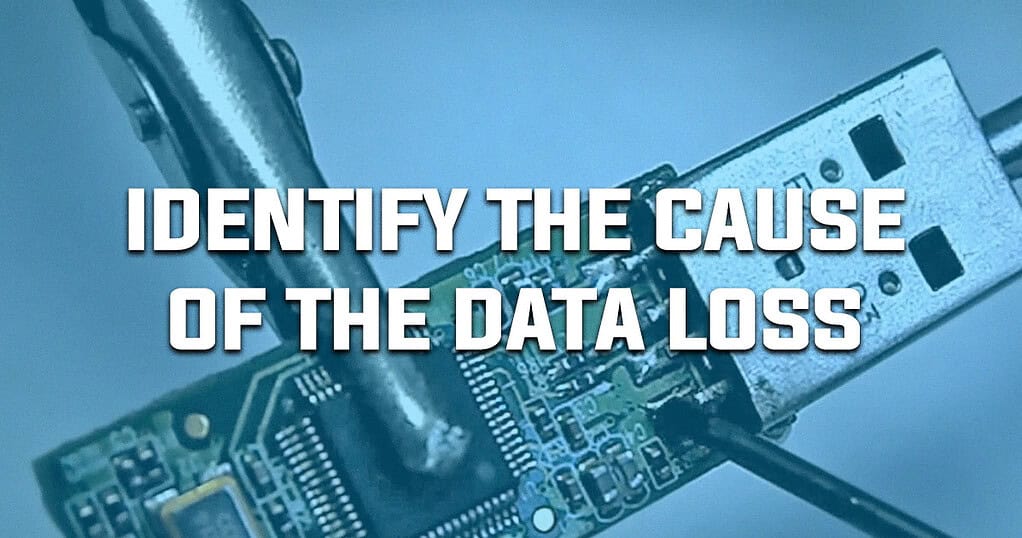
Step 2: Identify the Cause of Data Loss
Data Recovery 101, Powerful Steps To Safely Retrieve Lost Files 14
Understanding what caused the data loss can help you choose the right data recovery method. Here are the most common scenarios:
Accidental Deletion: Files removed but not overwritten yet.
Hardware Failure: Hard drives or SSDs may become unreadable.
File System Corruption: System errors that make files inaccessible.
Malware or Ransomware Attacks: Files locked, deleted, or hidden.
Physical Damage: Dropped or water-damaged devices.
Knowing the cause helps determine if a software solution might work or if professional data recovery is needed.
Step 3: Try Built-in System Recovery Options First
Data Recovery 101, Powerful Steps To Safely Retrieve Lost Files 15
Before diving into specialized tools, check your device for built-in data recovery features. Some systems come with basic restore options that can help:
Windows:
Recycle Bin (for recently deleted files)
File History (if enabled)
System Restore (for system-wide issues)
macOS:
Trash
Time Machine (if set up)
Disk Utility First Aid
These solutions work well for recent or non-destructive deletions. They’re also risk-free since they don’t modify the original files.
Step 4: Use Trusted Data Recovery Software
Data Recovery 101, Powerful Steps To Safely Retrieve Lost Files 16
If built-in tools don’t work, consider using a data recovery program. These apps scan the drive for lost or deleted files and can restore them if they haven’t been overwritten.
Popular Data Recovery Software:
Recuva (Windows)
Disk Drill (Windows/macOS)
PhotoRec (cross-platform)
EaseUS Data Recovery Wizard (Windows/macOS)
Be sure to:
Use a separate device to download/install the software.
Avoid writing the recovered files to the same drive.
These precautions ensure you don’t overwrite data you’re trying to recover.
Step 5: Know When to Call the Professionals
Data Recovery 101, Powerful Steps To Safely Retrieve Lost Files 17
Some cases require professional data recovery services, especially when:
Drives make clicking or grinding noises (signs of mechanical failure).
Devices have suffered water or heat damage.
Previous recovery attempts have failed.
Professional data recovery labs have cleanrooms and specialized equipment to handle damaged drives without causing further loss. They can often recover data even from severely compromised devices.
While this service can be costly, it’s often the only option when high-value or irreplaceable data is on the line.
Step 6: Backup the Recovered Data Immediately
Data Recovery 101, Powerful Steps To Safely Retrieve Lost Files 18
Once you’ve successfully completed the data recovery, don’t delay creating a backup. Data loss often strikes more than once, and a reliable backup ensures you won’t have to go through the process again.
Recommended backup strategies include:
3-2-1 Rule: 3 copies of data, 2 different media, 1 off-site.
Cloud Services: Google Drive, OneDrive, Dropbox.
External Drives: Keep a backup on a USB or external HDD/SSD.
By backing up promptly, you convert your data recovery effort into a lasting safeguard.
Step 7: Prevent Future Data Loss
Data Recovery 101, Powerful Steps To Safely Retrieve Lost Files 19
The best defense is a good offense. After completing data recovery, take proactive steps to reduce future risk:
Prevention Tips:
Install and regularly update antivirus software.
Handle drives carefully to avoid physical damage.
Use surge protectors to guard against power fluctuations.
Enable automatic backups and test them regularly.
Don’t ignore early signs of failing hardware (sluggishness, odd noises).
A few preventive actions today can save you from the stress of recovery in the future.
Bonus: What NOT to Do During Data Recovery
Data Recovery 101, Powerful Steps To Safely Retrieve Lost Files 20
When facing data loss, many users make critical errors that complicate the recovery process. Here are common mistakes to avoid:
Continuing to use the affected device.
Downloading recovery tools onto the damaged drive.
Attempting physical repairs without expertise.
Formatting the drive in hopes of restoring it.
If you’re unsure, err on the side of caution. It’s better to preserve the drive’s condition than risk permanent loss.
Final Thoughts: Don’t Panic, Just Prepare
Data Recovery 101, Powerful Steps To Safely Retrieve Lost Files 21
Data recovery can be a daunting challenge, but armed with the right knowledge and tools, it’s often possible to rescue important files. Whether you’re dealing with a simple deletion or a catastrophic failure, these seven steps offer a roadmap for handling the crisis calmly and effectively.
Remember: The sooner you act and the more carefully you handle the situation, the better your chances. And once your data is recovered, don’t forget to back it up—because prevention is always easier (and cheaper) than recovery.
Need Professional Help with Data Recovery?
Data Recovery 101, Powerful Steps To Safely Retrieve Lost Files 22
If you’re unsure where to start or dealing with a severe data loss situation, our certified technicians are here to help. Contact Kingfisher Computer’s today for a free consultation or bring your device in for a full evaluation.
The Illusion of Stability in Modern Updates For most users, operating system updates are something that simply happen. They arrive quietly, often installing in the background, requiring little more than…
Macbook Neo, How Does It Compare To Air & Pro? Over the last few years the laptop market has experienced one of the most significant architectural changes in its history.…
Apple’s latest product announcements mark one of the most significant shifts in the Mac lineup in more than a decade. While Apple routinely updates its hardware with faster chips, incremental…
There is a particular kind of frustration that only a slow computer can produce. It is not dramatic. It is not urgent. It does not scream for attention. Instead, it…
In an era where nearly every aspect of personal computer maintenance and professional life is mediated through digital systems, your computer is no longer a luxury device — it is…
Phone says charging but battery not increasing is one of the most frustrating problems smartphone users face. You plug it in.The lightning bolt appears.It says “Charging.” But the battery percentage…
Apple’s rumour cycle always looks like a thousand disconnected leaks — until you line them up and notice the same themes repeating: AI-first silicon, camera and display differentiation, form-factor experiments (foldables / spatial…
Wi-Fi connected but no internet is one of the most frustrating messages you can see on a computer or laptop. The Wi-Fi icon shows full bars.It says “Connected.”But websites won’t…
Unfortunately, there was an error submitting your request.
Please try again later, or reach out to us directly. You can call us at +44 1429 280955 or email us at [email protected] for assistance. We’re here to help you get your computer back up and running!
We’ve received your booking, Our team will get in touch with you shortly to confirm the details. You’re one step closer to having your computer fixed! If you have any urgent questions, feel free to contact us. Otherwise, sit back, and we’ll handle the rest.