Why Regular Maintenance is Crucial for Your PC’s Health
Adam Fornal
April 14th, 2025
Table of Contents
Why Regular Maintenance is Crucial for Your PC’s Health
Whether you’re a home user, student, gamer, or small business owner, your PC is a critical part of your daily life. It’s your connection to the world, your entertainment hub, and often your workhorse. Yet, many people overlook one vital aspect of computer ownership: Regular Maintenance. At Kingfisher Computers, we’ve seen firsthand how a lack of routine upkeep can lead to slow performance, system crashes, data loss, and expensive repairs. This blog explains why Regular Maintenance is essential for your PC’s longevity and performance.
The Foundation of a Healthy PC
What is Regular Maintenance?
Regular Maintenance refers to a consistent routine of tasks performed to keep your computer running efficiently. This includes cleaning hardware components, updating software, checking for malware, optimizing storage, and making sure system resources are managed properly. These steps may sound basic, but they are vital for extending your device’s lifespan and ensuring consistent performance.
Why Do PCs Slow Down Over Time?
Several factors contribute to your PC slowing down. Over time, dust builds up inside the case, fans become clogged, software accumulates in the background, and storage devices get fragmented or overloaded. Without Regular Maintenance, these issues compound, affecting your computer’s speed and responsiveness.
Why Regular Maintenance Is Crucial For Your Pc’s Health 3
Signs You Need Maintenance
Programs take longer to load
Frequent crashes or error messages
Overheating or noisy fans
Unresponsive applications
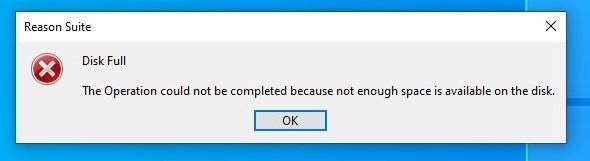
Storage warnings or low disk space
Why Regular Maintenance Is Crucial For Your Pc’s Health 4
Recognizing these signs early and addressing them with Regular Maintenance can save time, money, and stress.
Benefits of Regular Maintenance
Prolonged Lifespan
Just like servicing your car improves its longevity, Regular Maintenance keeps your PC in peak condition for a longer time. Dust and heat are two of the biggest enemies of electronic components. Regular cleaning of the internal parts, especially cooling fans and heat sinks, prevents overheating and damage.
Improved Performance
Slow load times, laggy software, and poor performance aren’t always due to aging hardware. Oftentimes, these issues are caused by bloated software, unnecessary startup programs, and cluttered drives. With Regular Maintenance, you can eliminate performance bottlenecks and return your computer to near-new speeds.
Enhanced Security
Cyber threats are a growing concern. Outdated software, old drivers, and lack of antivirus protection open doors for viruses and hackers. Keeping your system updated and scanning regularly for malware is a core aspect of Regular Maintenance, helping protect your personal and financial data.
Clean external and internal components (if safe to do)
Check for Windows updates and driver updates
Backup important files
Run disk cleanup and defragment tools (for HDDs)
Quarterly/Annual Maintenance
Open the case and clean dust (especially for desktops)
Review installed software and uninstall what’s unnecessary
Reassess storage usage
Evaluate system performance
At Kingfisher Computers, we offer tailored Regular Maintenance services, including deep system diagnostics, physical cleaning, software optimization, and security checks.
DIY vs. Professional Maintenance
What You Can Do at Home
Use tools like CCleaner to clear cache and junk files
Keep your OS and drivers updated
Regularly scan with antivirus
Clean your keyboard, screen, and vents
When to Call the Experts
If your PC is still slow after your efforts, or you’re uncomfortable opening the case or troubleshooting software issues, it’s time to contact professionals. At Kingfisher Computers, we’ve got the tools and expertise to keep your PC in top shape.
Benefits of Professional Maintenance
Advanced diagnostics tools
Safe dust removal using compressed air
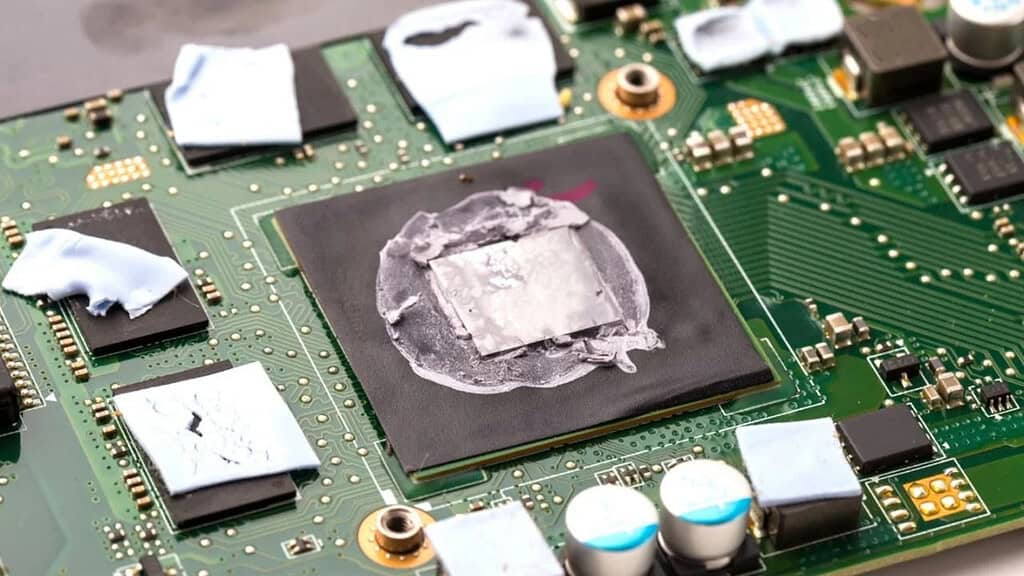
Thermal paste replacement if necessary
Firmware and BIOS updates
Data integrity checks
Regular Maintenance: A Cost-Saving Habit
Neglect often leads to higher costs. A dying hard drive, for instance, might have been saved with early warning tools during Regular Maintenance. Instead of a full replacement and data recovery (which can be expensive), preventative care can save hundreds.
Keeping your PC in great shape doesn’t have to be difficult or time-consuming. A consistent schedule of Regular Maintenance ensures your system is fast, secure, and reliable. It’s about being proactive, not reactive. Whether you’re a casual user or a digital power user, don’t wait until something breaks.
Let Kingfisher Computers be your partner in keeping your PC at its best.
Remember:
Clean dust = better cooling
Updated software = fewer vulnerabilities
Backups = peace of mind
Regular Maintenance = long-lasting performance
Contact us today or drop by our shop at 38 Church Street, TS24 7DG.
We’re here to help you stay connected and protected.
The Illusion of Stability in Modern Updates For most users, operating system updates are something that simply happen. They arrive quietly, often installing in the background, requiring little more than…
Macbook Neo, How Does It Compare To Air & Pro? Over the last few years the laptop market has experienced one of the most significant architectural changes in its history.…
Apple’s latest product announcements mark one of the most significant shifts in the Mac lineup in more than a decade. While Apple routinely updates its hardware with faster chips, incremental…
There is a particular kind of frustration that only a slow computer can produce. It is not dramatic. It is not urgent. It does not scream for attention. Instead, it…
In an era where nearly every aspect of personal computer maintenance and professional life is mediated through digital systems, your computer is no longer a luxury device — it is…
Phone says charging but battery not increasing is one of the most frustrating problems smartphone users face. You plug it in.The lightning bolt appears.It says “Charging.” But the battery percentage…
Apple’s rumour cycle always looks like a thousand disconnected leaks — until you line them up and notice the same themes repeating: AI-first silicon, camera and display differentiation, form-factor experiments (foldables / spatial…
Wi-Fi connected but no internet is one of the most frustrating messages you can see on a computer or laptop. The Wi-Fi icon shows full bars.It says “Connected.”But websites won’t…
Unfortunately, there was an error submitting your request.
Please try again later, or reach out to us directly. You can call us at +44 1429 280955 or email us at sales@kingfishercomputers.co.uk for assistance. We’re here to help you get your computer back up and running!
We’ve received your booking, Our team will get in touch with you shortly to confirm the details. You’re one step closer to having your computer fixed! If you have any urgent questions, feel free to contact us. Otherwise, sit back, and we’ll handle the rest.