Friendly and professional rang me to help with my computer issue and ran me though my options recommend their services


Make software changes with a clear purpose
A Windows laptop that is slow on battery can present a different problem from one that stalls with a particular application. Tell us whether the issue happens at startup, while charging or during a specific task.
We assess Windows laptop performance around the way you use the machine. Storage, application demand, background activity and signs of a fault are considered before cleanup, upgrades or installation work is proposed.
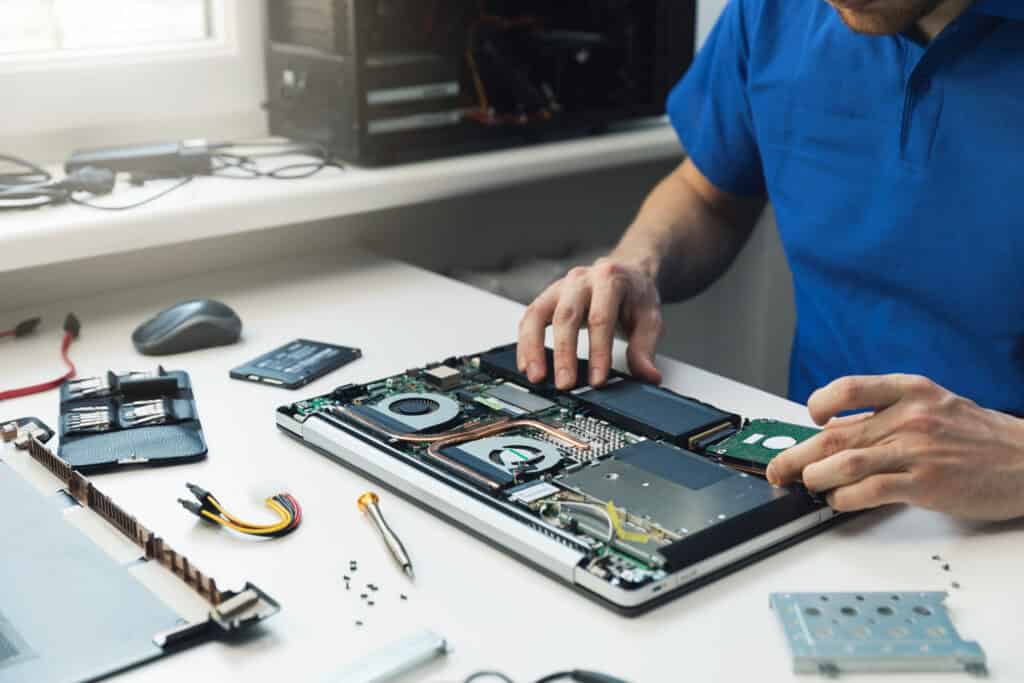
We assess your device, explain the fault and agree the repair costs with you before work begins.
If you decline the quoted repair after diagnosis has started, a £24 diagnostic fee, including VAT, covers our assessment time and technical expertise.
Approve the repair and there is no separate diagnostic fee.
Give the model and a repeatable example, such as slow sign in or a particular application stalling. Explain when it started and whether it differs on battery or mains power. That is more useful than a general statement that the whole laptop needs speeding up.
Explain which task has become difficult and when it happens. Useful examples include waiting to sign in, a browser becoming unresponsive or a work application that slows with a particular document. Mention whether the behaviour differs on battery and mains power, and whether the correct charger is being used.
Microsoft’s Windows performance guidance covers storage, startup applications and resource use. It also notes the power and heat tradeoffs of performance settings. A setting that draws more power is not automatically the best everyday choice for a portable computer.
List the applications and background tools you need for work or study. A change should have a clear reason, especially when the laptop uses security software, backup tools or an organisation’s management system. Do not disable protections merely to make a quick performance comparison.
Storage capacity, memory demand and a hardware fault require different decisions. The exact model determines whether a proposed memory or drive change is possible. We discuss the findings before suggesting parts, rather than treating every slow laptop as the same upgrade job.
Choose the tasks that should be checked after any agreed changes. Repeating the original activity gives the discussion a clear reference point; it does not mean every application will run equally well on the available hardware.
If installation or a reset is proposed, discuss it separately from a settings adjustment. Identify important files, a separate backup and application setup requirements first. Ask about Windows laptop performance tuning with your model and a concrete example of the slowdown.
For background reading before discussing this service: Windows 11 problems we fix daily and which ones aren’t worth repairing. For other work, browse our repair services.
Discuss the symptom first. A higher performance setting can increase power use and heat, and may not address the cause. Explain whether battery life, temperature or charging behaviour is part of the problem so a setting is judged against your actual needs.
Only if the findings and the particular model support that choice. Limited capacity, memory demand and a failing component are different issues. Check what can be changed and why it would help before ordering parts for the laptop.
Note the model, Windows version, affected task and whether the problem changes on battery or mains power. Record recent installations, updates and the applications you need to keep.
Check your independent backup. Tell us about freezes, unusual noises or charging problems before trying cleanup software. If work or school manages the laptop, involve the authorised contact before changing settings.
Make a note of what starts and which programs you rely on. Some background tools provide security, backups or work access. Avoid disabling several items at once without understanding their purpose; it can change the symptoms or interrupt functions you need.
A reinstall is a separate decision and should have a reason based on the assessment. Ask whether focused changes are appropriate first. If installation work is proposed, agree the backup, application and licence plan before proceeding. The laptop Windows upgrade guide covers that separate decision.
Our shop is at 38 Church Street, Hartlepool, TS24 7DG. Call 01429 280955 or use the contact page to discuss the service and suitable arrangements before travelling.
Friendly and professional rang me to help with my computer issue and ran me though my options recommend their services
Fixed my PC within a day. Diagnosed quickly, repaired and now working great. Would highly recommend this company! Thank you.
Very helpful and excellent advice, top class work, I highly recommend them for repairs or a new system, you won’t regret it.


Darren Waggott founded Kingfisher Computers in 2004. It was his first business, and he has continued to run and develop it ever since, helping local people and businesses look after their computers.
Kingfisher and The Mining Shop are part of the same business group. Our work across everyday PCs, gaming computers, ASIC miner repairs and data centre hardware brings together complementary technical experience. Kingfisher remains focused on practical computer repair and clear advice from Hartlepool.
Find us at 38 Church Street, Hartlepool, TS24 7DG. Call 01429 280955 with your model and the symptoms before you travel.
Opening hours and visit information · Get directions · Contact our team


No appointment required. You’re welcome to pop into the shop during opening hours.
ENQUIRY RECEIVED
38 Church Street, Hartlepool, TS24 7DG
For home visits and callouts, please wait for us to arrange a time.
No appointment required. You’re welcome to pop into the shop during opening hours.
ENQUIRY RECEIVED
38 Church Street, Hartlepool, TS24 7DG
For home visits and callouts, please wait for us to arrange a time.