Friendly and professional rang me to help with my computer issue and ran me though my options recommend their services


Find the cause of pointer, gesture and click problems
A touchpad that has stopped responding may be disabled in settings, affected by software or physically faulty. A stiff click or raised surface needs a different assessment from missing gestures after an update.
We check the symptoms and exact model before discussing the appropriate repair. If the touchpad is lifting or the case is bulging, stop using and charging the laptop and contact us before bringing it in.
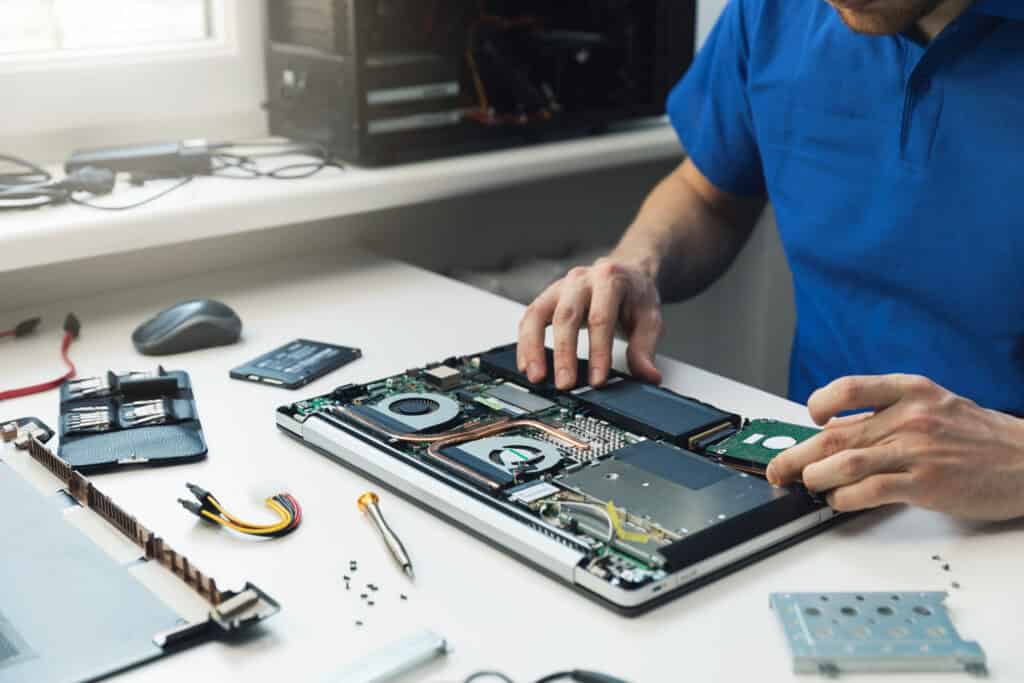
We assess your device, explain the fault and agree the repair costs with you before work begins.
If you decline the quoted repair after diagnosis has started, a £24 diagnostic fee, including VAT, covers our assessment time and technical expertise.
Approve the repair and there is no separate diagnostic fee.
We start by identifying which pointer, click or gesture functions fail, then consider settings, drivers and the physical condition. Some faults need software work; others involve a connection or assembly. We explain the appropriate next step and agree the cost before proceeding. Replacing a touchpad before checking the cause can leave the original problem unresolved.
Pointer movement, tapping, physical clicking and gestures are related but separate functions. A touchpad can move the pointer while its click mechanism fails, or accept clicks while scrolling behaves differently. Tell us which actions still work, whether the problem is constant and whether it occurs in every application.
An external mouse can help you keep control of a laptop that otherwise works normally. Its behaviour also provides useful information, but a working mouse does not identify the failed component on its own. Keep a note of any recent update, impact, liquid exposure or work on the device.
Laptop touchpad repairs do not always require a new touchpad. We consider the model’s enable control, operating system settings and the appropriate driver, as well as its physical condition. Microsoft’s touchpad guidance explains how missing or outdated drivers can affect operation. Use the device manufacturer’s instructions and official update sources rather than an unrelated driver download.
Intermittent operation can also involve the connection or touchpad assembly. Replacement arrangements differ between models: the part may be available separately or form part of a larger palm rest assembly. We establish the suitable repair route and explain what is included in the quote before ordering.
A raised touchpad, opening case seam or unusually stiff click can be a sign of pressure from a swollen battery. Do not press the surface flat or try to force the case closed. Stop using and charging the laptop and seek advice before transporting it. Dell’s battery handling guidance warns against pressing, bending or prying a swollen battery. We assess the underlying problem rather than treating a raised surface as an ordinary click fault.
We explain whether the next step concerns software, a connection, a touchpad assembly or another component. Laptop touchpad repairs should address the identified cause, with the work and cost agreed before proceeding. Parts availability and the model’s construction affect the timing; tell us about a deadline at the start.
After the agreed work, relevant checks can include pointer movement across the surface, tapping, left and right click behaviour and supported gestures. Settings may still need to suit the way you prefer to work. Tell us if you use accessibility options or particular gestures so these can be considered.
Describe the pointer or click fault to our Hartlepool team, or find our shop before arranging a visit.
For background reading before discussing this service: Diagnose computer problems. For other work, browse our repair services.
Movement and clicking use different parts of the input behaviour. Settings, the mechanism or pressure beneath the surface can be relevant. Tell us whether tapping still works and whether the surface looks level. If it has risen or the case has opened, stop use and charging rather than forcing a click.
The terms commonly describe the same laptop pointing surface, but the construction and supported gestures vary. The exact model matters more than the label. For a MacBook, our MacBook repair page is the relevant starting point; this service also covers assessment of suitable Windows laptop touchpad faults.
Note the full model, operating system and the actions that fail. Tell us if an external mouse works and whether the issue began after an update, spill or impact. Do not repeat a test that requires pressing a raised or damaged touchpad.
If the laptop is physically sound and usable, keep a separate backup. Keep passwords and verification codes out of your enquiry. Contact us before travelling if there is swelling, liquid damage or another concern about handling the device.
Software work and an assembly replacement involve different work. The model, cause, parts and access determine the quote and timing. We agree these before proceeding. The £24 diagnostic fee including VAT applies only if you decline the quoted repair after diagnosis has begun; we do not add a separate diagnostic fee when you approve the repair.
Tell us whether you can reach the sign in screen and whether the fault also happens there. We explain any access needed for the agreed checks. Do not email passwords or verification codes. Keep an independent backup where it is safe to do so, and tell us about important files before any installation or reset is considered.
Our shop is at 38 Church Street, Hartlepool, TS24 7DG. Call 01429 280955 or use the contact page to discuss the service and suitable arrangements before travelling.
Friendly and professional rang me to help with my computer issue and ran me though my options recommend their services
Fixed my PC within a day. Diagnosed quickly, repaired and now working great. Would highly recommend this company! Thank you.
Very helpful and excellent advice, top class work, I highly recommend them for repairs or a new system, you won’t regret it.


Darren Waggott founded Kingfisher Computers in 2004. It was his first business, and he has continued to run and develop it ever since, helping local people and businesses look after their computers.
Kingfisher and The Mining Shop are part of the same business group. Our work across everyday PCs, gaming computers, ASIC miner repairs and data centre hardware brings together complementary technical experience. Kingfisher remains focused on practical computer repair and clear advice from Hartlepool.
Find us at 38 Church Street, Hartlepool, TS24 7DG. Call 01429 280955 with your model and the symptoms before you travel.
Opening hours and visit information · Get directions · Contact our team


No appointment required. You’re welcome to pop into the shop during opening hours.
ENQUIRY RECEIVED
38 Church Street, Hartlepool, TS24 7DG
For home visits and callouts, please wait for us to arrange a time.
No appointment required. You’re welcome to pop into the shop during opening hours.
ENQUIRY RECEIVED
38 Church Street, Hartlepool, TS24 7DG
For home visits and callouts, please wait for us to arrange a time.