Friendly and professional rang me to help with my computer issue and ran me though my options recommend their services


Check the battery and the charging path
Laptop battery replacement starts with checking why the charge is not lasting. A worn battery, unsuitable charger or damaged charging connection can produce similar symptoms. Tell us the exact model, how long it runs unplugged and whether the charger is recognised.
We discuss a compatible replacement and the cost before ordering parts. If the battery is swollen, stop using and charging the laptop and contact us before bringing it in. Ask about the old battery’s disposal when agreeing the work.
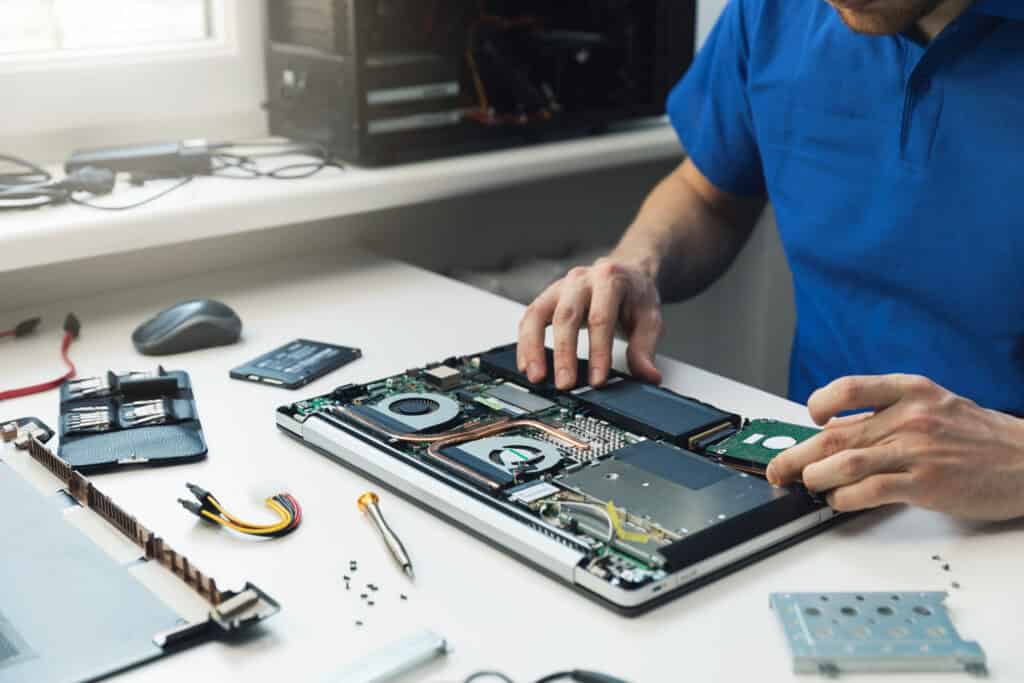
We assess your device, explain the fault and agree the repair costs with you before work begins.
If you decline the quoted repair after diagnosis has started, a £24 diagnostic fee, including VAT, covers our assessment time and technical expertise.
Approve the repair and there is no separate diagnostic fee.
Describe whether your laptop runs only while plugged in, loses charge quickly or stops charging altogether. Laptop battery replacement may help when the battery has worn out, but it will not repair a faulty charger, charging socket or charging circuit. Assessment helps identify which work is appropriate.
Short battery life and failure to charge are different problems. Tell us if the percentage falls suddenly, the laptop shuts down before reaching zero or it works normally from its adapter. Mention any charger warnings, damage to the connector and recent changes.
A battery health report can help compare the battery’s original capacity with the charge it can now hold. It does not, on its own, prove which part has failed. We consider the symptoms, model and charging behaviour before discussing laptop battery replacement.
Batteries must suit the exact laptop model and specification. A similar shape or matching brand name is not enough. Some packs are removable; others are fitted inside the case. We discuss the appropriate part, availability, fitting and cost before you decide.
Replacing a battery does not require retiring the whole laptop or erasing its storage. Keep a separate backup of important files if the device is working and safe to use. Ask how the old battery will be handled before agreeing the work; it should not go into household rubbish.
If the casing or touchpad is lifting, stop using and charging the laptop. Do not press, puncture or try to flatten a swollen battery. Contact us for handling advice before travelling or arranging delivery.
For background on battery capacity and reports, see Microsoft’s battery care guidance. Contact the Hartlepool team or find our shop at 38 Church Street.
For background reading before discussing this service: Diagnose computer problems. For other work, browse our repair services.
Stop using and charging the device and contact us for handling advice. Do not press, puncture or try to flatten a swollen battery.
Contact us before travelling so we can discuss the device and suitable arrangements. Keep passwords and verification codes out of your enquiry.
Stop using or charging a device with a swollen, leaking or unusually hot battery and contact the team for handling advice. Do not press or puncture the battery.
Tell us the exact device model, the symptoms and any work already attempted. If it is safe to do so, keep a separate copy of important files before the device is assessed.
The model, assessment and any required parts affect the quote and timing. We confirm the proposed work and costs before you decide to proceed. Tell us about any deadline at the start.
Keep an independent backup if the device still works. Tell us if the data is the main priority before any reset, installation or storage work. We explain any access needed; do not send passwords or verification codes with your enquiry.
Our shop is at 38 Church Street, Hartlepool, TS24 7DG. Call 01429 280955 or use the contact page to discuss the service and suitable arrangements before travelling.
Friendly and professional rang me to help with my computer issue and ran me though my options recommend their services
Fixed my PC within a day. Diagnosed quickly, repaired and now working great. Would highly recommend this company! Thank you.
Very helpful and excellent advice, top class work, I highly recommend them for repairs or a new system, you won’t regret it.


Darren Waggott founded Kingfisher Computers in 2004. It was his first business, and he has continued to run and develop it ever since, helping local people and businesses look after their computers.
Kingfisher and The Mining Shop are part of the same business group. Our work across everyday PCs, gaming computers, ASIC miner repairs and data centre hardware brings together complementary technical experience. Kingfisher remains focused on practical computer repair and clear advice from Hartlepool.
Find us at 38 Church Street, Hartlepool, TS24 7DG. Call 01429 280955 with your model and the symptoms before you travel.
Opening hours and visit information · Get directions · Contact our team


No appointment required. You’re welcome to pop into the shop during opening hours.
ENQUIRY RECEIVED
38 Church Street, Hartlepool, TS24 7DG
For home visits and callouts, please wait for us to arrange a time.
No appointment required. You’re welcome to pop into the shop during opening hours.
ENQUIRY RECEIVED
38 Church Street, Hartlepool, TS24 7DG
For home visits and callouts, please wait for us to arrange a time.