Friendly and professional rang me to help with my computer issue and ran me though my options recommend their services


Understand the problem before replacing parts
Useful iPhone support distinguishes a damaged component from a setting, application or connection problem. Tell us what still works, when the fault appears and whether another device has the same connection problem.
Protecting your information is part of planning the next step. We discuss your backup, the proposed assessment and any access needed before you agree to software or repair work.
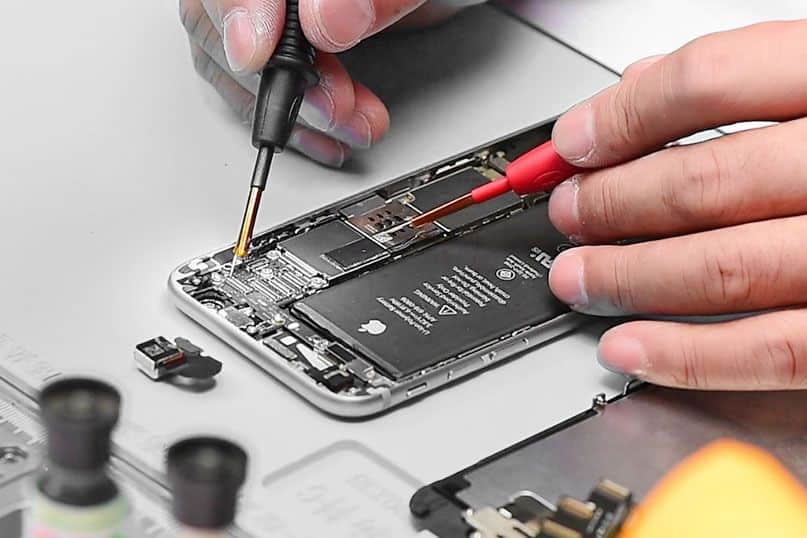
We assess your device, explain the fault and agree the repair costs with you before work begins.
If you decline the quoted repair after diagnosis has started, a £24 diagnostic fee, including VAT, covers our assessment time and technical expertise.
Approve the repair and there is no separate diagnostic fee.
Describe the model, the fault and what still works. iPhone support begins with deciding whether settings, software, a connection or hardware needs assessment. We explain the proposed next step and costs before you agree to work.
A screen that does not respond, an app that closes and a phone that cannot connect need different checks. Note whether the whole phone is affected or only one feature. Tell us the model and any alert shown, without including private messages, passwords or account codes.
For iPhone support after accidental damage, explain what happened even if the phone still turns on. Avoid assuming that a battery or screen replacement will address every symptom. We discuss the appropriate assessment before recommending work.
If the phone remains usable, establish whether a recent backup is available and which information matters most. Apple explains the available methods in its iPhone backup guide. Tell us if the phone holds the only copy of important information before any reset or restoration is considered.
A backup, synchronised information and an account login serve different purposes. Ask what a proposed action would change and what would be needed to use the phone afterwards. Do not erase it simply to prepare for an initial iPhone support enquiry.
Apple’s service preparation guidance says to keep account security details private. If an agreed software check needs you to sign in, enter the details yourself and remain present. We do not ask you to put an Apple Account password, device passcode or verification code into a contact form.
For a hardware repair enquiry, use our iPhone repair information. For help deciding the next step, contact the team for iPhone support with the model and symptoms.
For background reading before discussing this service: Diagnose computer problems. For other work, browse our repair services.
No particular part can be recommended from the symptom alone. Tell us when charging stops, whether the display responds and any recent damage or software changes. An iPhone support assessment helps establish which work is appropriate before parts are ordered.
Contact us first so we can discuss the fault and useful accessories. You do not need to send photographs of private messages or account screens. A short description of the alert or problem is enough for the initial conversation.
Note the iPhone model, what has changed and whether you have a recent backup. Tell us if the phone has been dropped, exposed to liquid or repaired previously. Mention any accessories involved in the fault before travelling.
Keep passcodes, Apple Account passwords and security codes private. If you cannot use the phone to complete a preparation step, explain that when arranging iPhone support rather than erasing it.
The model, fault, assessment and any required parts affect the quote and timing. Tell us about an urgent deadline at the start. We agree repair work and costs before going ahead, with the diagnostic fee policy shown on this page.
No. Keep those details out of your enquiry. For iPhone support that needs account access, we explain the proposed check so you can enter your own details and remain present. Tell us if the phone belongs to an employer or if account access is already a problem.
Our shop is at 38 Church Street, Hartlepool, TS24 7DG. Call 01429 280955 or use the contact page to discuss the service and suitable arrangements before travelling.
Friendly and professional rang me to help with my computer issue and ran me though my options recommend their services
Fixed my PC within a day. Diagnosed quickly, repaired and now working great. Would highly recommend this company! Thank you.
Very helpful and excellent advice, top class work, I highly recommend them for repairs or a new system, you won’t regret it.


Darren Waggott founded Kingfisher Computers in 2004. It was his first business, and he has continued to run and develop it ever since, helping local people and businesses look after their computers.
Kingfisher and The Mining Shop are part of the same business group. Our work across everyday PCs, gaming computers, ASIC miner repairs and data centre hardware brings together complementary technical experience. Kingfisher remains focused on practical computer repair and clear advice from Hartlepool.
Find us at 38 Church Street, Hartlepool, TS24 7DG. Call 01429 280955 with your model and the symptoms before you travel.
Opening hours and visit information · Get directions · Contact our team


No appointment required. You’re welcome to pop into the shop during opening hours.
ENQUIRY RECEIVED
38 Church Street, Hartlepool, TS24 7DG
For home visits and callouts, please wait for us to arrange a time.
No appointment required. You’re welcome to pop into the shop during opening hours.
ENQUIRY RECEIVED
38 Church Street, Hartlepool, TS24 7DG
For home visits and callouts, please wait for us to arrange a time.