Friendly and professional rang me to help with my computer issue and ran me though my options recommend their services


Understand the graphics options for your machine
Most gaming laptops cannot take a replacement graphics card in the way a desktop tower can. We identify the exact model before discussing an internal change or external graphics equipment.
If a game has recently become slow, the useful first question is what changed. A fault, heat problem or software issue needs a different response from a laptop that no longer meets the game’s requirements.
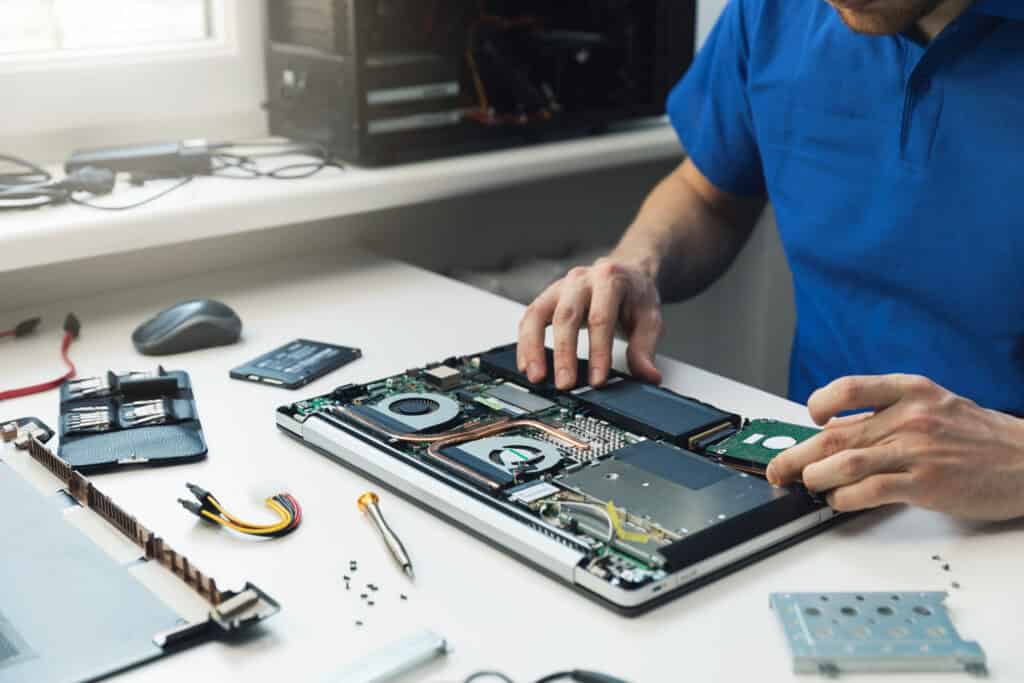
We assess your device, explain the fault and agree the repair costs with you before work begins.
If you decline the quoted repair after diagnosis has started, a £24 diagnostic fee, including VAT, covers our assessment time and technical expertise.
Approve the repair and there is no separate diagnostic fee.
The first step is a model and requirements check. We establish whether the graphics hardware is replaceable, whether a supported external setup is relevant or whether diagnosis would be more useful. Most laptops do not support a simple internal GPU upgrade, so we explain the available options before any parts are agreed.

In most gaming laptops, the graphics chip is soldered to the motherboard. It is not a removable desktop card. A motherboard repair or replacement is also a different job from a straightforward performance upgrade. A repair estimate should not be mistaken for a promise to fit a newer GPU.
Unusual removable or modular designs need their own compatibility evidence. The laptop model, available parts, cooling design and firmware all matter. ASUS explains the usual laptop GPU limitations and why external options require a separate check.
Tell us the game, resolution, current settings and whether performance has always been limited or has recently deteriorated. Include any crashes, unusual fan noise or changes made just before the problem. These details help us decide what should be assessed.
Cleaning, cooling work or software changes are not substitutes for a more capable GPU when the hardware is simply below the application’s requirements. Equally, buying new graphics equipment before diagnosing a recent fault may not address the cause. We discuss an appropriate next step rather than promising an untested frame rate.
An external GPU needs a supported laptop connection, enclosure, card and software combination. A USB C connector by itself is not enough evidence. Some manufacturers use specific docks, and support can differ between generations of similarly named laptops.
Include the cost of the enclosure and other required equipment when comparing this route with a different computer. Tell us whether you need portability or mainly play at a desk. Microsoft’s graphics overview explains the difference between integrated, discrete and external arrangements.
Read our computer upgrade compatibility guide or browse our repair and support services.
A normal desktop graphics card is not a replacement for the soldered graphics chip in a gaming laptop. The physical connections, power and cooling are different. An external enclosure is a separate possibility only where the complete laptop and enclosure arrangement is supported.
No. The shape of the socket does not establish the required connection capabilities or support. We need the exact laptop model and the proposed dock or enclosure, rather than a photograph of the socket alone. Check those details before ordering equipment.
Have the full laptop model, current graphics name, operating system and charger details ready. Note the games you use, their settings and whether the problem happens while connected to power.
Keep important files backed up if the laptop is stable. Contact us before buying a graphics card or dock, and describe any damage or previous repair without sending account passwords.
It depends on the cause. A machine affected by a cooling problem or another bottleneck may need different work, but cleaning and extra memory do not turn its GPU into a newer model. Tell us whether the problem is new and which game settings you use so that the appropriate assessment can be discussed.
Compare the proposed work and any additional equipment with the games, display and portability you need. We discuss the relevant limitations, expected scope and quote before you decide. A specific frame rate, universal dock compatibility or a successful upgrade is not promised before assessment.
Our shop is at 38 Church Street, Hartlepool, TS24 7DG. Call 01429 280955 or use the contact page to discuss the service and suitable arrangements before travelling.
Friendly and professional rang me to help with my computer issue and ran me though my options recommend their services
Fixed my PC within a day. Diagnosed quickly, repaired and now working great. Would highly recommend this company! Thank you.
Very helpful and excellent advice, top class work, I highly recommend them for repairs or a new system, you won’t regret it.


Darren Waggott founded Kingfisher Computers in 2004. It was his first business, and he has continued to run and develop it ever since, helping local people and businesses look after their computers.
Kingfisher and The Mining Shop are part of the same business group. Our work across everyday PCs, gaming computers, ASIC miner repairs and data centre hardware brings together complementary technical experience. Kingfisher remains focused on practical computer repair and clear advice from Hartlepool.
Find us at 38 Church Street, Hartlepool, TS24 7DG. Call 01429 280955 with your model and the symptoms before you travel.
Opening hours and visit information · Get directions · Contact our team


No appointment required. You’re welcome to pop into the shop during opening hours.
ENQUIRY RECEIVED
38 Church Street, Hartlepool, TS24 7DG
For home visits and callouts, please wait for us to arrange a time.
No appointment required. You’re welcome to pop into the shop during opening hours.
ENQUIRY RECEIVED
38 Church Street, Hartlepool, TS24 7DG
For home visits and callouts, please wait for us to arrange a time.