Friendly and professional rang me to help with my computer issue and ran me though my options recommend their services


A better layout starts with the parts you already have
A new case needs to suit the whole computer. We discuss the motherboard, graphics card, power supply, cooler and storage you want to keep, alongside any new parts.
For custom PC case upgrades, the aim matters too. More space, quieter operation and a different appearance can call for different choices. Agree the priorities and proposed work before buying components.
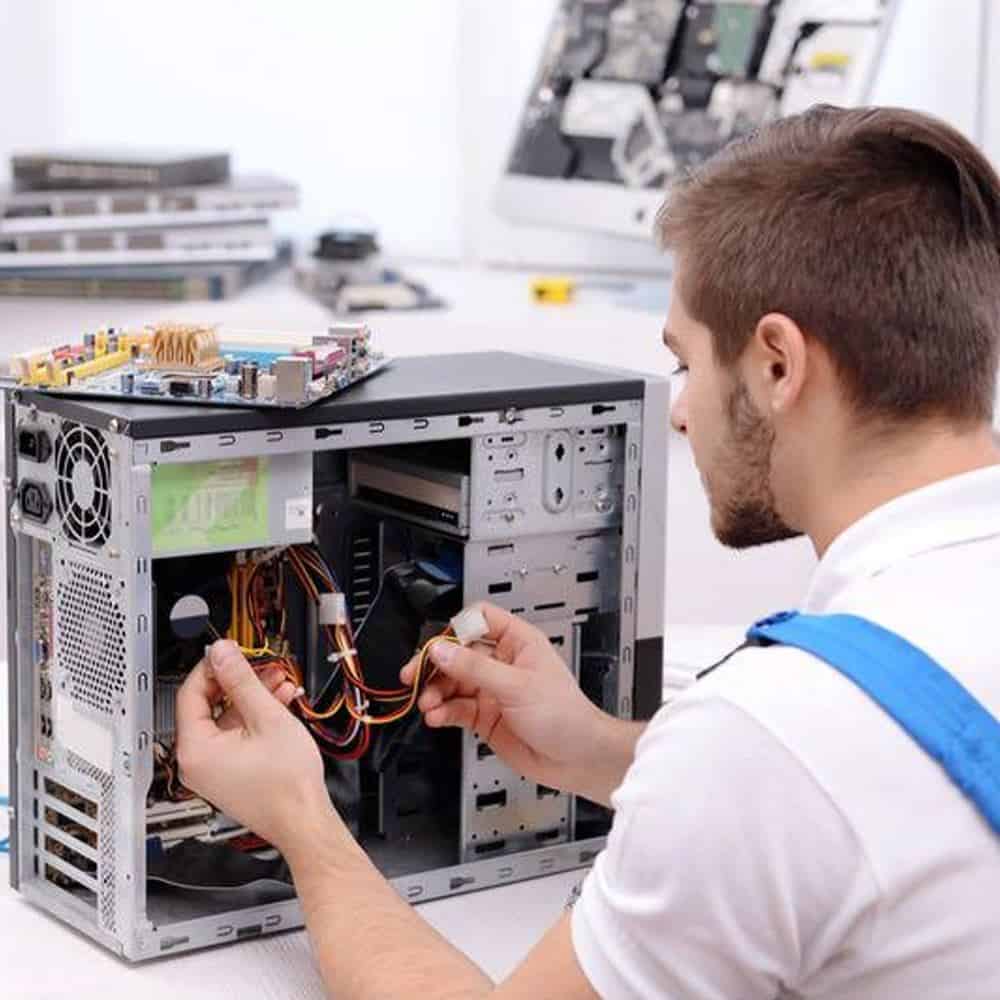
We assess your device, explain the fault and agree the repair costs with you before work begins.
If you decline the quoted repair after diagnosis has started, a £24 diagnostic fee, including VAT, covers our assessment time and technical expertise.
Approve the repair and there is no separate diagnostic fee.
Possibly. We need the exact computer, case and component models to check the layout and connections. Motherboard fit, cooler height, graphics card space and power supply format all affect a transfer. Some branded desktops use parts that do not suit a standard case.
Start with the exact case and component models. A case can support the motherboard size yet leave too little space for a particular graphics card, processor cooler or power supply. Radiator and fan positions also affect the space available. Manufacturer specifications and the actual arrangement both matter.
If you have a branded desktop, tell us its full model. Some systems use unusual board layouts, power connectors or front controls. Moving those parts into a standard enclosure may need further work or may offer poor value.
Discuss where the computer will sit, how much room it has around it and whether noise is a concern. Cable routes should leave room for fans and routine access. The front USB and audio connections need suitable motherboard headers or an agreed alternative.
A larger enclosure alone does not guarantee lower temperatures or better performance. We discuss the existing cooling arrangement and the reason for the change, rather than promise a result from appearance alone.
Custom PC case upgrades usually begin with a decision about what stays. A transfer retains suitable existing components; a new build starts from the workload, budget and parts specification. Tell us whether the computer is for everyday work, gaming, creative applications or a particular programme.
If you have already bought parts, share the exact models and return deadlines before arranging the work. We can discuss the proposed assembly, but suitability and the condition of supplied parts still need checking. Keep receipts and warranty information.
Ask which checks are included in the quote, such as startup, the connected drives, front ports and the agreed cooling arrangement. Tell us about existing faults before the transfer so they are considered separately. Keep an independent backup of important files before any computer work.
For guidance on retaining existing parts, read our computer upgrade guide. For custom PC case upgrades or a complete build, discuss your component list with the Hartlepool team before travelling.
A case change does not directly increase processor, memory or graphics performance. It may help address space or cooling restrictions when the rest of the arrangement is suitable. Tell us whether the priority is temperature, noise, appearance or room for new parts so we can discuss the right approach.
Send the component model names, the proposed case, your budget and the applications or games you use. Mention anything already purchased and any existing faults. A photograph of the computer can help identify the layout; keep passwords, licence keys and personal files out of the enquiry.
Before custom PC case upgrades, list the parts you want to retain and the changes you hope to achieve. Keep an independent backup, and tell us about current faults, purchased components and return deadlines. Confirm the assessment and transport arrangements before bringing the computer to the shop.
The model, assessment and any required parts affect the quote and timing. We confirm the proposed work and costs before you decide to proceed. Tell us about any deadline at the start.
Keep an independent backup if the device still works. Tell us if the data is the main priority before any reset, installation or storage work. We explain any access needed; do not send passwords or verification codes with your enquiry.
Our shop is at 38 Church Street, Hartlepool, TS24 7DG. Call 01429 280955 or use the contact page to discuss the service and suitable arrangements before travelling.
Friendly and professional rang me to help with my computer issue and ran me though my options recommend their services
Fixed my PC within a day. Diagnosed quickly, repaired and now working great. Would highly recommend this company! Thank you.
Very helpful and excellent advice, top class work, I highly recommend them for repairs or a new system, you won’t regret it.


Darren Waggott founded Kingfisher Computers in 2004. It was his first business, and he has continued to run and develop it ever since, helping local people and businesses look after their computers.
Kingfisher and The Mining Shop are part of the same business group. Our work across everyday PCs, gaming computers, ASIC miner repairs and data centre hardware brings together complementary technical experience. Kingfisher remains focused on practical computer repair and clear advice from Hartlepool.
Find us at 38 Church Street, Hartlepool, TS24 7DG. Call 01429 280955 with your model and the symptoms before you travel.
Opening hours and visit information · Get directions · Contact our team


No appointment required. You’re welcome to pop into the shop during opening hours.
ENQUIRY RECEIVED
38 Church Street, Hartlepool, TS24 7DG
For home visits and callouts, please wait for us to arrange a time.
No appointment required. You’re welcome to pop into the shop during opening hours.
ENQUIRY RECEIVED
38 Church Street, Hartlepool, TS24 7DG
For home visits and callouts, please wait for us to arrange a time.