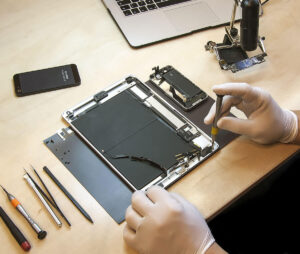
fixed my iPad and apple macbook pro and did a fantastic job


Choosing the right professional for Microsoft Windows PC Repairs can feel overwhelming.
Maybe you’ve been disappointed before, or you’re not sure if we can handle your specific issue.
We get it. That’s why we offer a FREE Microsoft Windows PC Repairs Diagnosis. No fees, no pressure—just honest, transparent service.
You only pay if you decide to proceed with the repairs.
Experience the difference in quality and care. We’re here to make sure your devices are in the best hands.

We get it—choosing the right expert for Microsoft Windows PC Repairs can be daunting. Maybe your last repair experience didn’t go well, and you’re hesitant to try again.
You might be wondering if we can really fix your problem, or if it’s going to cost you an arm and a leg for Microsoft Windows PC Repairs.
If that’s you, click the button, fill out the short form, and tell us your concerns. We’ll have a team member reach out to discuss how we can help.
Not quite ready to commit to Microsoft Windows PC Repairs? Have a chat with a technician first.
Need answers before you move forward? Click the button, fill out the form, and schedule a call. We’ll walk you through your options—at no cost.

We provide quick, reliable, and budget-friendly Microsoft Windows PC Repairs with added perks.
If you’re facing issues with your Personal Computer, our FAQ section will give you the answers you need. And if you have any more questions, don’t hesitate to contact us. We’re always here to help!
Starting your Microsoft Windows PC Repairs is an easy process. Just click the “Book Repair” button at the top right of this page. A form will appear where you can enter your contact information and a brief description of the issue. You can also book your repair directly by clicking here.
After submitting your Microsoft Windows PC Repairs request, you’ll receive an email confirming your appointment details and any other instructions. One of our team members will then give you a call to discuss the issue further. They may ask a few more questions to ensure we fully understand the problem and can recommend the best solution.
Once we’ve gathered all the necessary information, we’ll determine the best repair option for you—whether it’s an in-shop repair, remote support, or a home visit. We’ll then arrange an appointment at a time that works for you, so we can get your device fixed and returned to you as soon as possible.
We provide both appointment bookings and walk-in services for your Microsoft Windows PC Repairs. If you’d like to book an appointment, click the “Book Repair” button above or click here. However, you can also choose to walk in during our business hours.
For those who walk in, we provide a quick pre-diagnosis in our shop. After this, your repair will be scheduled and handled with the same efficiency as a pre-booked appointment. We aim to deliver fast, reliable service and will keep you updated throughout.
Whether you choose to book ahead or walk in, we’re committed to providing the best service for your Microsoft Windows PC Repairs.
All Microsoft Windows PC Repairs quotes are provided FREE.
Before starting any repair, we’ll reach out to give you a quote and request your approval to move forward. Our quotes are free, and you’re not obligated to proceed if you change your mind.
If you decide not to proceed, that’s perfectly okay. You can pick up your device with no further costs or obligations.
Before bringing in your Microsoft Windows PC Repairs, it’s recommended to back up all essential data and remove any sensitive information from the device. While we provide a backup service at a fee per GB, the responsibility for data remains with the client.
Additionally, bring your device’s power cables and any necessary accessories for the repair. If you’ve already spoken to us by phone, bring any specific items mentioned during that call.
These preparations will help your repair process go smoothly and ensure your data is handled according to your preferences.
The time to complete your Microsoft Windows PC Repairs depends on how complicated the issue is. Simple repairs are often finished on the same day, sometimes within a few hours. However, if we need to order parts, the repair could take a few days.
We’ll always give you an estimated time when providing your quote and will only proceed with your approval. When your Microsoft Windows PC Repairs is ready, our engineers will contact you to arrange a convenient pickup time.
We know your device is important, so we work to complete repairs as swiftly and efficiently as possible.
Absolutely, all our Microsoft Windows PC Repairs repairs come with a 30-day guarantee. If the same issue or a related problem occurs within 30 days, we’ll repair it at no additional cost. We understand the frustration of recurring issues, so we prioritize resolving them swiftly and effectively.
We may also extend the guarantee to cover other related issues if deemed necessary. If we feel an extended guarantee is appropriate, we’ll discuss it with you to keep you fully informed. Your satisfaction is paramount, and we back our work with full confidence.
To ensure complete satisfaction, we conduct a thorough check of your device before handing it back, making sure the repair meets our high standards. We aim to provide repairs that are both reliable and long-lasting, and our guarantee reflects this commitment.
We accept various payment methods to ensure your transaction is as convenient as possible. In addition to the usual payment options, we accept cryptocurrency payments, including Bitcoin (via the Lightning Network for quick transactions) and USDT Tether.
We also accept PayPal, bank transfers, cash, and debit cards. For PayPal payments, if you need immediate service, please choose the ‘Friends and Family’ option. Alternatively, the ‘Products and Services’ option is available if you don’t mind waiting a bit longer.
All major credit and debit cards are accepted, along with cash payments. We also offer online payment options through our secure payment gateway, including Klarna for flexible payment terms.
Please note that we no longer offer 30-day terms on invoices. Payment is required upon completion of all repairs, jobs, and home visits. For repairs exceeding £1,000, we may request immediate payment, and a deposit may be required for jobs over £500.
We’re here to accommodate your preferred payment method and ensure a smooth transaction.
Absolutely, all our Microsoft Windows PC Repairs repairs come with a 30-day guarantee. If the same issue or a related problem occurs within 30 days, we’ll repair it at no additional cost. We understand the frustration of recurring issues, so we prioritize resolving them swiftly and effectively.
We may also extend the guarantee to cover other related issues if deemed necessary. If we feel an extended guarantee is appropriate, we’ll discuss it with you to keep you fully informed. Your satisfaction is paramount, and we back our work with full confidence.
To ensure complete satisfaction, we conduct a thorough check of your device before handing it back, making sure the repair meets our high standards. We aim to provide repairs that are both reliable and long-lasting, and our guarantee reflects this commitment.
Yes, indeed. All new replacement parts or upgrades for your Microsoft Windows PC Repairs are covered by a 12-month manufacturer’s warranty, as required by law. This warranty ensures that any issues with the parts during this period will be resolved at no additional cost to you.
For the first three months, we won’t charge labor fees for warranty replacements. After this period, the part will still be replaced <u>free under the warranty</u>, but a labor fee will apply.
In certain cases, we may use refurbished or second-hand parts to help you save money. <u>If this applies, we’ll let you know beforehand</u>, and the warranty period for these parts may vary. We’ll provide a clear warranty that covers the part for a specified period, ensuring your protection.
This strategy can save you up to 50% on component costs without compromising on quality. <strong>Even with more economical parts, your repairs or upgrades will still come with a warranty that reflects their condition and quality</strong>.
If any issues arise with a replacement part during the warranty period, just contact us, and we’ll resolve it swiftly. <em>Please note that this warranty doesn’t cover accidental damage or misuse after the repair.</em>
We source parts from trusted suppliers to ensure they meet the high standards required for Microsoft Windows PC Repairs. <strong>Our commitment is to provide high-quality repairs at the best price</strong>, giving you confidence that your Microsoft Windows PC Repairs is in expert hands.
For additional information on your consumer rights, visit the UK Consumer Rights Act 2015.
If your device is still under warranty, please understand that having Microsoft Windows PC Repairs done by a third-party service like Kingfisher Computers could potentially void that warranty, depending on the manufacturer’s specific policies.
We understand how vital it is to protect your warranty. That’s why our engineers will verify the warranty status of your device before we begin any repairs. If your device is still covered, we’ll guide you through all your options, helping you make the best decision.
Our goal is to provide you with clear, honest advice, ensuring that you have all the information necessary to make the right choice for your needs.
If your device has been damaged and you need to file an insurance claim, we’re here to assist. We understand that insurance companies often require detailed estimates before they approve repairs, and they may ask us to handle the repairs directly.
For all insurance claim quotations, we charge a standard fee of £120 per device. This fee is generally reclaimable from your insurance company—simply submit our invoice along with the written quote we provide.
In most cases, insurance companies prefer to work directly with us. We handle all necessary communications and provide them with the required information. However, if your insurer prefers to go through you, that’s fine as well. Rest assured, insurance companies usually follow up with us directly to ensure all details are covered.
If your device cannot be repaired, or if the repair costs exceed the value of a new device, we can provide the necessary documentation to confirm that the device is uneconomical to repair. This is essential for securing a replacement through your insurance.
We aim to make the insurance claim process as smooth and straightforward as possible. We’re here to provide the professional support you need to resolve your claim quickly and effectively, ensuring you have all the necessary documentation and guidance along the way.
For further information on your rights as a consumer, please refer to the Citizens Advice Insurance Guide.
Your data privacy is of utmost importance to us. Our team follows strict confidentiality protocols, ensuring that only the necessary data is accessed during the repair. Nonetheless, it’s wise to back up your critical files before handing over your device.
If you haven’t yet done this, we offer a professional data backup service to protect your information. Discover more about this service here.
In the rare case of data loss or corruption, we also offer data recovery services. For further details, please visit our data recovery services page.
Even with all precautions, the responsibility for your data ultimately rests with you. We strongly suggest using our backup services for your peace of mind.
If our team finds that your Microsoft Windows PC Repairs cannot be repaired, you will not be charged for the diagnosis. We recognize that this can be a frustrating situation, and we aim to make the process as easy as possible for you.
We offer a secure data destruction service to guarantee that all personal data is completely destroyed, protecting you from potential data breaches. Learn more about this service here.
Furthermore, our IT Equipment Disposal and Recycling Service ensures that your device is disposed of in an environmentally responsible way. Some parts may be refurbished and donated, contributing to reducing electronic waste and helping those in need. More details about our recycling service can be found here.
Your data will be securely destroyed according to industry best practices, ensuring that your personal information remains protected. We’re committed to giving you peace of mind, knowing that your data is handled securely.
Yes, we offer convenient home visits for Microsoft Windows PC Repairs as part of our commitment to flexibility. Whether you’re a homeowner or running a small business, our experienced engineers are available for on-site repairs. We ensure competitive pricing for all our home visits, so you receive quality service without breaking the bank.
Home visits are billed hourly, but if your Microsoft Windows PC Repairs repair needs more time, our engineer might bring the device back to our office to complete the job. This approach helps us work more efficiently, saving you time and money.
We know your time is important, so we offer flexible scheduling for home visits to fit around your busy day. You can rely on us to keep you informed throughout the process, and we’ll ensure your device is returned to you promptly once the repair is complete.
For safety, we follow strict hygiene protocols during all home visits, including mask-wearing and sanitizing equipment. Our goal is to provide a seamless, high-quality experience, whether at your home or in our office.
Ready to schedule your Microsoft Windows PC Repairs home visit? Click here to book now or give us a call to discuss your needs. First-time customers can enjoy a 10% discount on their first home visit—just mention this offer when booking.
Yes, we repair all models of PCs, laptops, and Apple devices. Our expertise isn’t limited to just Microsoft Windows PC Repairs; we can fix a wide range of devices. Whether it’s a brand-new model or something older, our technicians are prepared to handle any issue, from hardware malfunctions to software troubles.
Visit our A-Z Index of Device Repairs to see a comprehensive list of the brands and models we service. You can access it here. Even if your device isn’t listed, contact us, and we’ll arrange to assess and repair it.
Your device will be expertly handled, regardless of the make or model. Our aim is to get your device back to optimal condition as swiftly and effectively as possible.
If you notice any issues after your Microsoft Windows PC Repairs, we’re here to assist. All our repairs include a 30-day guarantee, so you can have confidence in the quality of our work. To benefit from this guarantee, please notify us within 30 days of the original repair date.
To qualify for a free re-repair, the issue must be directly linked to the original problem we fixed. Please note that our guarantee does not cover new issues, damage caused by misuse, or intentional damage. If your problem meets these criteria, we’ll resolve it at no additional cost to you.
To start the re-repair process, rebook your repair through our booking system. Just click here to schedule your device back in, and mention that this is a follow-up repair. This will help us quickly assess the situation and restore your device as soon as possible.
We understand how essential your device is, and we’re committed to ensuring it performs as expected. Your satisfaction is our top priority, and we’re here to provide the support you need to keep your device running smoothly.
Before booking your Microsoft Windows PC Repairs, fill out the short form, and we’ll contact you with the answers you need.

Whether it’s an upgrade or a repair, we’ve got you covered. Our services include virus removal, data recovery, and hardware upgrades for your Personal Computer. Search our list of services to find the solution that’s right for you.
Join our list for the latest Microsoft Windows PC Repairs tips and offers. Enter your email to stay updated and keep your devices in top shape.
From Microsoft Windows PC Repairs to upgrades, we’ve got everything you need for your Personal Computer. Visit our store and find the best deals.
We’ve built our reputation by consistently delivering reliable Microsoft Windows PC Repairs. Count on us for your Personal Computer repairs and experience the excellence that sets us apart.
Our dedication to providing top-quality PC Repair has earned us a prestigious reputation across the UK. We're proud to have been named the best in the industry, delivering expert repairs for Personal Computer solutions.


Ranked No. 1 on Google My Business for Microsoft Windows PC Repairs in Hartlepool, we’ve earned more than 400 reviews from satisfied customers. Our success is based on trust, quality, and outstanding service.

Our ranking in the top 10 on FreeIndex for PC Repair shows our dedication to delivering top-quality repairs and outstanding customer service across the UK.

We’re not just award winners—we’re also a top-rated provider on Yell.com for Microsoft Windows PC Repairs. Customers praise us for our fast, reliable, and budget-friendly service for Personal Computer. Explore our Yell reviews to see why we’re the go-to choice for PC Repair services.
Our satisfied customers trust us for reliable PC, laptop, and Apple device repairs. Explore their stories to see why we’re the community’s top choice for expert and dependable service.
took all the viruses off my work computer.
I’ve been using Kingfisher for about three years now and Darren has done loads of work for me personally and also my business. Memory upgrades, viruses, hardware, remote support and built PC’s to spec etc. The work has been efficient, high quality,...
i have used Darren and his team at kingfisher computers for over ten year, iv seen them go through thick and thin, but iv always insisted that I give them my business, they are a lovely set of people that not only do I use them to fix my laptop and computer bu...

Fixed my Samsung s7 screen, got quoted from else where but other shops give me a no confident feeling but the people in kingfisher, made me feel welcome n the impression of a real professional company My feeling war correct, the job was superb. Well worth payi...
We’ve used Kingfisher Computers for all of our Computer, Network and IT needs at Hartlepool Beer Company for over ten years now, they have always came through, Sometimes timekeeping isn’t up to scratch but this is acceptable in our opinion from the...
Darren at Kingfisher computers gave me such a detailed, thorough and knowledgeable analysis of the procedures and costs involved in repairing a damaged screen on an all-in-one computer, that the insurance company gave me the full replacement value without requ...
did an amazing job at giving my computer a clean up it now runs like it used to. Thankyou
a friend installed a dodgy copy of windows 10 on my computer, I wasn’t aware that this would cause problems on my computer. I took it to kingfisher, to resolve the problem with is where I discovered that I would need an genuine version. But we got there ...
I wouldn’t go anywhere else in hartlepool for a computer repair. Always go above and beyond to perform the perfect service. These guys have always fixed my computers since my first pc tower to my laptops and now my more recent ipad. ...


Bring your Personal Computer to our Hartlepool office and discuss your Microsoft Windows PC Repairs. We’ve been experts in PC Repair since 1997 and are happy to assist you with any repair needs.
Get your Personal Computer repaired by the pros. Our simple booking system makes scheduling your Microsoft Windows PC Repairs repair a breeze. Book now to get started!