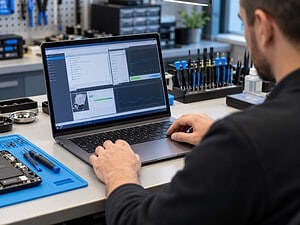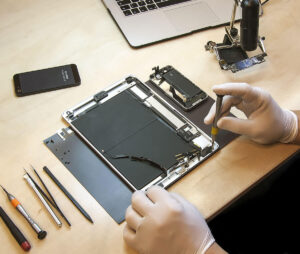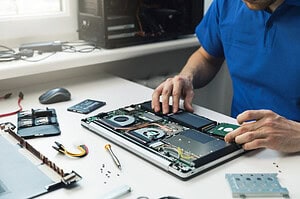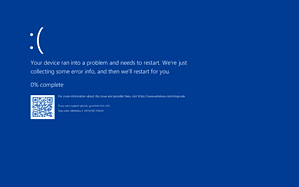
Really great full n happy with the job they did to my laptop.


Screen, charging and software faults explained
A clear assessment before you decide
We assess your device, explain the fault and agree the repair costs with you before work begins.
If you decline the quoted repair after diagnosis has started, a £24 diagnostic fee, including VAT, covers our assessment time and technical expertise.
Approve the repair and there is no separate diagnostic fee.

Symptoms, model details and suitable options
The compact iPad mini family has several generations with different parts.
Read the model number from Settings or the device information before asking about a screen or battery.

Tell us the model and what you have noticed
Tell us whether the main issue is battery life, charging, touch or a damaged display. Mention any case pressure, swelling or impact, and avoid continuing to charge a device that is visibly damaged or unusually hot.
If you are unsure which version you own, tell us what you can identify. Share serial numbers privately. We can discuss the information needed before you bring the device to the shop.

Understand the fault, the options and the proposed work
Understand the proposed work and decide what is right for your device.
Feedback about our repair service
Assessment, data and repair arrangements
Use these answers to prepare for an enquiry. Contact us about the exact device and fault before agreeing any work.
iPad mini repairs need the exact generation as well as a description of the fault. Screen, battery, charging and accessory problems can look similar across this family, but the parts and supported accessories differ. Our Hartlepool team discusses the appropriate assessment before work is agreed.
Use Apple’s iPad identification guide to match the model. Older Home button models and later USB C versions have different designs. Note whether yours is a Wi Fi or cellular model and describe the charging connection if the tablet will not start.
Apple has also announced an A20 Pro iPad mini. That announcement does not establish repair parts availability at Kingfisher. For a newly introduced design, we confirm the device and practical service route before discussing any component replacement.
For a damaged screen, say whether the picture, touch response or both are affected. Explain any impact, liquid exposure or previous screen work. A visible crack and an iPad that will not start need different checks, and a replacement display should not be selected from screen size alone.
If an Apple Pencil will not pair or respond, include the Pencil version and the iPad model. Apple’s compatibility guide shows that support varies between Pencil and iPad generations. An incompatible accessory is a different issue from a failed screen or charging connection.
For battery or charging trouble, describe whether the tablet shows a charging symbol, starts normally or loses power during a particular task. Tell us about the charger and cable used. Those observations help plan an assessment rather than assume that every power problem requires a battery.
If the iPad works, check that the files and photographs you need are backed up and accessible. Explain whether your priority is repairing the tablet or recovering data. Apple’s service preparation guidance is a useful reference, but the work and any setup changes should be discussed for your own device.
We explain suitable repair options, parts availability and cost before you decide. Ask what can be checked afterwards for the screen, Pencil or other accessory involved. For an uncertain model, start with our general iPad repair guidance. Keep passwords, passcodes and recovery details out of the enquiry.
You can contact the team or visit the shop during opening hours. Call ahead if you need to confirm suitable arrangements for a particular device or assessment.
A £24 diagnostic fee, including VAT, applies only if you decline the quoted repair after diagnosis has begun. It covers our assessment time and technical expertise.
If you approve the repair, there is no separate diagnostic fee. There is no diagnostic charge if diagnosis has not started. We agree the repair work and costs before proceeding.
Back up accessible files before assessment. If the device has liquid damage, is swollen or becomes unusually hot, stop using and charging it and contact us for handling advice. Tell us if preserving data is the main priority before any reset or installation is considered.
The fault, assessment and any suitable parts affect the timing. Tell us about deadlines and essential applications. We discuss the proposed work and expected timing before you decide.
Ask our team which payment methods and arrangements apply to the proposed work. Do not include payment details in a general enquiry.
Our repairs include a 30 day repair guarantee. Ask us about the cover that applies to the work and parts in your quotation. If the original problem returns, contact us with the repair details so we can assess it.
New replacement parts and upgrades include a 12 month manufacturer’s warranty. Replacement labour for a covered part is free during the first three months. After that period, we explain any applicable labour charge before further work is agreed.
Ask about the terms for the particular part in your quotation. This business warranty is in addition to your statutory rights.
Check any manufacturer, retailer or insurance cover before agreeing independent work. Ask the provider about its terms. We do not present independent repairs as work authorised or covered by Apple.
Tell us what documentation your insurer requires before the assessment. We can discuss whether the requested inspection or written information is appropriate for the device and fault.
Keep an independent backup of accessible files. Tell us if preserving data is the priority before any reset, installation or storage work. Keep account passwords and verification codes out of your enquiry.
We explain the findings and discuss practical alternatives if a repair is unsuitable. Tell us about important data so that the next step reflects your priorities.
We offer home visits, subject to suitable arrangements for your device, location and fault. Some work needs the workshop. Home visits are billed hourly, so confirm the rate and proposed work with the team before the visit.
First time customers receive 10% off their first home visit. Mention the offer when arranging the visit.
Repair options vary by model, fault and suitable parts. Choose the matching device guide and ask about your exact model; not every component can be repaired or upgraded.
Contact us with the repair details and the symptoms you have noticed. We can discuss the appropriate next step and the terms that apply to the original work.
Contact the Hartlepool team with the symptoms and model details. We can discuss what information is needed and which assessment route is appropriate.

Help with faults, software and data
Browse our service guides for assessment, backup, software and repair advice. The model and the fault determine which work is suitable.
Computer advice and shop updates
Practical information for your devices
Choose whether you would like to receive updates from the shop. For help with a current fault, contact our team directly.
Computers, accessories and components
If you are comparing repair with replacement, browse the shop and ask about a suitable device for your applications and budget.
Find out about other customers’ experiences
Our published reviews describe the service customers received for their computers and devices. You can browse the feedback and ask us about your own repair.
Information about the award shown here
Visit the award organiser for information about the UK Enterprise Awards.


Comments from Google reviewers
Read customer feedback on our Google business profile and compare the experiences people describe.

Customer comments on FreeIndex
Our FreeIndex profile provides another place to read customer comments about the business.

Find feedback on Yell
Read feedback about Kingfisher Computers on our Yell business profile.
Published feedback about our work
Read customer experiences with our Hartlepool team. Each review describes that customer’s own device, circumstances and experience.
perfect

kingfisher sorted my laptop out when everyone else said they couldnt. thanks guys

Fantastic service for getting my MacBook Pro fixed with same day turnaround. Thanks so much for getting it sorted under such a tight deadline. 5 Stars and highly recommended.
top notch
remove viruses off Toshiba satellite laptop
Gone above and beyond. Highly recommend.
Friendly and professional rang me to help with my computer issue and ran me though my options recommend their services
I spoke with Darren on chat regarding a new monitor. He was extremely knowledgeable, friendly and honest and after a few minutes was able to quickly identify and send me some perfect options within my price range. I would highly recommend!
always happy
Find Honest Feedback from Real Customers




Darren Waggott founded Kingfisher Computers in 2004. It was his first business, and he has continued to run and develop it ever since, helping local people and businesses look after their computers.
Kingfisher and The Mining Shop are part of the same business group. Our work across everyday PCs, gaming computers, ASIC miner repairs and data centre hardware brings together complementary technical experience. Kingfisher remains focused on practical computer repair and clear advice from Hartlepool.
Find us at 38 Church Street, Hartlepool, TS24 7DG. Call 01429 280955 with your model and the symptoms before you travel.
Opening hours and visit information · Get directions · Contact our team
No appointment required. You’re welcome to pop into the shop during opening hours.
ENQUIRY RECEIVED
38 Church Street, Hartlepool, TS24 7DG
For home visits and callouts, please wait for us to arrange a time.
No appointment required. You’re welcome to pop into the shop during opening hours.
ENQUIRY RECEIVED
38 Church Street, Hartlepool, TS24 7DG
For home visits and callouts, please wait for us to arrange a time.