Friendly and professional rang me to help with my computer issue and ran me though my options recommend their services


Make software changes with a clear purpose
Before changing a laptop’s operating system, consider how you use it: applications, battery use, docking equipment and access to your files all matter. A model name is more useful than an assumption based on its age.
We discuss supported Windows upgrade options for the actual laptop. Compatibility checks and a separate backup come before installation, with the proposed work and any application setup explained before you decide.
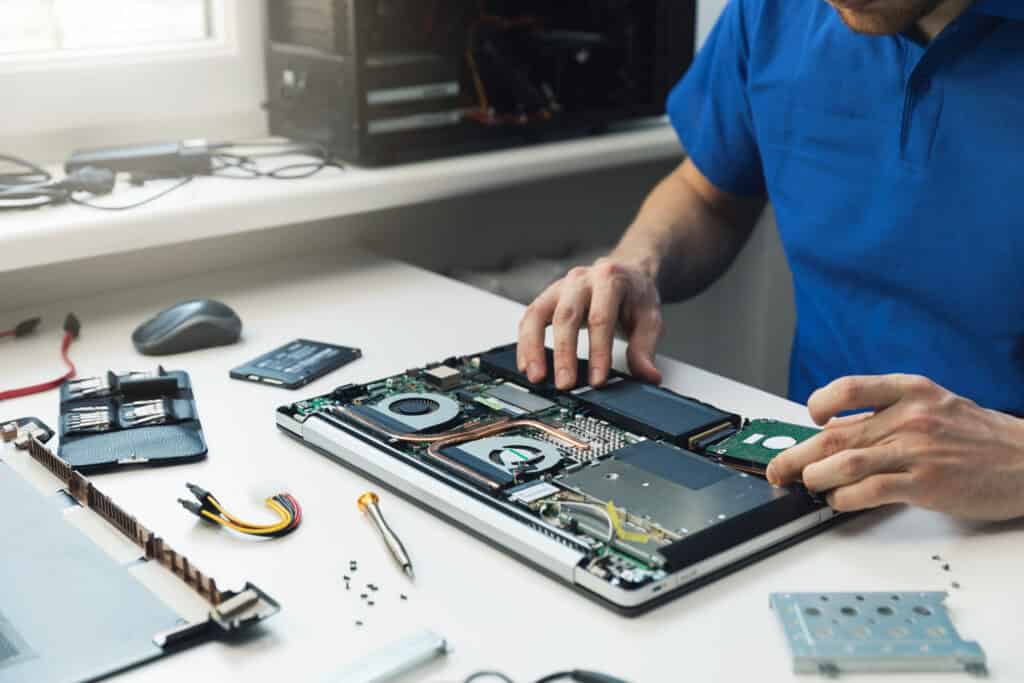
We assess your device, explain the fault and agree the repair costs with you before work begins.
If you decline the quoted repair after diagnosis has started, a £24 diagnostic fee, including VAT, covers our assessment time and technical expertise.
Approve the repair and there is no separate diagnostic fee.
The exact model, hardware, application needs and available supported installation routes determine the answer. Tell us what you want the change to achieve. A laptop’s age or the amount of memory fitted is not enough on its own to choose an operating system.
Tell us the full model, current Windows version and the applications you need to keep. Mention a work or school setup, a docking station and equipment you connect regularly. A laptop used for one specialist program may need a different plan from one used mainly for browsing and documents.
For a possible move to Windows 11, Microsoft’s PC Health Check guidance provides a compatibility starting point. That check is separate from confirming that your applications and model specific drivers suit the intended setup.
Windows upgrades for laptops should have a defined destination and purpose. If the laptop cannot support the proposed system, discuss realistic alternatives before paying for parts or trying to bypass installation requirements. More memory alone does not establish operating system compatibility.
An upgrade and a clean installation have different consequences. Explain which files and programs are essential, where they are stored and what backup is available. Agree whether transferring files or reinstalling applications is included rather than assuming it follows automatically.
Tell us about WiFi, sound, a webcam, touchpad, docking equipment or another feature that you rely on. These are useful checks when discussing the finished setup. Keep the correct charger available and explain any existing power or charging problem before installation work is considered.
If the laptop belongs to an employer or school, involve the person responsible for its setup. Keep passwords and recovery information private during the initial enquiry. Contact us about Windows upgrades for laptops with the model and the reason for the change.
For background reading before discussing this service: Computer Upgrades Explained: Why Some Computers Are Impossible to Upgrade (And How to Tell Before You Waste Money). For other work, browse our repair services.
No. Compatibility needs to be checked for that machine. We discuss a supported route and realistic alternatives if it does not qualify. Buying memory or storage before checking the processor and other requirements may not resolve the compatibility issue. Our Windows 11 laptop upgrade page explains the eligibility checks.
Agree the route and what is included before work begins. Different installation methods treat files and applications differently. Keep an independent backup and identify programs that need installers, licences or account access to set up again.
Record the exact laptop model, current Windows version and important applications. Note any docking station or accessories that must continue working, and whether the machine is managed by work or school.
Check a separate backup of essential files. Keep the charger available, but ask what to bring before travelling. Do not send passwords, licence keys or recovery keys in a general enquiry.
Ask what is useful to bring for your assessment. The correct charger is relevant to reliable power during installation, and a docking station may matter if it is part of the problem or a required check. Mention existing charging faults first.
Speak to the organisation’s authorised contact before changing its operating system. Existing management, licences, encryption and application access can affect the available work. We need an agreed scope rather than instructions that bypass the organisation’s setup or approval process.
Our shop is at 38 Church Street, Hartlepool, TS24 7DG. Call 01429 280955 or use the contact page to discuss the service and suitable arrangements before travelling.
Friendly and professional rang me to help with my computer issue and ran me though my options recommend their services
Fixed my PC within a day. Diagnosed quickly, repaired and now working great. Would highly recommend this company! Thank you.
Very helpful and excellent advice, top class work, I highly recommend them for repairs or a new system, you won’t regret it.


Darren Waggott founded Kingfisher Computers in 2004. It was his first business, and he has continued to run and develop it ever since, helping local people and businesses look after their computers.
Kingfisher and The Mining Shop are part of the same business group. Our work across everyday PCs, gaming computers, ASIC miner repairs and data centre hardware brings together complementary technical experience. Kingfisher remains focused on practical computer repair and clear advice from Hartlepool.
Find us at 38 Church Street, Hartlepool, TS24 7DG. Call 01429 280955 with your model and the symptoms before you travel.
Opening hours and visit information · Get directions · Contact our team


No appointment required. You’re welcome to pop into the shop during opening hours.
ENQUIRY RECEIVED
38 Church Street, Hartlepool, TS24 7DG
For home visits and callouts, please wait for us to arrange a time.
No appointment required. You’re welcome to pop into the shop during opening hours.
ENQUIRY RECEIVED
38 Church Street, Hartlepool, TS24 7DG
For home visits and callouts, please wait for us to arrange a time.