Friendly and professional rang me to help with my computer issue and ran me though my options recommend their services


Make software changes with a clear purpose
A Mac that starts slowly needs different checks from one that struggles in a single application. Tell us when the slowdown happens and whether it began after an update, a new app or another change.
macOS performance tuning starts with the workload, available storage and signs of a fault. We discuss suitable changes for your particular Mac, without promising that a cleaner or reinstall will solve every problem.
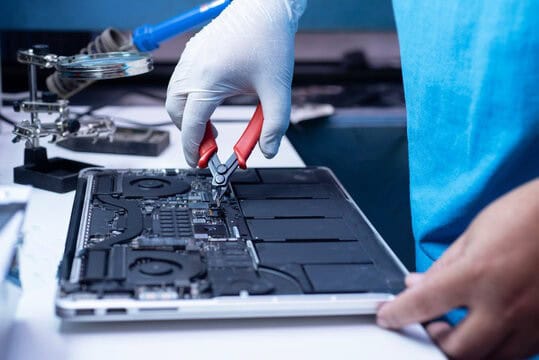
We assess your device, explain the fault and agree the repair costs with you before work begins.
If you decline the quoted repair after diagnosis has started, a £24 diagnostic fee, including VAT, covers our assessment time and technical expertise.
Approve the repair and there is no separate diagnostic fee.
Describe slow startup, unresponsive applications or a task that no longer runs as expected. The assessment can consider storage capacity, application demand, background work and indications of a fault. The appropriate next step depends on what is actually causing the slowdown.
Give an example we can understand: the time taken to sign in, a document that stalls, a browser that becomes unresponsive or a project that slows as it grows. Explain what still works normally and whether the problem occurs straight after startup or later in the day.
Apple’s guidance for a slow Mac identifies storage capacity, memory demand and application compatibility as useful starting points. Those checks help distinguish a busy system from a problem that needs a different repair assessment.
Tell us which applications and background tools you need. Reviewing a resource problem is different from deleting folders simply because they are large or have unfamiliar names. Important working files, synced folders and application data should be identified before removal is proposed.
We discuss the findings and which changes are relevant to the workload. If the issue suggests a hardware or storage fault, that should be explained separately. The exact model also determines whether a proposed component change is practical; a memory or storage upgrade should not be assumed from the word Mac alone.
Agree what a useful outcome would look like for the task you described. An everyday comparison, such as reopening the same application or working with the same project, is more relevant than a general claim that a computer has been optimised.
Keep an independent backup of important files before major changes. If the Mac repeatedly freezes, fails to start or contains the only copy of essential data, tell us before following cleanup instructions. Ask about macOS performance tuning with the model and a specific example of the slowdown.
For background reading before discussing this service: Common macOS Issues: A Practical Troubleshooting Guide. For other work, browse our repair services.
Not necessarily. Available capacity and a faulty storage device are different issues. Explain what is taking space and which files must remain, then discuss sensible options. Replacement suitability depends on the exact Mac model and the findings, not just a storage warning.
Tell us the application, version and task that slows down, along with the size or type of project involved. Its own hardware and macOS requirements matter. We can discuss whether settings, workflow, software compatibility or a different assessment is the useful starting point.
Note the Mac model, macOS version, affected applications and when the slowdown occurs. Include recent changes and whether the problem appears with a particular project or external device.
Check your independent backup and identify any files that must be retained. Avoid deleting system folders or installing several cleanup tools before assessment, as that can change the symptoms we need to understand.
There is no need to add another tool simply to prepare for an enquiry. Record the symptoms and recent changes first. Removing unfamiliar files or changing several settings at once can make it harder to establish what caused the problem.
A reinstall is a separate proposal, not an automatic part of performance tuning. If it is suggested, ask why it suits the findings and agree how files, applications and settings will be handled. Keep a separate backup before major software changes. Read about planning a clean macOS installation if that route is proposed.
Our shop is at 38 Church Street, Hartlepool, TS24 7DG. Call 01429 280955 or use the contact page to discuss the service and suitable arrangements before travelling.
Friendly and professional rang me to help with my computer issue and ran me though my options recommend their services
Fixed my PC within a day. Diagnosed quickly, repaired and now working great. Would highly recommend this company! Thank you.
Very helpful and excellent advice, top class work, I highly recommend them for repairs or a new system, you won’t regret it.


Darren Waggott founded Kingfisher Computers in 2004. It was his first business, and he has continued to run and develop it ever since, helping local people and businesses look after their computers.
Kingfisher and The Mining Shop are part of the same business group. Our work across everyday PCs, gaming computers, ASIC miner repairs and data centre hardware brings together complementary technical experience. Kingfisher remains focused on practical computer repair and clear advice from Hartlepool.
Find us at 38 Church Street, Hartlepool, TS24 7DG. Call 01429 280955 with your model and the symptoms before you travel.
Opening hours and visit information · Get directions · Contact our team


No appointment required. You’re welcome to pop into the shop during opening hours.
ENQUIRY RECEIVED
38 Church Street, Hartlepool, TS24 7DG
For home visits and callouts, please wait for us to arrange a time.
No appointment required. You’re welcome to pop into the shop during opening hours.
ENQUIRY RECEIVED
38 Church Street, Hartlepool, TS24 7DG
For home visits and callouts, please wait for us to arrange a time.