Friendly and professional rang me to help with my computer issue and ran me though my options recommend their services


Understand the graphics options for your machine
A Mac Pro tower, an Intel MacBook and a Mac with Apple silicon have different graphics options. We establish which machine you own and what you want to improve before discussing hardware.
A display fault also needs diagnosis before it is treated as an upgrade. Tell us whether you see a blank screen, visual corruption or simply slower work in a particular application.
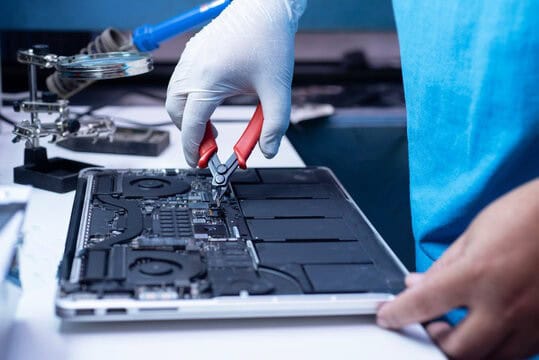
We assess your device, explain the fault and agree the repair costs with you before work begins.
If you decline the quoted repair after diagnosis has started, a £24 diagnostic fee, including VAT, covers our assessment time and technical expertise.
Approve the repair and there is no separate diagnostic fee.
We start by identifying the Mac and the graphics work you need it to handle. Assessment establishes whether a compatible internal upgrade, a supported external graphics setup or a different solution is realistic. Graphics faults are considered separately from requests for more performance. The model check comes before recommending parts.

Some Intel Mac Pro models support compatible graphics cards or modules. The exact tower generation, macOS version and card matter. A card advertised for a Windows PC is not automatically a suitable Mac upgrade. Apple’s Intel Mac Pro graphics compatibility guide is a useful starting point.
The 2023 Mac Pro is different. Its graphics processor is part of the M2 Ultra chip, and Apple does not support adding PCIe graphics cards or MPX graphics modules. Having spare expansion slots does not change that restriction. See Apple’s 2023 Mac Pro expansion guidance.
Apple’s supported eGPU route requires an Intel Mac with Thunderbolt 3 and a suitable macOS release. It also depends on the enclosure, graphics card and application. An enclosure is not a way to add supported external graphics to an Apple silicon Mac. A USB C shaped socket alone does not establish compatibility.
We discuss the application, monitor and work you need to accelerate before recommending further assessment. Read Apple’s external graphics requirements before buying hardware for an older Intel Mac.
Tell us which application struggles, the size of your project and the displays you use. That helps distinguish a graphics limitation from another problem. A compatible upgrade may be worth assessing on one machine while repair, a different workflow or replacement advice makes more sense on another.
If the screen is failing or the Mac is unstable, describe the fault first. We agree the proposed work and costs before you decide. There is no blanket promise that every Mac can accept a faster graphics processor.
Read our computer upgrade compatibility guide or browse our repair and support services.
A desktop graphics card is not a general upgrade for an Apple silicon Mac. Apple also requires an Intel Mac for its supported eGPU arrangements. The 2023 Mac Pro specifically does not support additional PCIe graphics cards or MPX graphics modules. We can discuss the limitation and the work you need to accomplish before you spend money on hardware.
No. The tower generation, card or module, operating system and required connections must match. Similar names do not guarantee compatibility. Give us the exact Mac Pro model and any proposed card details so that the options can be checked against the relevant specifications.
Send the Mac model and year, processor name, macOS version and the application you want to improve. About This Mac provides a useful starting point. Include the monitor model if the problem concerns an external display.
Keep a separate backup if the Mac is working. Contact us before purchasing a card, enclosure or adapter, and keep passwords and verification codes out of your enquiry.
No. A supported Intel Mac and enclosure are only part of the decision. The application must benefit from the external graphics arrangement, and the display setup matters. Tell us which application, project and monitor you use. We do not promise a particular improvement before those requirements have been assessed.
Describe the symptoms, when they started and whether they affect the built in screen, an external display or both. A display fault is not proof that a faster GPU will solve it. We discuss diagnosis, any data priority and the proposed cost before repair or replacement work is agreed.
Our shop is at 38 Church Street, Hartlepool, TS24 7DG. Call 01429 280955 or use the contact page to discuss the service and suitable arrangements before travelling.
Friendly and professional rang me to help with my computer issue and ran me though my options recommend their services
Fixed my PC within a day. Diagnosed quickly, repaired and now working great. Would highly recommend this company! Thank you.
Very helpful and excellent advice, top class work, I highly recommend them for repairs or a new system, you won’t regret it.


Darren Waggott founded Kingfisher Computers in 2004. It was his first business, and he has continued to run and develop it ever since, helping local people and businesses look after their computers.
Kingfisher and The Mining Shop are part of the same business group. Our work across everyday PCs, gaming computers, ASIC miner repairs and data centre hardware brings together complementary technical experience. Kingfisher remains focused on practical computer repair and clear advice from Hartlepool.
Find us at 38 Church Street, Hartlepool, TS24 7DG. Call 01429 280955 with your model and the symptoms before you travel.
Opening hours and visit information · Get directions · Contact our team


No appointment required. You’re welcome to pop into the shop during opening hours.
ENQUIRY RECEIVED
38 Church Street, Hartlepool, TS24 7DG
For home visits and callouts, please wait for us to arrange a time.
No appointment required. You’re welcome to pop into the shop during opening hours.
ENQUIRY RECEIVED
38 Church Street, Hartlepool, TS24 7DG
For home visits and callouts, please wait for us to arrange a time.