Friendly and professional rang me to help with my computer issue and ran me though my options recommend their services


Make software changes with a clear purpose
A macOS upgrade changes the operating system your Mac and applications rely on. Start with the exact model and the software you need, rather than choosing a version by its release date alone.
Our Hartlepool team discusses compatibility, available storage and a separate backup before the work is agreed. Tell us about specialist applications, printers and other equipment you need to keep using.
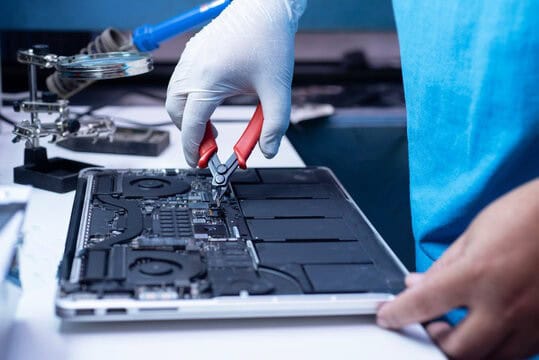
We assess your device, explain the fault and agree the repair costs with you before work begins.
If you decline the quoted repair after diagnosis has started, a £24 diagnostic fee, including VAT, covers our assessment time and technical expertise.
Approve the repair and there is no separate diagnostic fee.
Start with the exact Mac model and the applications or equipment you need to use. We discuss a compatible operating system and the purpose of the change. The newest release is not automatically the right choice for every older Mac or specialist workflow.
Bring the model name, approximate year and current macOS version. Include the applications you use for work, study or creative projects, together with any essential printer, scanner or external equipment. This gives the assessment a practical purpose: keeping the tasks you depend on working after the change.
Apple’s macOS update and upgrade guidance explains that Software Update offers compatible software for the Mac. Hardware compatibility and application compatibility still need separate attention. An application vendor may have its own version requirements.
Tell us where your important files are stored and whether you have a recent independent backup. Note any applications that need a licence, installer or account access to set up again. A copy synchronised with a cloud service should not be assumed to replace a separate recovery plan.
An upgrade and an erased clean installation are different proposals. We discuss the intended route and its effect on files, applications and settings before you agree. If preserving an older workflow is essential, explain that before deciding which macOS release to use.
Describe what you want the upgrade to achieve, including an application requirement or a problem with the current installation. We can discuss whether a system upgrade addresses that need or whether a different assessment should come first.
Before collection, agree which everyday tasks matter: opening a working document, accessing your usual storage or using a required peripheral. An operating system installation alone does not establish that every application and accessory suits your setup. Contact us about a macOS upgrade with your model and the software you rely on.
For general fault checks, read our macOS troubleshooting guide. For other work, browse our repair and support services.
That depends on each application, its version and the proposed macOS release. List the software you cannot do without, including any plugins or specialist drivers. Check the application vendor’s requirements rather than relying only on whether the Mac can install the operating system.
No. An upgrade changes the operating system, while a clean installation normally involves agreeing a separate erase and setup process. Ask which route is proposed and what it means for your files, installed applications and settings before you approve the work. Our clean macOS installation page explains the separate erase and setup decision.
Note the model, current macOS version, essential applications and connected equipment. Check when your separate backup last completed and whether you can access the files you need.
Keep account passwords, licence keys and verification codes out of the enquiry. We can explain any access required for the agreed work. Mention a work or study deadline before arrangements are made.
Describe what appears on screen and whether important files are accessible elsewhere. A startup fault may need assessment before an upgrade is considered. Tell us if preserving data is the priority; do not erase the storage to try to make an installer run.
Agree the important checks for your own setup, such as opening an essential application, finding a working file and using a printer or external drive. Mention these needs before the upgrade so they form part of the discussion about the proposed work.
Our shop is at 38 Church Street, Hartlepool, TS24 7DG. Call 01429 280955 or use the contact page to discuss the service and suitable arrangements before travelling.
Friendly and professional rang me to help with my computer issue and ran me though my options recommend their services
Fixed my PC within a day. Diagnosed quickly, repaired and now working great. Would highly recommend this company! Thank you.
Very helpful and excellent advice, top class work, I highly recommend them for repairs or a new system, you won’t regret it.


Darren Waggott founded Kingfisher Computers in 2004. It was his first business, and he has continued to run and develop it ever since, helping local people and businesses look after their computers.
Kingfisher and The Mining Shop are part of the same business group. Our work across everyday PCs, gaming computers, ASIC miner repairs and data centre hardware brings together complementary technical experience. Kingfisher remains focused on practical computer repair and clear advice from Hartlepool.
Find us at 38 Church Street, Hartlepool, TS24 7DG. Call 01429 280955 with your model and the symptoms before you travel.
Opening hours and visit information · Get directions · Contact our team


No appointment required. You’re welcome to pop into the shop during opening hours.
ENQUIRY RECEIVED
38 Church Street, Hartlepool, TS24 7DG
For home visits and callouts, please wait for us to arrange a time.
No appointment required. You’re welcome to pop into the shop during opening hours.
ENQUIRY RECEIVED
38 Church Street, Hartlepool, TS24 7DG
For home visits and callouts, please wait for us to arrange a time.