Friendly and professional rang me to help with my computer issue and ran me though my options recommend their services


Clear advice for macOS, applications and your desktop setup
iMac support starts with the way the problem affects your work. A Mac that reaches the desktop but struggles with one app needs a different discussion from one that does not finish starting.
Tell us about the macOS version, connected storage, keyboard, mouse and any recent changes. We separate setup and software questions from suspected physical faults. If the display is damaged or the computer needs a hardware assessment, see our iMac repair information.
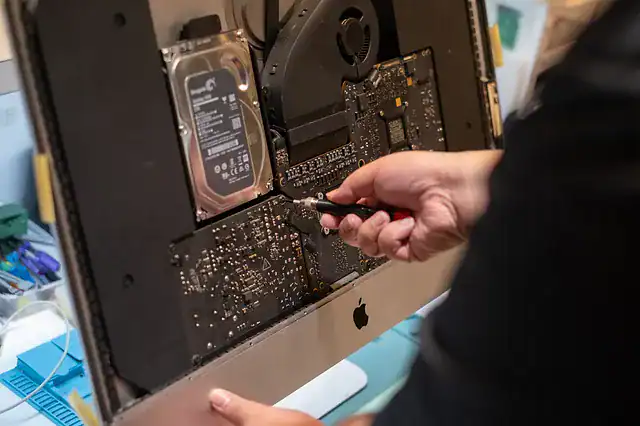
We assess your device, explain the fault and agree the repair costs with you before work begins.
If you decline the quoted repair after diagnosis has started, a £24 diagnostic fee, including VAT, covers our assessment time and technical expertise.
Approve the repair and there is no separate diagnostic fee.
We start with what works, what fails and what you need the iMac to do. Specific observations help us discuss suitable software, setup or diagnostic work before you commit to it.
The correct procedure depends on whether the iMac has an Intel processor or Apple silicon. If you can open About This Mac, note that information and the macOS version. If you cannot, describe the screen and the model details you have. Apple’s startup guidance explains the distinction. Do not apply a random keyboard shortcut or erase instruction without checking which Mac it concerns.
For an app problem, record its name, version and error message. For a connection issue, explain whether other devices work on the same network. Mention recently connected disks, printers or input devices. These observations help focus an iMac support discussion without assuming that the operating system, screen or storage needs replacing.
Tell us where important documents are stored and whether a separate backup is available. A connected disk is not proof of a completed backup. Apple’s Time Machine guidance explains how to check backup progress. Do not erase a disk to create a new backup without understanding what is already on it. We discuss file protection before reset, migration or installation work.
For background reading before discussing this service: Common macOS Issues: A Practical Troubleshooting Guide. For other work, browse our repair services.
The screen alone does not establish the cause. Tell us whether the iMac shows an Apple logo, reaches a login window or changes when an accessory is connected. Mention physical damage separately. An assessment is needed before deciding whether the issue involves the display, power, startup software or something else.
Describe the setup before you travel. A keyboard, mouse, storage device or other accessory may be relevant to the symptom, but you need not bring every item without discussing it. Tell us if the iMac belongs to an employer or uses managed software so the appropriate administrator can be involved.
For iMac support, note the model, macOS version if available and the last normal startup. List relevant peripherals and backup arrangements. Call before travelling to discuss the computer’s size and what accessories would help with the reported fault.
We explain the proposed assessment and discuss suitable options, costs and timing before proceeding. Tell us about essential apps, licences and deadlines. A newer macOS release or a reinstall is not automatically the right answer for an older iMac or the software you rely on.
Tell us what needs moving, where it is stored and what backup already exists. Migration depends on the source Mac, the destination and application compatibility. We discuss those requirements before changing either computer. Do not erase the original iMac or its backup to prepare for an initial enquiry.
Our shop is at 38 Church Street, Hartlepool, TS24 7DG. Call 01429 280955 or use the contact page to discuss the service and suitable arrangements before travelling.
Friendly and professional rang me to help with my computer issue and ran me though my options recommend their services
Fixed my PC within a day. Diagnosed quickly, repaired and now working great. Would highly recommend this company! Thank you.
Very helpful and excellent advice, top class work, I highly recommend them for repairs or a new system, you won’t regret it.


Darren Waggott founded Kingfisher Computers in 2004. It was his first business, and he has continued to run and develop it ever since, helping local people and businesses look after their computers.
Kingfisher and The Mining Shop are part of the same business group. Our work across everyday PCs, gaming computers, ASIC miner repairs and data centre hardware brings together complementary technical experience. Kingfisher remains focused on practical computer repair and clear advice from Hartlepool.
Find us at 38 Church Street, Hartlepool, TS24 7DG. Call 01429 280955 with your model and the symptoms before you travel.
Opening hours and visit information · Get directions · Contact our team


No appointment required. You’re welcome to pop into the shop during opening hours.
ENQUIRY RECEIVED
38 Church Street, Hartlepool, TS24 7DG
For home visits and callouts, please wait for us to arrange a time.
No appointment required. You’re welcome to pop into the shop during opening hours.
ENQUIRY RECEIVED
38 Church Street, Hartlepool, TS24 7DG
For home visits and callouts, please wait for us to arrange a time.